
qpi-config
qpi-config is a tool for configuring Quectel Pi H1 single-board computer. It supports the following functions:
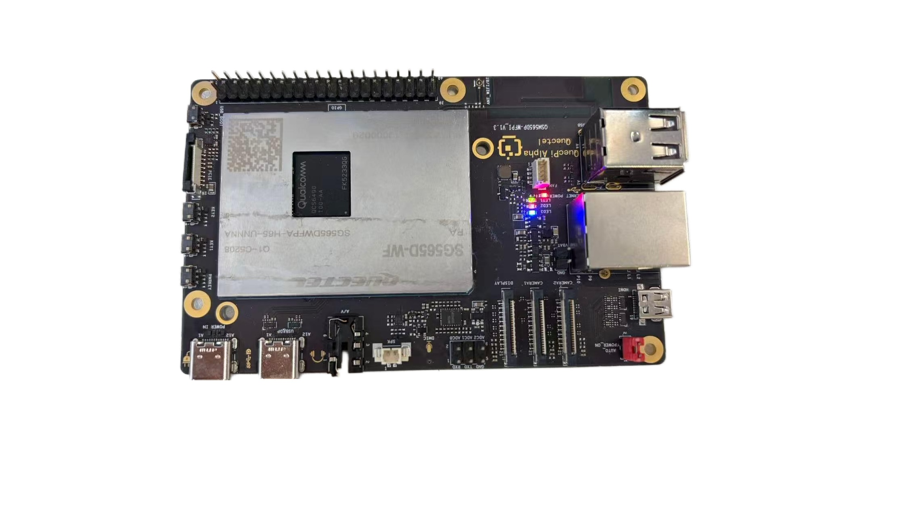
- Configure the operating mode and brightness of the on-board LEDs.
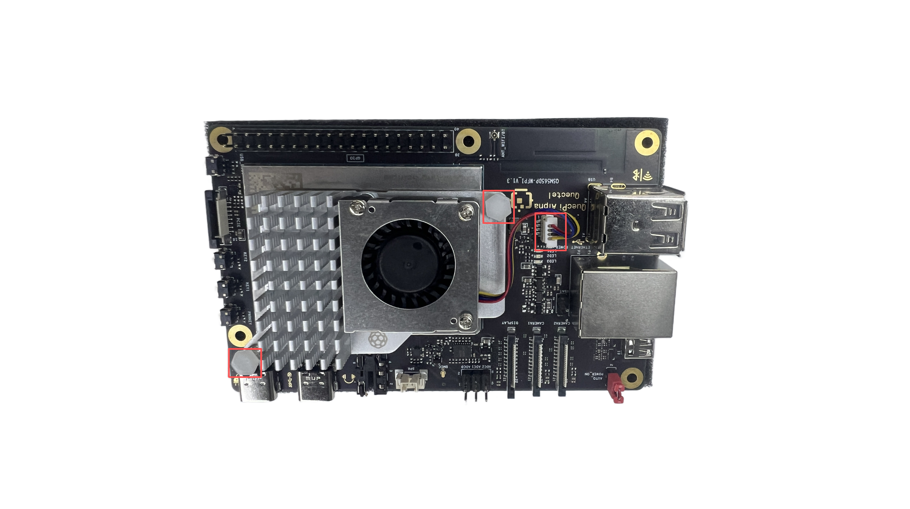
- Configure the operating mode and speed of the fan interface.
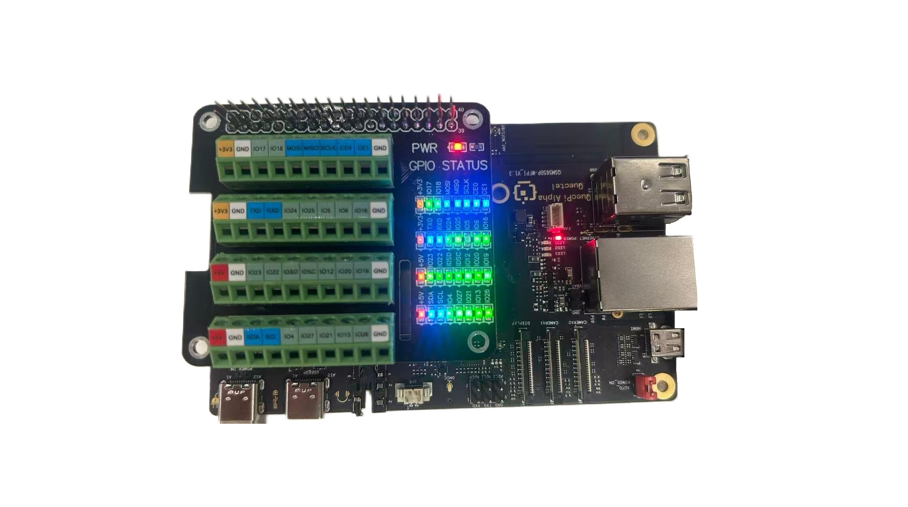
- Configure the operating mode of the 40-pin interface.
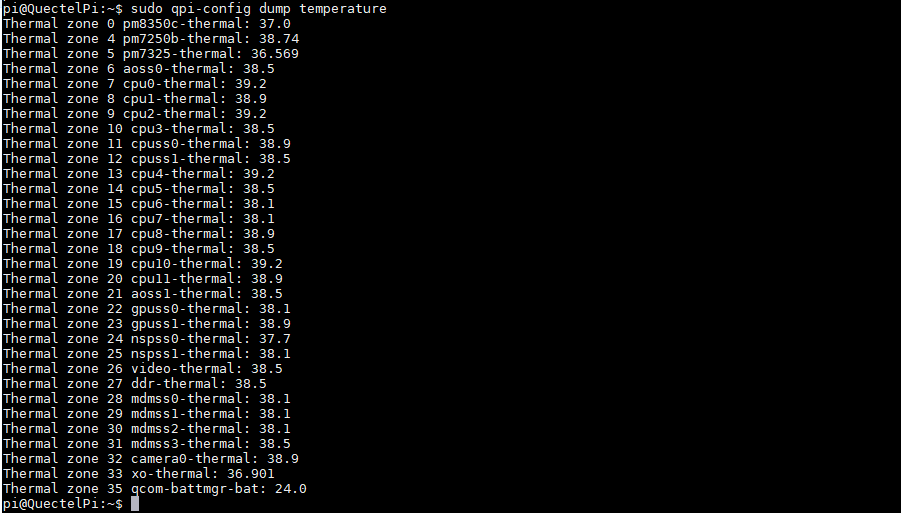
- Query the temperature of each system module.
- Query the system's CPU, memory, and storage status.
- Configure Wi-Fi.
On-board LED configuration
Run the following command to configure the operating mode:
sudo qpi-config led mode <blue|green|red> <heartbeat|none>
Run the following command to configure the brightness:
sudo qpi-config led brightness <blue|green|red> <0-511>
Fan configuration
Run the following command to configure the fan speed:
sudo qpi-config fan set speed <0-255>
40-Pin interface operating mode configuration
First modify the configuration file /etc/qpi-config/qpi-config.ini, and then run the following command to apply the configuration:
sudo qpi-config 40pin set
- Note: The changes will take effect after the board is rebooted.
Query system module temperatures
Run the following command to query module temperatures:
sudo qpi-config dump temperature
Query system CPU, memory, and storage status
Run the following command to query system CPU, memory, and storage status:
sudo qpi-config dump systemusage

Configure Wi-Fi
Run the following command to scan for available Wi-Fi networks:
sudo qpi-config wifi scan
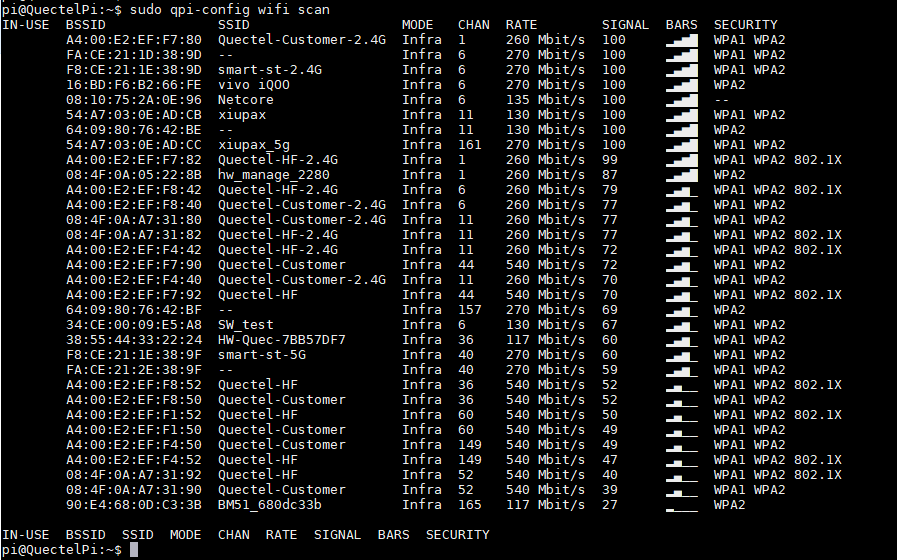
Run the following command to view existing Wi-Fi connections:
sudo qpi-config wifi show
Run the following command to check the Wi-Fi connection status:
sudo qpi-config wifi dump <connection uuid>
Run the following command to add Wi-Fi connection:
sudo qpi-config wifi connect <ssid> <password>
- After successful connection, the corresponding wireless network status will be displayed as Connected, and the Wi-Fi connection icon will appear in the upper right corner.
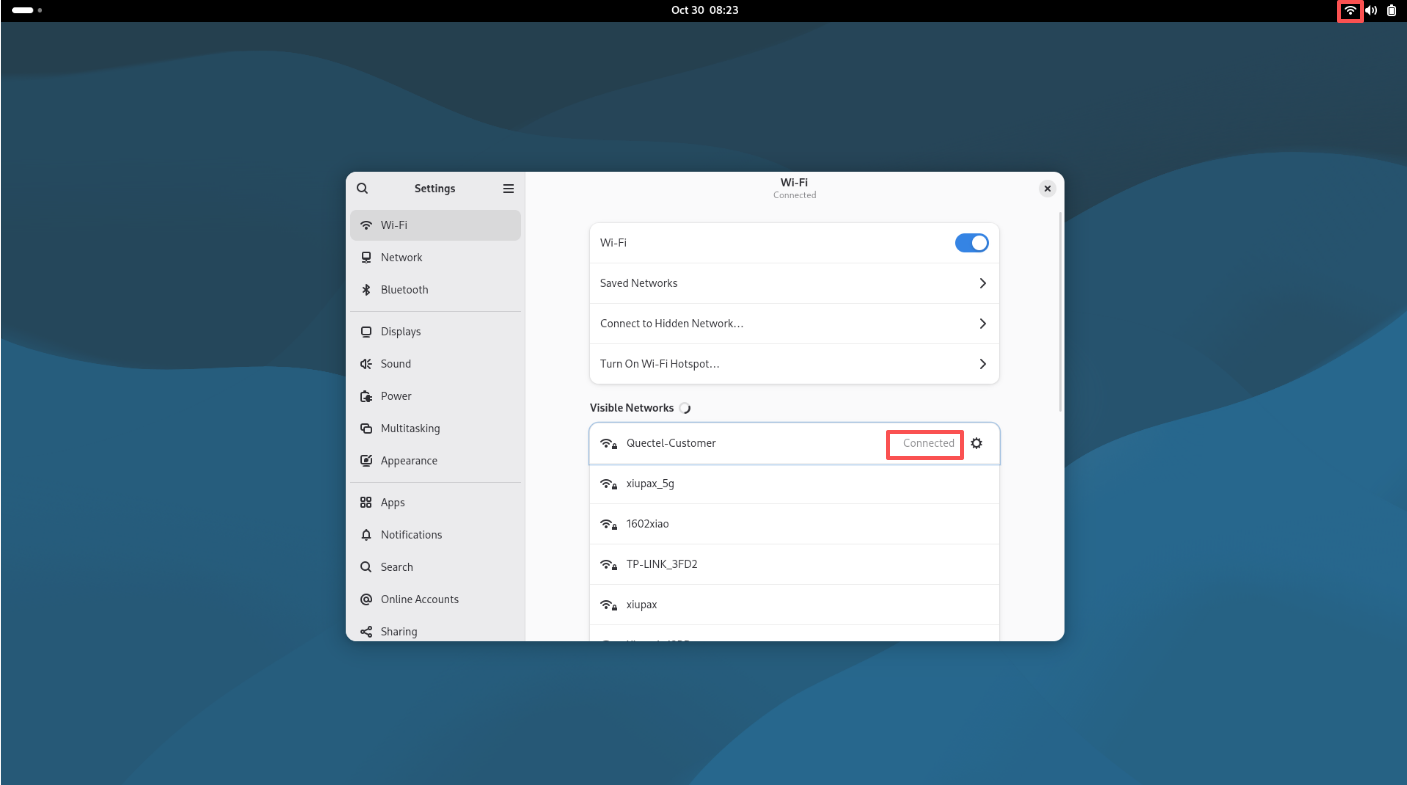
Run the following command to delete Wi-Fi connection:
sudo qpi-config wifi remove <connection uuid>