
Development kit
Quectel Pi H1 is a smart single-board computer launched by Quectel based on the Qualcomm QCS6490 high-performance octa-core 64-bit processor (up to 12 TOPS computing power) and Qualcomm Adreno™ 643L GPU with 8 GB LPDDR4X memory and USB Type-C power interface. It supports external eMMC and SSD,and Wi-Fi 2.4 & 5 GHz and is compliant with IEEE 802.11a/b/g/n/ac and Bluetooth 5.0 protocol. It also supports dual display (DP and LCM or DP and Micro HDMI). Quectel Pi H1 has powerful performance and rich multimedia functions, meeting customer requirements for high-speed, multimedia functions and computing power in industrial and consumer applications.
Quectel Pi H1 integrates rich interfaces, greatly expanding its application in the M2M field, and can be widely applied in the industries and devices in edge computing, robotics, industrial control, multimedia terminals, digital signage, intelligent security, and industrial PDA, covering various industries in the entire AIoT field.
The Quectel Pi H1 supports Yocto Linux/Debian operating systems, meeting the needs of most algorithm prototyping and inference application development.
Kit introduction
The Quectel Pi H1 development kit is designed as "core hardware + compatible accessories" to ensure plug-and-play functionality. The kit includes the following key components:
| Category | Accessory name | Image | Quantity | Core specifications/purpose |
|---|---|---|---|---|
| Core hardware | Quectel Pi H1 smart single-board computer | 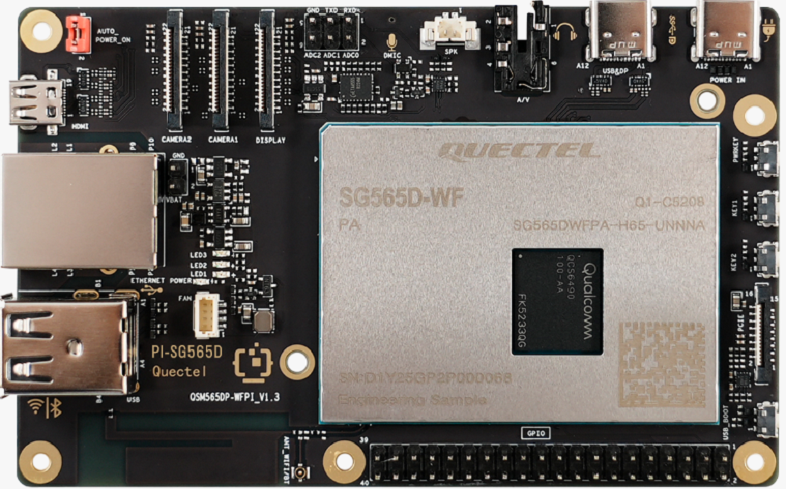 |
1 piece | Equipped with Qualcomm QCS6490 octa-core CPU, 8 GB LPDDR4X + 128 GB UFS storage, dual-band Wi-Fi 5, responsible for core functions of computing and peripheral control |
| Power accessories | USB-A power cable | 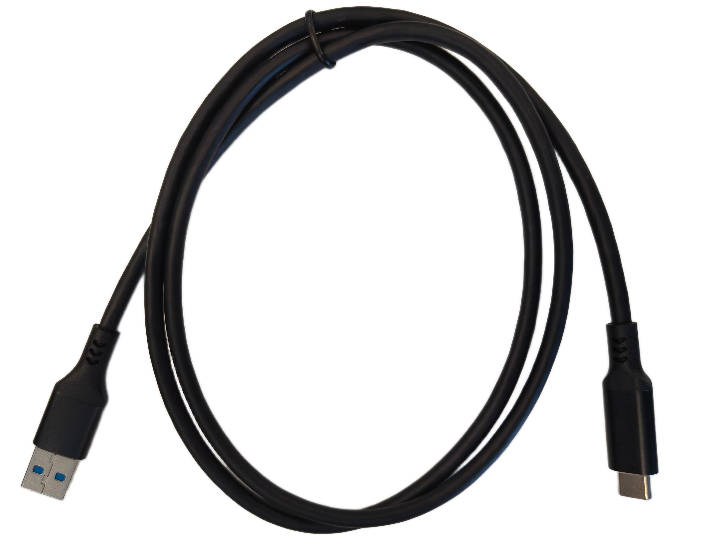 |
1 piece | 5A output, 1m cable length, USB-A (male) to USB-C (male), compatible with recommended power adapters |
| Display accessories | USB-C DP display cable | 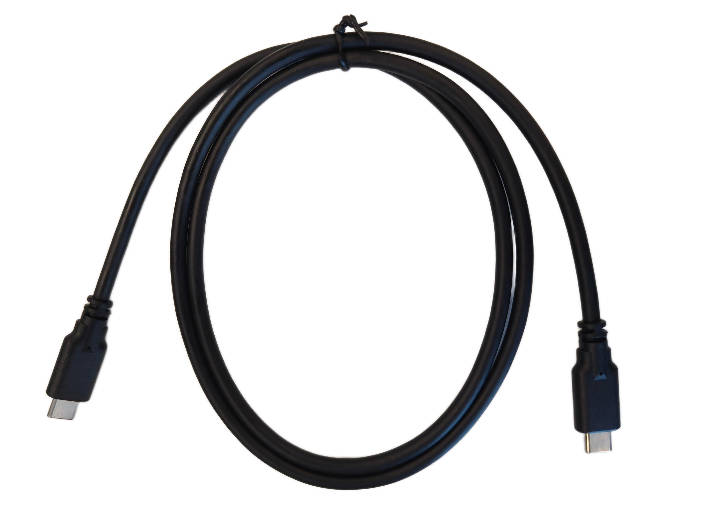 |
1 piece | DP 1.4 specification, 1 m cable length, supports 4K@60Hz HD display |
| Display accessories | Micro HDMI cable | 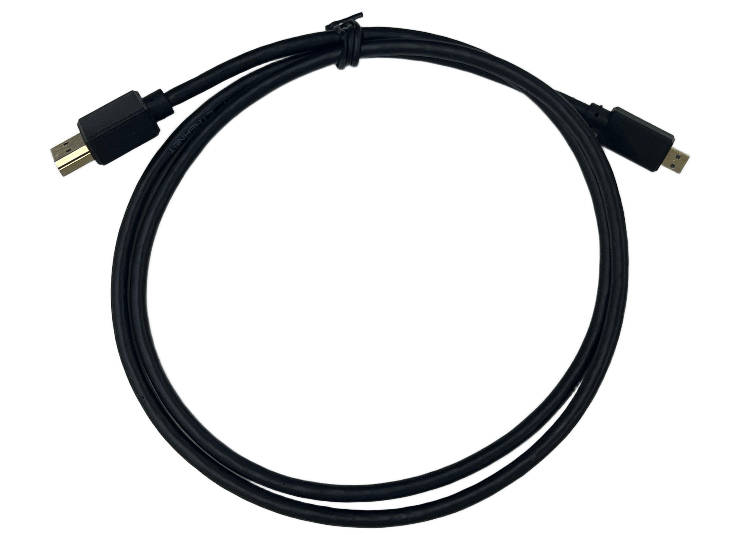 |
1 piece | Micro HDMI 2.0 specification, 1m cable length, compatible with traditional HDMI display devices |
| Network accessories | Gigabit ethernet cable | 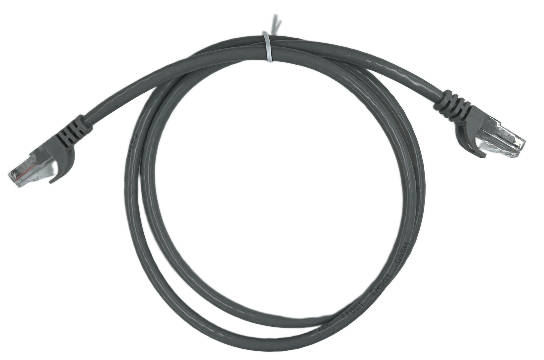 |
1 piece | 1m cable length, supports data transmission with gigabit rate |
| Imaging accessories | IMX219 HD camera (with FPC cable) | 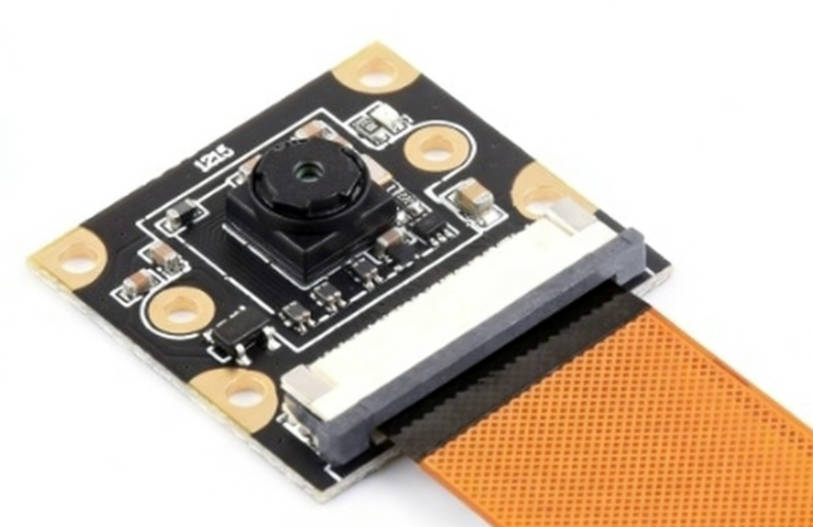 |
1 piece | 8 MP, MIPI-CSI interface, 120° field of view, supports image capture and open source library calls |
Hardware resources
Software resources
Quectel Pi H1 smart single-board computer provides rich software resources to help users with quick development. At product release, you can obtain all Linux AP source code and rich software development manuals.
Development environment
You can develop with a Quectel Pi H1 smart single-board computer based on Debian or develop with a PC based on Yocto.
Yocto Linux development requires a PC and has higher environmental requirements.
For detailed development information, please refer to Yocto Linux Development environment setup.
Development tools
For detailed content, please refer to Yocto Linux System tools and applications.
Core components
| Category | Name | Description | Source code |
|---|---|---|---|
| Bootloader | U-boot | Secondary bootloader | NO |
| Linux kernel | Linux kernel | Customized based on Qualcomm kernel_6.6 version | YES |
| Device drivers | PMIC EEPROMUSB HostUSB OTG I2C SPIEthernetSDHIHDMIAudioCamera(MIPI)RTCGPIOUARTWiFi/BT | Under adaptationUnder adaptationUSB Host driverUSB OTG driver I2C bus driver SPI bus driverR8168 drivereMMC/SD card storage driverLT9611 driver WCD937x driverIMX477 camera driver-Generic GPIO driver Serial driverQca1023 driver |
YES YESYESYESYESYESYESYESYESYESYESYESYESYESYES |
| File system | qcom-multimedia-image | Full-featured image built with Yocto | YES |
SDK directory introduction
Source code directory structure
Pi-H1-Linux-SDK/
├── build-qcom-wayland/ # Yocto build directory
├── downloads/ # During build process, caches downloaded source code and tools (such as open source software packages, kernel source code, etc.)
├── layers/ # To divide different user-customized project modules for modular development and maintenance
├── quectel_build/ # Quectel's customized build directory and scripts
├── sources/ # Kernel source code directory, stores locally developed source code (non-Yocto standard directory)
├── src/ # Stores locally developed source code (non-Yocto standard directory) and driver-related device trees
├── sstate-cache/ # Shared state cache, such as compiled toolchains and library caches
└── setup-environment  # Script to initialize build environment
build-qcom-wayland/ introduction
build-qcom-wayland/
├── buildhistory/ # Directory generated when compilation log recording is enabled, containing package file lists, compilation dependency graphs, etc.
├── cache/ # Bitbake's cache for parsing class files
├── conf/ # User configuration files
├── tmp-glibc/ # All build outputs are stored in this directory
│      ├── cache/ # After BitBake parses metadata (including recipes and config files), it caches the parsing results in this directory to improve subsequent efficiency
│      ├── deploy/ # Deployment file directory. Final required files (boot, system, image, etc.) are all in this directory
│      │   ├── images/ # Stores boot, system, image and other files
│      │   ├── ipk/ # Stores all ipk-type installation packages generated by the system
│      │   └── licenses/ # License information for various software used by the system
│      ├── hosttools/
│      ├── log/ # Bitbake log information
│      ├── pkgdata/
│      ├── sstate-control/ # State tracking files (the OpenEmbedded build system uses this directory for shared state manifest files. The shared state code uses these files to record files installed by each state task, so they can be deleted when cleaning recipes or about to install a new version. When one task's files overwrite another task's files, the build system also uses manifests to detect and generate warnings)
│      ├── stamps/ # Records some information recorded by BitBake for tracking task execution times
│      ├── sysroots/ # Built root filesystem content
│      ├── sysroots-components/ # Additional components needed before making sysroots
│      ├── sysroots-uninative/
│      ├── work/ # Contains CPU architecture-specific working directories
│      └── work-shared/ # Content shared by various recipes, such as gcc toolchain and system libraries
├── tmp-qcom-guestvm-glibc/
└── workspace/
layers/ introduction
layers/
├── meta-openembedded/ # Collection of OpenEmbedded core metadata, containing a large number of shared recipes (such as toolchains, libraries, applications), extending Yocto's software package support and providing additional open source software
│      │   ├── meta-oe/ # General software
│      │   ├── meta-python/ # Python related
│      │   └── meta-networking/ # Networking tools
├── meta-qcom/ # Qualcomm hardware platform BSP (board support package) layer, including kernel, drivers, firmware, hardware adaptation configurations (such as machine definitions)
├── meta-qcom-distro/ # User-customized distribution configuration layer, customized distribution policies (such as DISTRO configuration, image recipes, software package combinations)
├── meta-qcom-hwe/ # Qualcomm hardware enablement features, including kernel patches, hardware acceleration support (such as GPU/VPU), real-time extensions
├── meta-qcom-qim-product-sdk/ # Qualcomm QIM product SDK extension layer, product-specific software stacks, testing tools, sample code, etc.
├── meta-qt5/ # Qt 5 framework support layer, containing Qt libraries, tools (such as qtcreator) and application recipes
├── meta-quectel/ # Quectel module (such as 4G/5G modules) driver and tool support
├── meta-rust/ # Rust language toolchain and ecosystem support, Rust compiler (rustc), Cargo package manager and Rust libraries
├── meta-security/ # Security enhancement tools and policies, such as selinux, apparmor, encryption tools (openssl enhancements)
├── meta-selinux/ # SELinux (security enhanced Linux) policies and tools, SELinux policy files, label configurations
├── meta-updater/ # System OTA (over-the-air) update support
├── meta-virtualization/ # Virtualization technology support (such as containers/docker, KVM)
└── poky/ # Yocto project core layer, underlying build system (BitBake, OpenEmbedded core), core recipes (such as busybox, glibc), providing minimal toolchain and framework for building embedded Linux systems
quectel_build/ introduction
quectel_build/ Build
├── compile/
│      │   ├── quectel-features-config/        # Automatically generated configuration files
│      │   ├── build.sh                         # Build script to build AP environment
│      │   ├── config_parser.py                  # Configure file parser
│      │   ├── export_sdk.sh                     # Packages cross-toolchain SDK
│      │   ├── version_parser_auto.py          # Configure file parser
│      │   └── version_parser.py                  # Configure file parser
├── config/ Customize project list
│      │   ├── quectel_project.conf
├── packaged_file/                        # Provides BP firmware by default, updated here subsequently.
│      │   ├── bootbinaries/ # Binary files related to system boot
│      │   ├── firehose/ # Low-level flashing, diagnostics or firmware programming for chip devices, especially used in EDL (emergency download mode)
│      │   ├── partition/ # Files related to disk partitions, device partition tables or firmware partition layouts
├── prebuilt_bpfw/  # Baseline defaults to compiling adsp, cdsp images into AP system image. The three zip packages below come from BP compilation and are provided for customer use. For special customization, contact Quectel developers.
│      │   ├── QCM6490_bootbinaries.zip
│      │   ├── QCM6490_dspso.zip
│      │   ├── QCM6490_fw.zip
├── QSM565DWFPARL1A01_BP01.001_Linux6.6.38_V01/   # Required image files for Quectel Pi H1 (integrating AP and BP files)
└── a_key_generation.sh # One-click packaging tool for integrating system image files, such as QSM565DWFPARL1A01_BP01.001_Linux6.6.38_V01
sources/quectel-src/ introduction
sources/quectel-src/
├── kernel/ # Kernel source code, localized management
src/ introduction
src/
├── devicetree/ # Stores device tree source files (DTS/DTSI) to describe hardware configuration (such as peripherals, buses, interrupts, etc.)
│      │   ├── camera-devicetree # Camera module (such as MIPI-CSI interface) device tree configuration, including sensor model, I2C address, clock configuration, etc.
│      │   ├── display-devicetree # Device tree nodes for display-related hardware (such as MIPI-DSI screen, LVDS interface), defining resolution, timing parameters (display-timings), backlight control, etc.
│      │   ├── graphics-devicetree # Configuration for GPU or display controller (such as Qualcomm Adreno GPU, DPU), may involve memory allocation, clock, power management
│      │   ├── video-devicetree # Device tree nodes for video codec hardware (such as VPU), configuring video input/output interfaces (such as HDMI, CSI)
│      │   ├── wlan-devicetree # Configuration for wireless modules (such as Qualcomm WCN6855), including PCIe/SDIO interface, RF parameters, firmware loading path
└── display-drives/ # Stores display-related drivers and supporting tools, typically including kernel drivers, firmware, configuration scripts, etc.
│      │   ├── bridge-drivers/ # Bridge chip drivers (such as TI SN65DSI86: MIPI-DSI to LVDS bridge chip)
│      │   ├── config/  # Display system configuration files (such as color calibration parameters, EDID data, screen rotation settings)
│      │   ├── Documentation/ # Driver development documents and hardware manuals
│      │   ├── include/  # Headers to define data structures, macro registers and API
│      │   ├── msm/ # Qualcomm (Qualcomm MSM platform) exclusive display drivers
│      │   ├── rotaror/ # Hardware acceleration drivers for screen rotation/images
Git configuration update
Check if identity is configured in .gitconfig.
git config --get user.email
git config --get user.name
If account identity is not set in .gitconfig, please run the following commands.
git config --global user.email <Your email ID>
git config --global user.name <"Your Name">
Add the following UI color options for console output (optional).
git config --global color.ui auto
Add the following git configurations to get large repositories and avoid unreliable connections.
git config --global http.postBuffer 1048576000
git config --global http.maxRequestBuffer 1048576000
git config --global http.lowSpeedLimit 0
git config --global http.lowSpeedTime 999999+
Application demonstration
Application scenarios
Based on research of popular development board application scenarios on the market, including Raspberry Pi, NVIDIA, Orange Pi, etc., application scenarios in different fields have been organized. Combining the functional characteristics of Quectel Pi H1, the following application scenarios suitable for Quectel Pi H1 are developed:
Audio/Video (camera) scenarios
- Home media center
- Simple face recognition
- Instant camera
- Bilibili live "request song" station
- Owl [zombie] detector
Gaming scenarios
- Switch gaming console
- AR smart glasses
- Wooden LED game display
Office scenarios
- Wireless router
- BT download server
- File server
- Private deployment network drive
- Handheld computer
IoT scenarios
- Indoor temperature monitoring
- Smart pet feeder
Industrial scenarios
- Walking robot dog
AI scenarios
- Image recognition: Quectel Provectron model
- Deep learning/language models: deepseek
Educational scenarios
- Programming education
Demo Examples
- Smart vision car
- Face transform
- Eye remote control
- Node-RED Based edge gateway
- Smart Video Monitoring System
- People Counting Device
- Home NAS system
- Retro game console
- Light music player
- E-Ink reader
- Camera Distance Measurement Solution
- Home theater
- Gesture remote control
- Fall Alarm Device
Q&A
Common issues
| Issue | Troubleshooting steps |
|---|---|
| The smart single-board computer can not boot | 1. Does the power adapter meet 5V/5A, 9V/3A or PD fast charging protocol? 2. Is the AUTO_POWER_ON pin header shorted? |
| No signal/black screen display | 1. Is the monitor input source switched correctly? 2. Are the DSI flexible cable/HDMI interface plugged in tightly? |
| Camera not recognized | 1. Is the camera cable inserted in the correct direction? 2. Is the cable plugged in tightly? |
| No network connection | 1. Is the network cable plugged in tightly? 2. Is the router connected to the internet? 3. Has the smart single-board computer obtained an IP address normally? |
Kit maintenance
Accessory storage: Power cables, display cables, network cables, etc. should be organized separately to avoid bending and damaging interfaces; cameras should be stored in a moisture-proof environment to prevent cable oxidation.
Smart single-board computer protection: If it is not in use for extended periods, wrap it with dust bags to prevent dust from covering chips; avoid squeezing during transportation to prevent board component detachment.
Documentation and firmware updates: Obtain the latest specifications, system images and driver updates for the kit through Resource download.
Note: If the system completely fails to boot, reflash the official Debian 13 image. Refer to Image flashing tutorial for image flashing instructions.
Resource acquisition and development support
Forum technical support
Quectel developer forum is a professional platform for IoT developers, providing one-stop support for technical resource lookup, development problem solving, and practical experience sharing for Quectel Pi H1 development kit users.
Resource updates
Resource updates is the core resource entry for Quectel Pi H1 development kit resource updates and system maintenance, providing comprehensive support for developers. You can obtain basic update resources such as system images (Debian, Linux), USB drivers, as well as supporting tools such as compilation toolchains and Ubuntu docker compilation environments to assist in custom firmware development and local upgrades. Before downloading, it is recommended to verify that the resource version matches the kit model to ensure the safety and stability of updates.
Product summary
The Quectel Pi H1 development kit can efficiently assist developers in rapidly building IoT products with a clear core path: Visit QuecDevZone to obtain complete technical documentation and sample code for the kit, laying the foundation for development; solve development problems in real time with the support of forum, and ensure the firmware updates and system stability through resource download entry; integrate website resources, documentation guidance and code references to significantly shorten the cycle from development debugging to product launch, accelerating the rapid construction and iteration of IoT products.