
Cellular network
Cellular Network is a wide-area network architecture based on wireless communication, widely used in mobile communication and IoT devices. Its core feature is dividing the coverage area into multiple "cells", with each cell served by a base station providing wireless access. Terminal devices connect to the operator's core network through the base station, enabling voice, SMS, and data services.
This chapter mainly introduces the method of connecting to the network using USIM.
Dual SIM dual standby is supported, but this document only focuses on USIM.
Only 4G LTE networks are supported.
Hardware connection
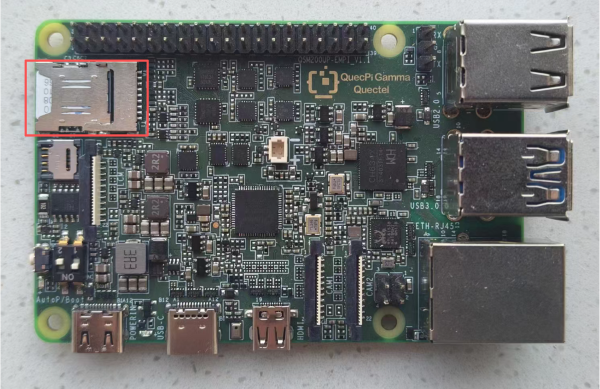
SIM card slot
Nano SIM plug-in card slot.
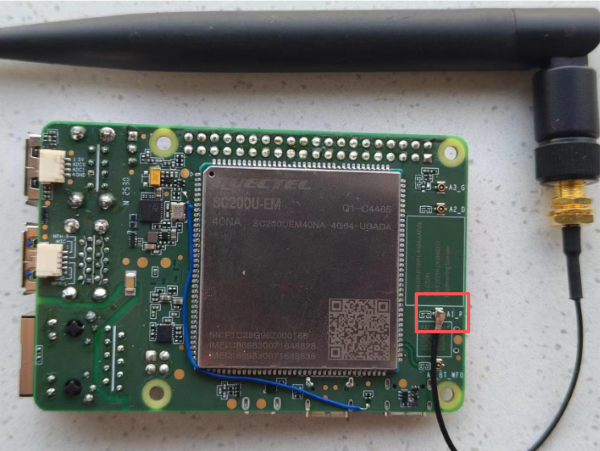
SIM card antenna interface
IPEX-4TH antenna connector.
Quick start
Boot up
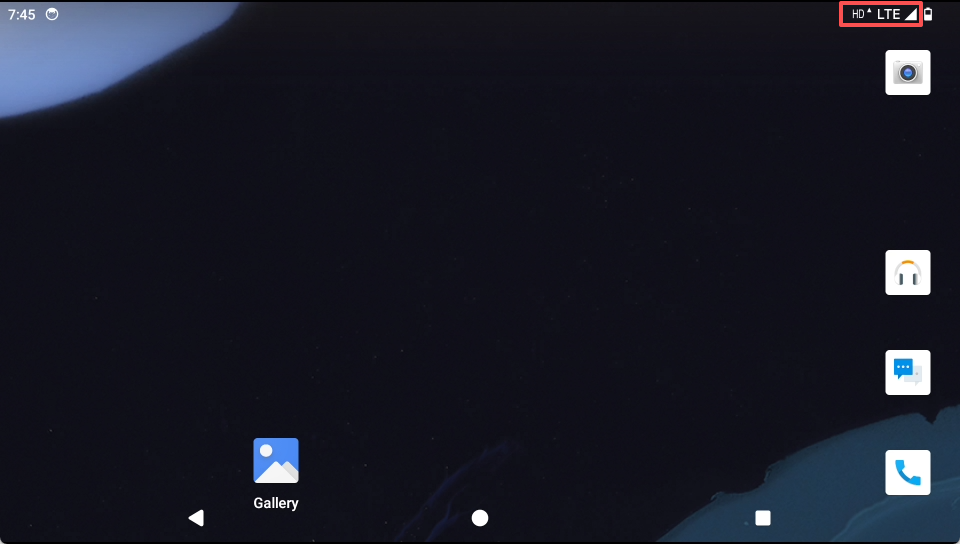
Enter the system and check whether the SIM card is recognized correctly. If recognized correctly, the display will appear as shown below.
Network confirmation
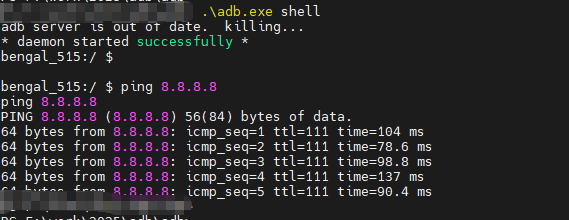
Use adb to enter the system and ping 8.8.8.8 to confirm whether the network is connected properly. For adb usage, please refer to the Getting Started chapter for adb instructions.
Function usage
Enable cellular network
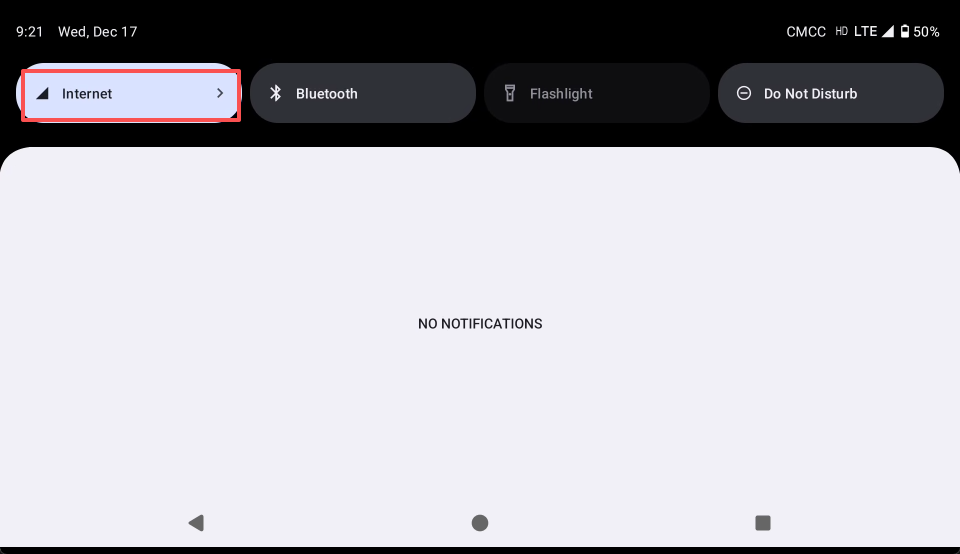
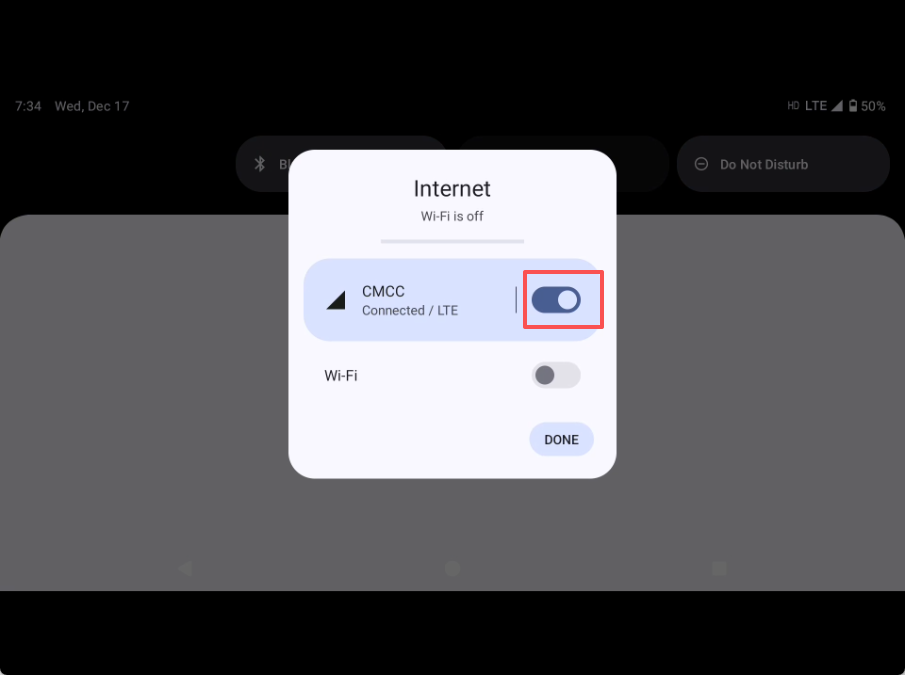
Swipe down from the top of the screen, and the drop-down menu will display the Internet option. Tap to select the corresponding LTE toggle switch and turn it on (lit up).
Disable cellular network
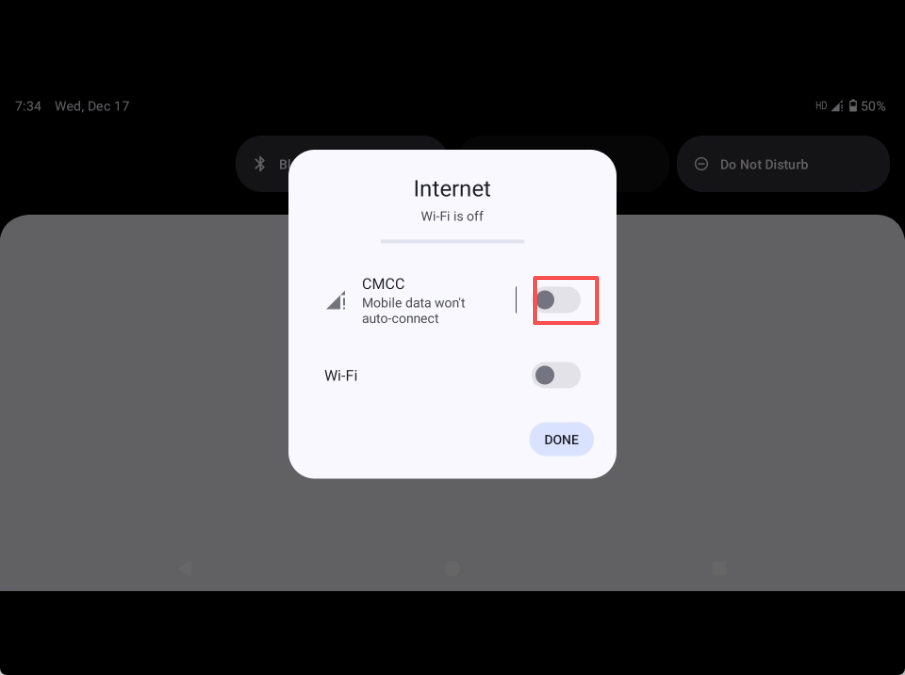
Swipe down from the top of the screen, and the drop-down menu will display the Internet option. Tap to select the corresponding LTE toggle switch and turn it off (dimmed).
Common issues
- The wireless network card is successfully activated, but network services cannot be used. What could be the reason?