
Wi-Fi/BT
The Quectel Pi M1 smart single-board computer supports Wi-Fi and BT connections. By connecting a MIPI display and powering on to enter the Android desktop, you can select the target network or device to complete the connection and achieve wireless communication.
Wi-Fi function usage
Enable and connect Wi-Fi
For specific configuration, please follow these steps sequentially: Connect MIPI display -> Power on -> Android desktop -> Pull down desktop -> Click Wi-Fi icon -> Enter Wi-Fi interface.
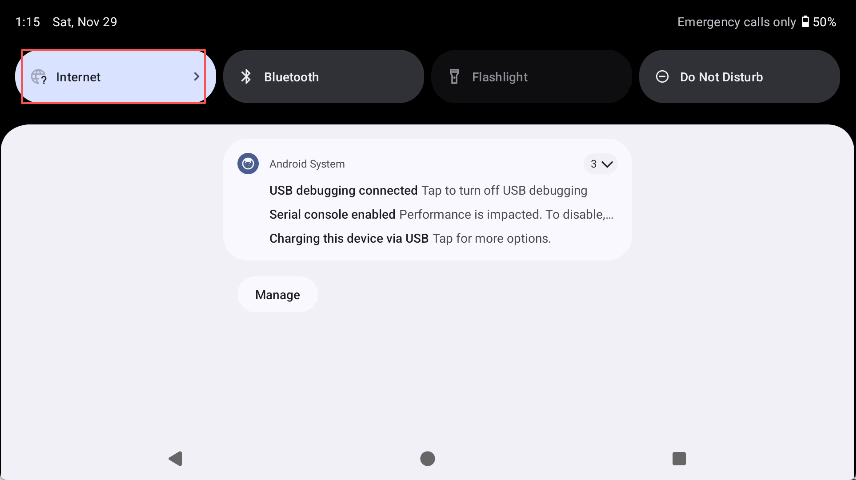
Steps to enable Wi-Fi
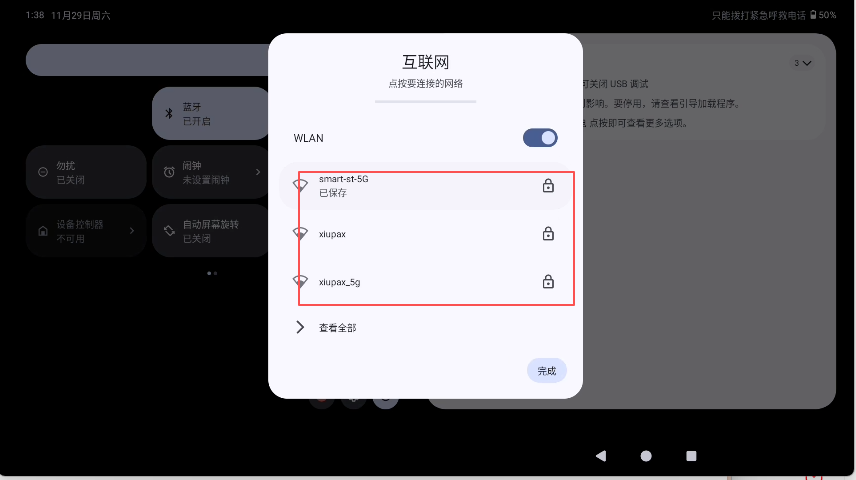
Select Wi-Fi and connect
Bluetooth function usage
The Quectel Pi M1 smart single-board computer features built-in Bluetooth functionality, supporting connections to Bluetooth peripherals.
Enable Bluetooth
For specific configuration, please follow these steps sequentially: Connect MIPI display -> Power on -> Android desktop -> Pull down desktop -> Click BT icon -> Enter Bluetooth (BT) interface.
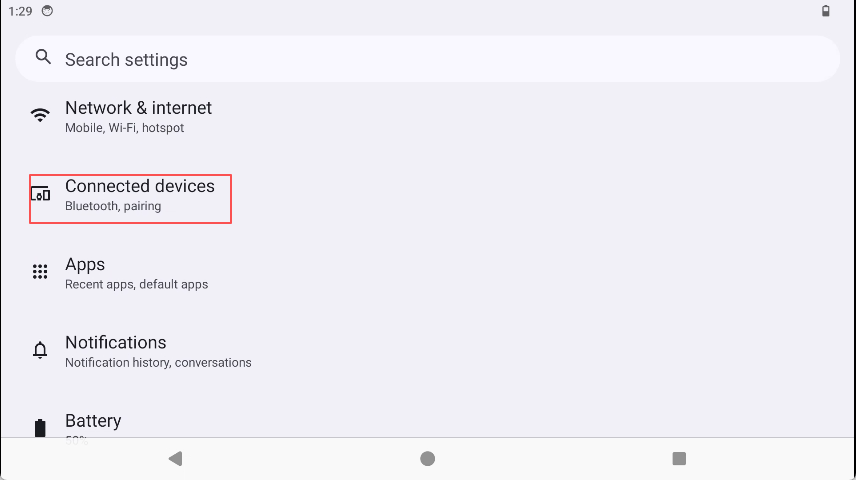
Steps to enable Bluetooth
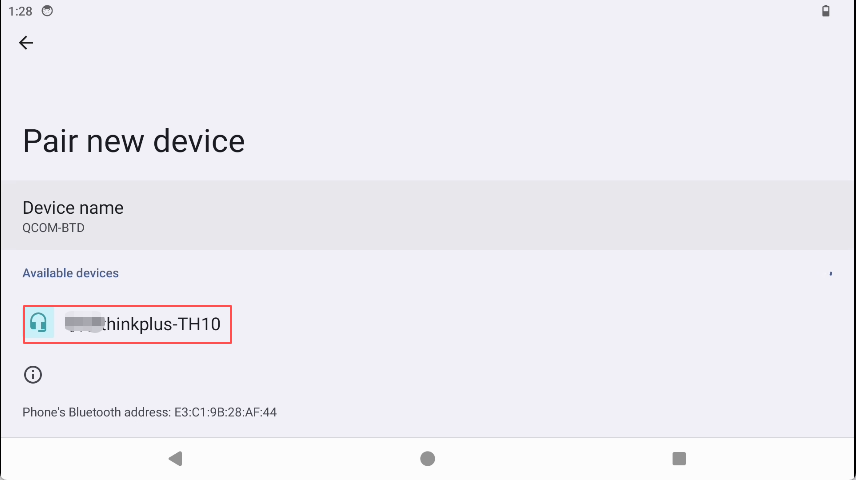
Select corresponding Bluetooth and connect