


 English
BKFIL
2025-11-14
BKFIL, short for Beken Flash Image Loader, a tool for download firmware to Bekencorp chips. BKFIL provides four major functions: download, read, erase and inject key.
Tool download link: BKFIL
There are two tools provided in the compression package for users to use: one is the ui program and the other is the command line tool.
Main window
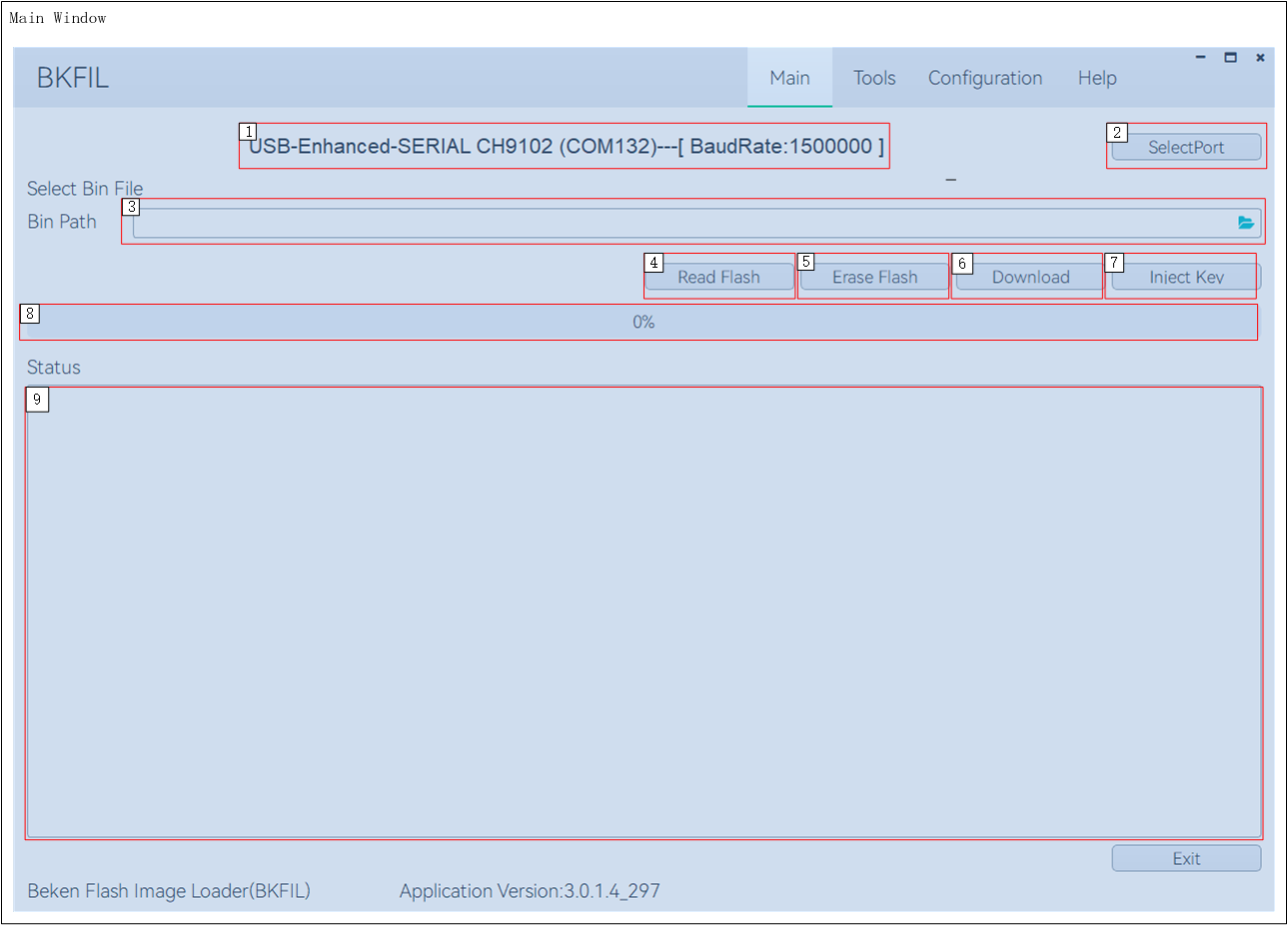
As shown in the figure above, the following explanations are now given for each functional area:
| Idx | Description |
|---|---|
| 1 | Display the baud rate and name of the port in use |
| 2 | Select the port and baud rate |
| 3 | Shown your selected firmware path, click the icon to select target firmware |
| 4 | Depending on the selected firmware or configuration file, read the specified region of the flash |
| 5 | Depending on the selected firmware or configuration file, erase the specified region of the flash |
| 6 | Download the selected firmware to the specified region of the flash |
| 7 | Inject AES key and Random key into the non-secure chip |
| 8 | Progress bar |
| 9 | Log area |
Configuration window
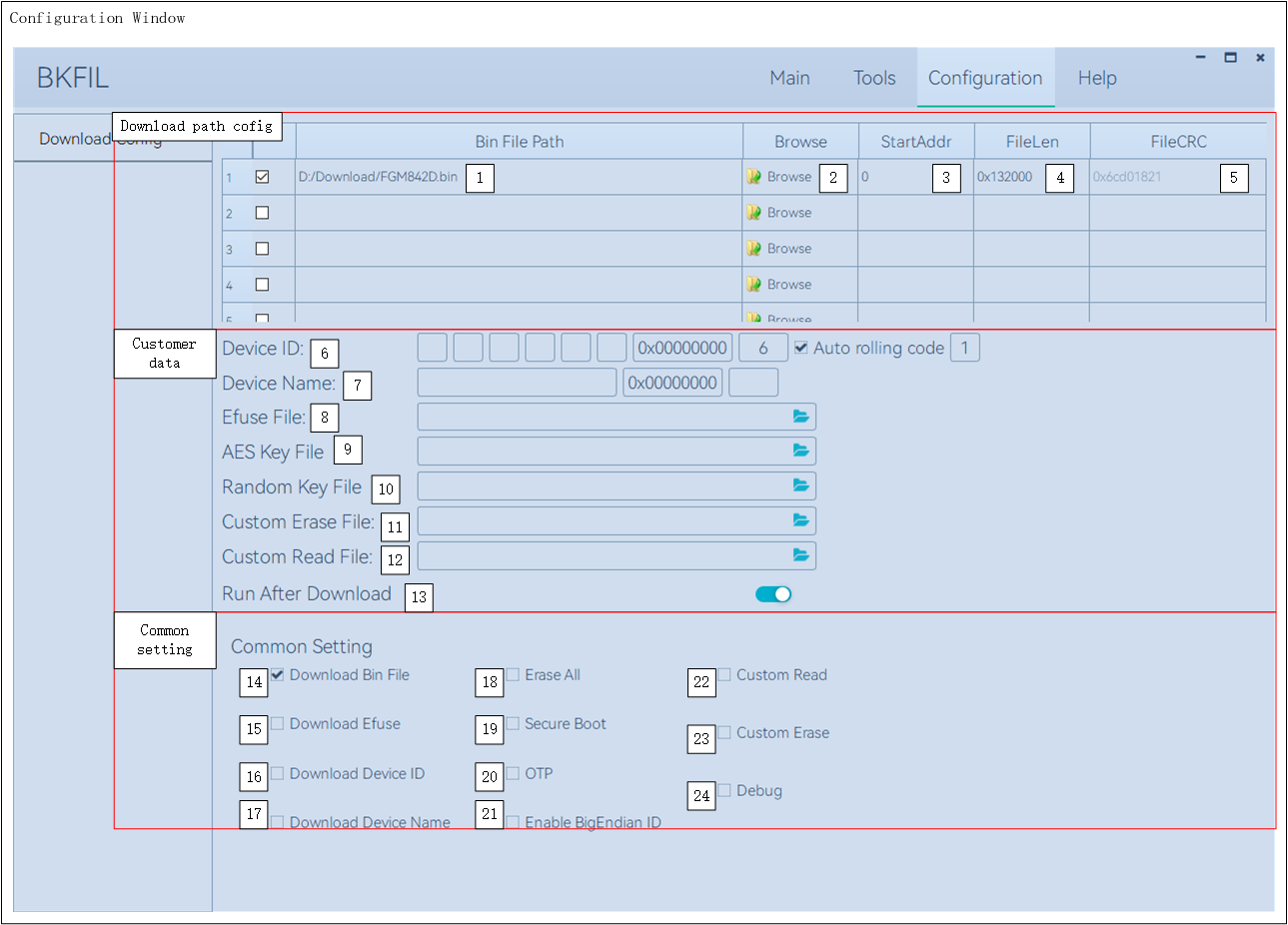
As shown in the figure above, the configuration interface divides three functional areas, and the following will analyze these functional areas:
- Download Path Config
| Idx | Description |
|---|---|
| 1 | Firmware path |
| 2 | Click to select firmware |
| 3 | Firmware start address |
| 4 | Firmware length |
| 5 | Firmware CRC |
- Customer Data
| Idx | Description |
|---|---|
| 6 | Device ID; MAC information stored in the chip, includes MAC content, start address for writing, MAC length, automatic roll code, roll code length |
| 7 | Device name; custom device name, includes device name, start address, device name length |
| 8 | Efuse key file path, also contains SecureBoot information for some chips |
| 9 | AES key file path |
| 10 | Random key file path |
| 11 | Custom erase file path |
| 12 | Custom read file path |
| 13 | Reboot after download |
- Common Setting
| Idx | Description |
|---|---|
| 14 | Download firmware |
| 15 | Download |
| 16 | Download Device ID |
| 17 | Download Device Name |
| 18 | Full Erase |
| 19 | Download SecureBoot |
| 20 | Download OTP |
| 21 | Enable Big Endian Writing Mode for Device ID information |
| 22 | Custom Read |
| 23 | Custom Erase |
| 24 | Debugging, outputs commands sent and received by BKFIL to a specified file |