


 English
AT Commands Manual For FCM242D and FGM842D Series Modules
Introduction
This document outlines related AT commands of Wi-Fi, BLE, TCP/UDP, SSL, MQTT, HTTP(S) and other functions supported by Quectel FCM242D and FGM842D series modules.
Definitions
Carriage return character. Line feed character. - <...> Parameter name. Angle brackets do not appear on the command line.
- [...] Optional parameter of a command or an optional part of TA information response. Square brackets do not appear on the command line. When an optional parameter is not given in a command, the new value equals its previous value or the default settings, unless otherwise specified.
- Underline Default setting of a parameter.
AT Command Syntax
All command lines must start with AT or at and end with
AT commands implemented by the module can be separated into two categories syntactically: "Basic" and "Extended", as listed below:
Basic Command
These AT commands have the format of AT
is the command, and is/are the argument(s) for that command. An example of this is ATE , which tells the DCE (Data Circuit-terminating Equipment) whether received characters should be echoed back to the DTE (Data Terminal Equipment) according to the value of . is optional and a default will be used if it is omitted. Extended Command
Extended commands can be executed in several modes, as shown in the following table.
Types of AT Commands:
| Command Type | Syntax | Description |
|---|---|---|
| Test Command | AT+<cmd>=? |
Tests if the command exists and returns info about its type, value, or range. |
| Read Command | AT+<cmd>? |
Reads the current parameter value of the command. |
| Write Command | AT+<cmd>=<p1>[,<p2>[,<p3>]] |
Sets user-definable parameter values. |
| Execution | AT+<cmd> |
Returns specific info or performs an action. |
AT Command Input and Responses
Spaces should be ignored when you enter AT commands, except in the following cases:
- Within quoted strings, where spaces are preserved;
- Within an unquoted string or numeric parameter;
- Within an IP address;
- Within the AT command name up to and including a =, ? or =?.
On input, at least a carriage return is required. A newline character is ignored so it is permissible to use carriage return/line feed pairs on the input.
If no command is entered after the AT token, OK will be returned. If an invalid command is entered, ERROR will be returned.
Optional parameters, unless explicitly stated, need to be provided up to the last parameter being entered.
AT Command Responses
When the AT command processor has finished processing a line, it will output OK, ERROR or +CME ERROR:
Responses will be in the format of:
Or
Declaration of AT Command Examples
The AT command examples in this document are provided to help you learn about the use of the AT commands introduced herein. The examples, however, should not be taken as Quectel's recommendations or suggestions about how to design a program flow or what status to set the module into. Sometimes multiple examples may be provided for one AT command. However, this does not mean that there is a correlation among these examples, or that they should be executed in a given sequence. The URLs, domain names, IP addresses, usernames/accounts, and passwords (if any) in the AT command examples are provided for illustrative and explanatory purposes only, and they should be modified to reflect your actual usage and specific needs.
AT Command Description
Description of Wi-Fi-Related AT Commands
AT+QRST
Description: Reboots the module.
Command Format:
AT+QRST
Response:
- OK (success)
- ERROR (failure)
Maximum Response Time: 300 ms
Characteristics: None
AT+QVERSION
Description: Gets the firmware version of the module.
Command Format:
AT+QVERSION
Response:
- +QVERSION:
\nOK (success) - ERROR (failure)
Parameter:
<version>: String type without double quotation marks. Firmware version number.
Maximum Response Time: 300 ms
Characteristics: None
AT+QECHO
Description: Enables or disables echo function.
Command Format:
AT+QECHO=<enable>
Response:
- OK (success)
- ERROR (failure)
Parameter:
<enable>: Integer type. Enable/disable echo function. 1 = Disable, 2 = Enable.
Maximum Response Time: 300 ms
Characteristics: Takes effect immediately. Configuration is not saved.
AT+QGETIP
Description: Gets the module IP information.
Command Format:
AT+QGETIP=<mode>
Response:
- +QGETIP:
, , , \nOK (success) - ERROR (failure)
Parameter:
<mode>: String type. Wi-Fi working mode. "station" for STA mode, "ap" for AP mode.<IP>: String type. Module IP address.<gate>: String type. Module gateway. Default is "0.0.0.0" if static IP is not set in AP mode.<mask>: String type. Module subnet mask.<DNS>: String type. Module DNS address.
Maximum Response Time: 300 ms
Characteristics: None
AT+QSETBAND
Description: Sets the serial port baud rate.
Command Format:
AT+QSETBAND=<baud_rate>,<save>
or
AT+QSETBAND?
Response:
- OK (success)
- ERROR (failure)
- +QSETBAND: <baud_rate>\nOK (query)
Parameter:
<baud_rate>: Integer type. Serial port baud rate. Range: 1200--2000000 (bps).<save>: Integer type. Whether the baud rate is saved. 1 = Not saved, 2 = Saved.
Maximum Response Time: 300 ms
Characteristics: Takes effect immediately.
AT+QWLANOTA
Description: Starts firmware OTA upgrade.
Command Format:
AT+QWLANOTA=<URL>
Response:
- OK (success)
- ERROR (failure)
Parameter:
<URL>: String type. Address where firmware package is stored on the server.
Maximum Response Time: 300 ms
Characteristics: None
AT+QWLMAC
Description: Gets the module MAC address.
Command Format:
AT+QWLMAC
Response:
- +QWLMAC:
\nOK (success) - ERROR (failure)
Parameter:
<MAC>: String type. MAC address of the module. Hexadecimal numbers separated by colons. Default value: "8800337769cc".
Maximum Response Time: 300 ms
Characteristics: None
AT+QSTAST
Description: Queries STA mode state.
Command Format:
AT+QSTAST
Response:
- +QSTAST:
\nOK (success) - ERROR (failure)
Parameter:
<state>: String type. STA mode state. "STATION_DOWN" = Disabled, "STATION_UP" = Enabled.
Maximum Response Time: 300 ms
Characteristics: None
AT+QSTADHCP
Description: Enables or disables DHCP service in STA mode.
Command Format:
AT+QSTADHCP?   (read)
AT+QSTADHCP=<enable>   (write)
Response:
- +QSTADHCP:
\nOK (read) - OK (write success)
- ERROR (failure)
Parameter:
<enable>: Integer type. 1 = Disable, 2 = Enable.
Maximum Response Time: 300 ms
Characteristics: Takes effect immediately. Configuration is not saved.
AT+QSTASTATIC
Description: Configures static IP of STA mode.
Command Format:
AT+QSTASTATIC=<IP>,<mask>,<gate>,<DNS>
Response:
- OK (success)
- ERROR (failure)
Parameter:
<IP>: String type. Static IP address of STA mode.<mask>: String type. Module subnet mask.<gate>: String type. Module gateway.<DNS>: String type. Module DNS address.
Maximum Response Time: 300 ms
Characteristics: Takes effect immediately. Configurations are not saved.
AT+QSTASTOP
Description: Disables STA mode.
Command Format:
AT+QSTASTOP
Response:
- OK (success)
- ERROR (failure)
Maximum Response Time: 300 ms
Characteristics: None
AT+QSOFTAP
Description: Enables AP mode.
Command Format:
AT+QSOFTAP=<SSID>[,<key>]
Response:
- OK (success)
- ERROR (failure)
Parameter:
<SSID>: String type. AP name. Range: 1--32 bytes.<key>: String type. AP security key. Range: 8--63 bytes. If omitted, passwordless hotspot will be enabled.
Maximum Response Time: 3300 ms (encrypted hotspot enabled) / 300 ms (passwordless hotspot enabled)
Characteristics: Takes effect immediately. Configurations are not saved.
AT+QAPSTATE
Description: Queries AP mode state.
Command Format:
AT+QAPSTATE
Response:
- +QAPSTATE:
\nOK (success) - ERROR (failure)
Parameter:
<state>: String type. AP mode state. "SOFTAP_DOWN" = Disabled, "SOFTAP_UP" = Enabled.
Maximum Response Time: 300 ms
Characteristics: None
AT+QAPSTATIC
Description: Configures static IP of AP mode.
Command Format:
AT+QAPSTATIC=<IP>,<mask>,<gate>,<DNS>
Response:
- OK (success)
- ERROR (failure)
Parameter:
<IP>: String type. Static IP address of AP mode.<mask>: String type. Module subnet mask.<gate>: String type. Module gateway.<DNS>: String type. Module DNS address.
Maximum Response Time: 300 ms
Characteristics: Takes effect immediately. Configurations are not saved.
AT+QSOFTAPSTOP
Description: Disables AP mode.
Command Format:
AT+QSOFTAPSTOP
Response:
- OK (success)
- ERROR (failure)
Maximum Response Time: 300 ms
Characteristics: None
AT+QSTAAPINFO
Description: Connects an AP hotspot to enable STA mode.
Command Format:
AT+QSTAAPINFO=<SSID>[,<pwd>]
Response:
- OK (success)
- ERROR (failure)
Parameter:
<SSID>: String type. Name of AP hotspot to be connected. Range: 1--32 bytes.<pwd>: String type. Security key of AP hotspot to be connected. Range: 8--63 bytes. If omitted, passwordless hotspot will be connected.
Maximum Response Time: 300 ms
Characteristics: Takes effect immediately. Configurations are not saved.
AT+QSTAAPINFODEF
Description: Connects a hotspot to enable STA mode and saves the connected hotspot information.
Command Format:
AT+QSTAAPINFODEF=<SSID>[,<pwd>]
Response:
- OK (success)
- ERROR (failure)
Parameter:
<SSID>: String type. Name of AP hotspot to be connected. Range: 1--32 bytes.<pwd>: String type. Security key of AP hotspot to be connected. Range: 8--63 bytes. If omitted, passwordless hotspot will be connected.
Maximum Response Time: 300 ms
Characteristics: Takes effect immediately. Configurations are saved automatically.
AT+QGETWIFISTATE
Description: Queries the connected hotspot when the module is in STA mode.
Command Format:
AT+QGETWIFISTATE
Response:
- +QGETWIFISTATE: ssid=
,bssid= ,rssi= ,psk_type=<PSK_type>\nOK (success) - ERROR (failure)
Parameter:
<SSID>: String type. Name of Wi-Fi hotspot.<BSSID>: String type. BSSID of Wi-Fi hotspot.<RSSI>: Integer type. Wi-Fi signal strength.<PSK_type>: String type. Wi-Fi hotspot encryption type.
Maximum Response Time: 300 ms
Characteristics: None
AT+QWSCAN
Description: Queries the scanned hotspot information.
Command Format:
AT+QWSCAN
Response:
- +QWSCAN:
,<PSK_type>, , , \nOK (success) - ERROR (failure)
Parameter:
<SSID>: String type. Name of Wi-Fi hotspot.<PSK_type>: String type. Encryption type.<RSSI>: Integer type. Wi-Fi signal strength.<BSSID>: String type. BSSID of Wi-Fi hotspot.<channel>: Integer type. Channel used by module to connect and communicate with Wi-Fi hotspot.
Maximum Response Time: 300 ms
Characteristics: None
AT+QIDNSCFG
Description: Configures DNS server address.
Command Format:
AT+QIDNSCFG=?   (test)
AT+QIDNSCFG?    (read)
AT+QIDNSCFG=<pridnsaddr>[,<secdnsaddr>]   (write)
Response:
- +QIDNSCFG:
, \nOK (test/read) - OK (write success)
- ERROR (failure)
Parameter:
<pridnsaddr>: String type. Primary DNS server address.<secdnsaddr>: String type. Secondary DNS server address.
Maximum Response Time: 300 ms
Characteristics: None
AT+QWEBCFG
Description: Enables or disables configuring Wi-Fi via Web.
Command Format:
AT+QWEBCFG=<enable>
Response:
- OK (success)
- ERROR (failure)
Parameter:
<enable>: Integer type. 1 = Disable, 2 = Enable.
Maximum Response Time: 300 ms
Characteristics: Takes effect immediately. Configuration is not saved.
AT+QSTAAPINFORMV
Description: Clears the saved hotspot information.
Command Format:
AT+QSTAAPINFORMV
Response:
- OK (success)
- ERROR (failure)
Maximum Response Time: 300 ms
Characteristics: None
AT+QSCLK
Description: Enables the module to enter low power mode.
Command Format:
AT+QSCLK?   (read)
AT+QSCLK=<mode>[,<dtim>]   (write)
Response:
- +QSCLK:
[, ]\nOK (read) - OK (write success)
- ERROR (failure)
Parameter:
<mode>: Integer type.- 1: Disable low power mode
- 2: Wi-Fi keepalive mode
- 3: Low power sleep mode. Pull up GPIO24 to wake up the module and then the module continues executing the process.
- 4: Deep sleep mode. Pull up GPIO24 to wake up the module and then the module is rebooted.
<dtim>: Integer type. DTIM value in Wi-Fi keepalive mode. Range: 1--30.
Maximum Response Time: 300 ms
Characteristics: None
AT+QAIRKISS
Description: Enables or disables configuring Wi-Fi via AIRKISS.
Command Format:
AT+QAIRKISS=<enable>
Response:
- OK (success)
- ERROR (failure)
Parameter:
<enable>: Integer type. 1 = Disable, 2 = Enable.
Maximum Response Time: 300 ms
Characteristics: None
AT+QCFG
Description: Configures the latency of URC output.
Command Format:
AT+QCFG=?   (test)
AT+QCFG="urc/pin"[,<enable>[,<pulse>]]   (write)
Response:
- +QCFG: "urc/pin",
[, ]\nOK (test/query) - OK (write success)
- ERROR (failure)
Parameter:
<enable>: Integer type. 1 = Disabled, 2 = Enabled.<pulse>: Integer type. Configure the latency of URC output. Unit: ms. Range: 60--300. Default value: 120.
Maximum Response Time: 300 ms
Characteristics: None
Description of BLE-Related AT Commands
AT+QBLEINIT
Description: Initializes BLE functionality. Only needs to be executed once after module boot.
Command Format:
AT+QBLEINIT?   (read)
AT+QBLEINIT=<role>[,<auto_adv>]   (write)
Response:
- +QBLEINIT:
<role>\nOK (read) - OK (write success)
- ERROR (failure)
Parameter:
<role>: Integer type. Set module role when initializing BLE functionality.- 1: BLE functionality is not initialized
- 2: Set module as a central device
- 3: Set module as a peripheral device (advertisement auto-on after BLE disconnection, unless
AT+QBLEINIT=2,0) - 4: Set module as a peripheral device for Wi-Fi via BLE
<auto_adv>: Integer type. When peripheral, whether advertising starts automatically after BLE disconnect. 1 = Not turn on advertisement, 2 = Turn on advertisement.
Maximum Response Time: 300 ms
Characteristics: Takes effect immediately. Configurations are not saved.
AT+QBLEADDR
Description: Queries BLE device address.
Command Format:
AT+QBLEADDR?
Response:
- +QBLEADDR:
<BLE_addr>\nOK (success) - ERROR (failure)
Parameter:
<BLE_addr>: String type. BLE device address. 48-bit address as hexadecimal string, e.g. "90395E8A70D1".
Maximum Response Time: 300 ms
Characteristics: None
AT+QBLENAME
Description: Sets the BLE device name.
Command Format:
AT+QBLENAME?   (read)
AT+QBLENAME=<BLE_name>   (write)
Response:
- +QBLENAME:
<BLE_name>\nOK (read) - OK (write success)
- ERROR (failure)
Parameter:
<BLE_name>: String type. BLE device name. Max length: 25 bytes. Default: "FCM242D" for FCM242D module, "FGM842D" for FGM842D series.
Maximum Response Time: 300 ms
Characteristics: None
AT+QBLEADVPARAM
Description: Configures BLE advertising parameters when the module is operating as a peripheral device.
Command Format:
AT+QBLEADVPARAM?   (read)
AT+QBLEADVPARAM=<adv_int_min>,<adv_int_max>   (write)
Response:
- +QBLEADVPARAM:
<adv_int_min>,<adv_int_max>\nOK (read) - OK (write success)
- ERROR (failure)
Parameter:
<adv_int_min>: Integer type. Minimum advertising interval for non-directional and low duty cycle directional advertising. Range: 32--16384 (Time range: 20 ms--10.24 s). Default value: 160 (100 ms). Unit: timeslot (1 timeslot = 0.625 ms).<adv_int_max>: Integer type. Maximum advertising interval for non-directional advertising and low duty cycle directional advertising. Range: 32--16384 (Time range: 20 ms--10.24 s). Default value: 160 (100 ms). Unit: timeslot (1 timeslot = 0.625 ms).
Maximum Response Time: 300 ms
Characteristics: Takes effect immediately. Configurations are not saved.
Note: To configure advertising parameters, AT+QBLEADVPARAM should be executed before initiating advertising with AT+QBLEADVSTART.
AT+QBLEADVPARAM should be executed before initiating advertising with AT+QBLEADVSTART.
AT+QBLEADVDATA
This command sets BLE advertising data when the module is operating as a peripheral device.
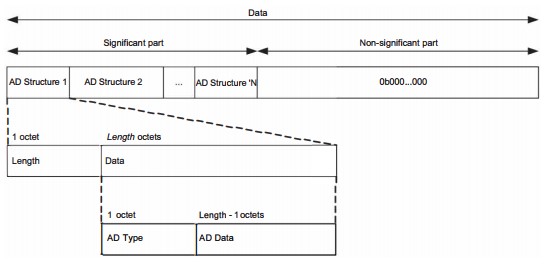
| Command Type | Syntax | Response |
|---|---|---|
| Write Command | AT+QBLEADVDATA=<adv_data> |
OKOr ERROR |
Maximum Response Time: 300 ms
Characteristics: The command takes effect immediately. The configuration is not saved.
Parameter:
<adv_data> String type without double quotation marks. Advertising data (AD). It consists of three fields (i.e., multiple AD Structures). The composition conforms to the message format shown above and the content must be a hexadecimal string.
- Length: Length of AD structure. The length includes AD type and AD data but not the length of the field which is 1 byte long. The maximum length is 0x1e, i.e., the maximum length of a data field is 30 bytes.
- AD Type: Advertising data type, such as TX Power Level (0x0A), Local Name (0x09), Le Role (0x1C) and Service UUIDs (0x16). After the peer scans the advertisement, the meaning of the advertising data can be determined from the AD Type.
- AD Data: Advertising data in big-endian byte order.
Note:
For details of AD types, see Core Specification 5.2 (https://www.bluetooth.com/specifications/specs/core-specification/).
AT+QBLEGATTSSRV
Description: Establishes a BLE service when the module is operating as a peripheral device.
Command Format:
AT+QBLEGATTSSRV=<srv_UUID>
Response:
- OK (success)
- ERROR (failure)
Parameter:
<srv_UUID>: String type. BLE service UUID. Length: 4 bytes or 32 bytes.
Maximum Response Time: 300 ms
Characteristics: Takes effect immediately. Configuration is not saved.
Note:
- Only three BLE services can be established at most through the command.
- You must first initialize BLE functionality with
AT+QBLEINIT, then establish a BLE service withAT+QBLEGATTSSRV. Otherwise, Bluetooth advertising, scan and connection functions cannot be used normally.- You must create a BLE service first and then set a BLE characteristic UUID.
AT+QBLEGATTSCHAR
This command sets a BLE characteristic UUID when the module is operating as a peripheral device.
| Command Type | Syntax | Response |
|---|---|---|
| Write Command | AT+QBLEGATTSCHAR=<char_UUID>[,<att_cfg>] |
OKOr ERROR |
Maximum Response Time: 300 ms
Characteristics: The command takes effect immediately. The configurations are not saved.
Parameter:
<char_UUID> String type. Characteristic UUID. Length: 4 bytes or 32 bytes.
<att_cfg> Integer type. Property configuration of characteristic UUID. Range: 0--FF. bit7--bit0 represent different properties, which are shown below. You can configure the corresponding bit, 0 indicates that the property is disabled and 1 indicates that the property is enabled. For example, FF indicates that properties corresponding to bit7--bit0 are enabled.
bit7--bit3 Reserve
| Bit | Property |
|---|---|
| bit2 | Notify |
| bit1 | Write no response |
| bit0 | Write |
NOTE
Only three BLE characteristic UUIDs can be set at most through the command. When <att_cfg> is omitted, the property of each characteristic UUID is Notify and Write no response by default.
When the module is operating as a peripheral device, you must establish a BLE service through AT+QBLEGATTSSRV, and then set a BLE characteristic UUID through AT+QBLEGATTSCHAR. Otherwise, the Bluetooth advertising, scan and connection functions cannot be used normally.
You must create a BLE service first and then set a BLE characteristic UUID.
AT+QBLEGATTSSRVDONE
This command completes adding a BLE service when the module is operating as a peripheral device.
| Command Type | Syntax | Response |
|---|---|---|
| Execute Command | AT+QBLEGATTSSRVDONE |
OKOr ERROR |
Maximum Response Time: 300 ms
Characteristics: -
NOTE
When the module is operating as a peripheral device, you must set a BLE characteristic UUID through
AT+QBLEGATTSCHAR, and then complete adding a BLE service throughAT+QBLEGATTSSRVDONE. Otherwise, the Bluetooth advertising, scan and connection functions cannot be used normally.
AT+QBLEADVSTART
This command starts BLE advertising when the module is operating as a peripheral device.
| Command Type | Syntax | Response |
|---|---|---|
| Read Command | AT+QBLEADVSTART? |
+QBLEADVSTART: <adv_state>OKIf there is any error: ERROR |
| Execution Command | AT+QBLEADVSTART |
OKOr ERROR |
Maximum Response Time: 1000 ms
Characteristics: -
Parameter:
<adv_state> Integer type. Advertising state.
- The advertising is stopped
- The advertising is started
AT+QBLEADVSTOP
This command stops BLE advertising when the module is operating as a peripheral device.
| Command Type | Syntax | Response |
|---|---|---|
| Execution Command | AT+QBLEADVSTOP |
OKOr ERROR |
Maximum Response Time: 300 ms
Characteristics: -
AT+QBLEGATTSNTFY
This command sends GATT data when the module is operating as a peripheral device.
| Command Type | Syntax | Response |
|---|---|---|
| Write Command | AT+QBLEGATTSNTFY=<conn_idx>,<UUID>[,<hex_length>],<data> |
OKOr ERROR |
Maximum Response Time: 300 ms
Characteristics: -
Parameter:
| Parameter | Description |
|---|---|
| <conn_idx> | Integer type. The target device index assigned by the module automatically when the BLE connection is established. <conn_idx> can only be set to 0 currently. |
| String type. Characteristic UUID. Length: 4 bytes or 32 bytes. | |
| <hex_length> | Integer type. The length of hexadecimal data. The module will convert to hexadecimal format before sending data when this optional parameter is specified. For example, if is 123456, the module will convert it to 0x123456 and send it. |
| String type. The sent GATT data. The maximum length of the GATT data cannot be more than <MTU_value>-3 and you can get the length of <MTU_value> through URC +QBLEMTU. |
AT+QBLESCAN
This command starts or stops BLE scan when the module is operating as a central device.
| Command Type | Syntax | Response |
|---|---|---|
| Read Command | AT+QBLESCAN? |
+QBLESCAN: <scan_state>OKIf there is any error: ERROR |
| Write Command | AT+QBLESCAN=<scan>[,<timeout>] |
If OKOr ERRORIf OK+QBLESCAN: <name>,<address_type>,<BLE_addr>Or ERRORIf OK+QBLESCAN: <name>,<address_type>,<BLE_addr>,<RSSI>,<adv_data>If there is any error: ERROR |
Maximum Response Time: 1000 ms
Characteristics: -
Parameter:
<scan_state> Integer type. Current scan state.
0 The scan is stopped.
| Parameter | Description |
|---|---|
| Integer type. Start or stop BLE scan. 1. Stop 2. Start BLE scan but do not output advertising data or scan response data. 2 Start BLE scan and output advertising data and scan response data. It is required to specify the value of 3 Start BLE scan and output advertising data and scan response data. Only connectable advertising is scanned in this mode. |
|
| Integer type. Scan duration. Range: 100--10000. Unit: ms. It must be set when |
|
| String type. BLE device name. | |
| <address_type> | Integer type. BLE device address type. 1. Public address 2. Random address |
| <BLE_addr> | String type. BLE device address. A 48-bit address is represented in a string of hexadecimal numbers, such as "58D391010203". |
| Integer type. Received Signal Strength Indicator. | |
| <adv_data> | String type. Scanned BLE data and scan response data. |
AT+QBLESCANPARAM
This command sets BLE scan parameters when the module is operating as a central device.
| Command Type | Syntax | Response |
|---|---|---|
| Read Command | AT+QBLESCANPARAM? |
+QBLESCANPARAM: <scan_interval>,<scan_window>OKIf there is any error: ERROR |
| Write Command | AT+QBLESCANPARAM=<scan_interval>,<scan_window> |
OKOr ERROR |
Maximum Response Time: 300 ms
Characteristics: The command takes effect immediately. The configurations are not saved.
Parameter:
| Parameter | Description |
|---|---|
| <scan_interval> | Integer type. BLE scan interval. Range: 18--4096 (Time range: 11.25 ms to 2.56 s). Default value: 0x0064. Unit: timeslot (1 timeslot = 0.625 ms). Default value: 100. |
| <scan_window> | Integer type. BLE scan duration. <scan_window> shall be less than or equal to <scan_interval>. Range: 17--4096 (Time range: 10.625 ms--2.56 s). Unit: timeslot (1 timeslot = 0.625 ms). Default value: 30. |
AT+QBLECONN
This command connects to a peripheral device when the module is operating as a central device.
| Command Type | Syntax | Response |
|---|---|---|
| Write Command | AT+QBLECONN=<addr_type>,<peer_addr>[,<timeout>] |
OKOr ERROR |
Maximum Response Time: 3000 ms
Characteristics: The command takes effect immediately. The configurations are not saved. The connection timeout is 18 seconds.
Parameter:
| Parameter | Description |
|---|---|
| <addr_type> | Integer type. Peripheral device address type. 1. Public address 2. Random address |
| <peer_addr> | String type. Peripheral device address. |
| Integer type. The timeout from the connection initiation to connection completion. Range: 1000--60000. Unit: ms. Default value: 15000. |
AT+QBLECONNPARAM
This command configures connection parameters when the module is operating as a central device.
| Command Type | Syntax | Response |
|---|---|---|
| Read Command | AT+QBLECONNPARAM? |
+QBLECONNPARAM: <conn_idx>,<con_interval>,<timeout>,<latency>OKIf there is any error: ERROR |
| Write Command | AT+QBLECONNPARAM=<conn_idx>,<con_interval>,<timeout>,<latency> |
OKOr ERROR |
Maximum Response Time: 300 ms
Characteristics: The command takes effect immediately. The configurations are not saved.
Parameter:
| Parameter | Description |
|---|---|
| <conn_idx> | Integer type. The target device index assigned by the module automatically when the BLE connection is established. <conn_idx> can only be set to 0 currently. |
| <con_interval> | Integer type. Connection interval. Range: 6--3200 (Time range: 7.5 ms to 4 s). Unit: 1.25 ms. Default value: 20. |
| Integer type. BLE Link supervision timeout. Range: 10--3200 (Time range: 100 ms to 32 s). Unit: 10 ms. Default value: 500. | |
| Integer type. Slave latency for the connection in a certain number of connection events. Range: 0--499 (0x0000 to 0x01F3). Default value: 0. |
NOTE:
The relationship among <con_interval>,
AT+QBLECFGMTU
This command configures the maximum transmission unit for BLE when the module is a central device.
The maximum transmission unit for BLE can only be set once after a single BLE connection.
| Command Type | Syntax | Response |
|---|---|---|
| Read Command | AT+QBLECFGMTU? |
+QBLECFGMTU: <MTU_value>OKIf there is any error: ERROR |
| Write Command | AT+QBLECFGMTU=<MTU_value> |
OKOr ERROR |
Maximum Response Time: 300 ms
Characteristics: The command takes effect immediately. The configuration is not saved.
Parameter:
<MTU_value> Integer type. Maximum transmission unit value. Unit: byte. Range: 64--512. Default value: 64.
AT+QBLEGATTCNTFCFG
This command enables or disables notification when the module is operating as a central device.
| Command Type | Syntax | Response |
|---|---|---|
| Write Command | AT+QBLEGATTCNTFCFG=<conn_idx>,<UUID>,<enable> |
OKOr ERROR |
Maximum Response Time: 300 ms
Characteristics: -
Parameter:
| Parameter | Description |
|---|---|
| <conn_idx> | Integer type. The target device index assigned by the module automatically when the BLE connection is established. <conn_idx> can only be set to 0 currently. |
| String type. Characteristic UUID. Length: 4 bytes or 32 bytes. | |
| Integer type. Enable/Disable notification. 1. Disable 2. Enable |
AT+QBLEGATTCRD
This command reads GATT data when the module is a central device.
| Command Type | Syntax | Response |
|---|---|---|
| Write Command | AT+QBLEGATTCRD=<conn_idx>,<UUID> |
OK<data>If there is any error: ERROR |
Maximum Response Time: 300 ms
Characteristics: The command takes effect immediately. The configurations are not saved.
Parameter:
<conn_idx> Integer type. The target device index assigned by the module automatically when the BLE connection is established. <conn_idx> can only be set to 0 currently.
String type without double quotation marks. The read GATT data.
AT+QBLEGATTCWRCMD
This command sends GATT data by writing commands when the module is operating as a central device.
| Command Type | Syntax | Response |
|---|---|---|
| Write Command | AT+QBLEGATTCWRCMD=<conn_idx>,<UUID>[,<hex_length>],<data> |
OKOr ERROR |
Maximum Response Time: 300 ms
Characteristics: -
Parameter:
| Parameter | Description |
|---|---|
| <conn_idx> | Integer type. The target device index assigned by the module automatically when the BLE connection is established. <conn_idx> can only be set to 0 currently. |
| String type. Characteristic UUID. Length: 4 bytes or 32 bytes. | |
| <hex_length> | Integer type. Hex data length. The module will convert to hexadecimal format before sending data when this optional parameter is used. For example, if is 123456, the module will convert it to 0x123456 and send it. |
| String type. The sent GATT data. |
AT+QBLEGATTCWRREQ
This command sends GATT data by writing requests when the module is operating as a central device.
| Command Type | Syntax | Response |
|---|---|---|
| Write Command | AT+QBLEGATTCWRREQ=<conn_idx>,<UUID>[,<hex_length>],<data> |
OKOr ERROR |
Maximum Response Time: 300 ms
Characteristics: -
Parameter:
| Parameter | Description |
|---|---|
| <conn_idx> | Integer type. The target device index assigned by the module automatically when the BLE connection is established. <conn_idx> can only be set to 0 currently. |
| String type. Characteristic UUID. Length: 4 bytes or 32 bytes. | |
| <hex_length> | Integer type. Hex data length. The module will convert to hexadecimal format before sending data when this optional parameter is used. For example, if is 123456, the module will convert it to 0x123456 and send it. |
| String type. The sent GATT data. |
AT+QBLEDISCONN
This command disconnects a BLE connection when the module is operating as a central device or a peripheral device.
| Command Type | Syntax | Response |
|---|---|---|
| Write Command | AT+QBLEDISCONN[=<conn_idx>] |
OKOr ERROR |
Maximum Response Time: 300 ms
Characteristics: -
Parameter:
<conn_idx> Integer type. The target device index assigned by the module automatically when the BLE connection is established. <conn_idx> can only be set to 0 currently.
AT+QBLESTAT
This command queries the state of BLE device when the module is operating as a central device or a peripheral device.
| Command Type | Syntax | Response |
|---|---|---|
| Execution Command | AT+QBLESTAT |
+QBLESTAT: <BLE_state>OKIf there is any error: ERROR |
Maximum Response Time: 300 ms
Characteristics: -
Parameter:
<BLE_state> String type. Current state of BLE device.
- "NOINIT" Uninitialized
- "INIT" Initialized
- "ADVERTISING" Advertising
- "CONNECTED" Connected
- "DISCONNECTED" Disconnected
AT+QBLETRANMODE
This command specifies the characteristic UUID and enables the module to enter transparent transmission mode when the module is operating as a peripheral device or central device.
| Command Type | Syntax | Response |
|---|---|---|
| Write Command | AT+QBLETRANMODE=<UUID>[,<state>] |
CONNECTOr ERROR |
Maximum Response Time: 500 ms
Characteristics: -
Parameter:
| Parameter | Description |
|---|---|
| String type. Characteristic UUID. Length: 4 bytes or 32 bytes. | |
| Integer type. The parameter takes effect only when the module is operating as a peripheral device. 1. If the module enters transparent transmission mode first and then exit transparent transmission mode after the BLE disconnection, the module does not enter transparent transmission mode after the successful BLE connection. 2. If the module enters transparent transmission mode first and then exit transparent transmission mode after the BLE disconnection, the module enters transparent transmission mode automatically after the successful BLE connection. |
NOTE
When the module is operating as a central device, after establishing the BLE connection and having completed the discovering of peer device service, execute
AT+QBLETRANMODEto enable the module to enter transparent transmission mode. After disconnecting the BLE connection, the module exits transparent transmission mode automatically. You can only send data in transparent transmission mode by writing commands.When the module is operating as a peripheral device, after enabling advertising or establishing the BLE connection, execute the command to enable the module enter transparent transmission mode. You can only send data in transparent transmission mode by Notify.
If you enter
+++to enable the module exit transparent transmission mode, the module does not enter transparent transmission mode after the successful BLE connection.After the module enter transparent transmission mode, the data length of each packet cannot exceed <MTU_value>-3. Otherwise, the packet may be lost. You can get the length of <MTU_value> through URC
+QBLEMTU.
+++
This command enables the module to exit transparent transmission mode.
| Command Type | Syntax | Response |
|---|---|---|
| Execution Command | +++ |
OKOr ERROR |
Maximum Response Time: 300 ms
Characteristics: -
Description of TCP/UDP-Related AT Commands
AT+QICFG
Description: Configures optional parameters for TCP/UDP socket service.
| Command Type | Syntax | Response |
|---|---|---|
| Test Command | AT+QICFG=? |
+QICFG: "transpktsize",(list of supported <transpktsize>s)+QICFG: "transwaittm",(list of supported <transwaittm>s)+QICFG: "tcp/accept",(list of supported <state>s)+QICFG: "qisend/timeout",(list of supported <timeout>s)+QICFG: "passiveclosed",(list of supported <closed>s)+QICFG: "dataformat",(list of supported <send_data_format>s),(list of supported <recv_data_format>s)+QICFG: "close/mode",(list of supported <close_mode>s)+QICFG: "tcp/kalive",(list of supported <kalive_onoff>s),(list of supported <kalive_idle>s),(list of supported <kalive_interval>s),(list of supported <kalive_cnt>s)+QICFG: "tcp/tw_cycle",(list of supported <tw_enable>s)+QICFG: "udp/broadcast",(list of supported <udp/broadcast>s)OK |
Maximum Response Time: 300 ms
Characteristics: The command takes effect immediately. The configurations are not saved.
Parameter:
| Parameter | Description |
|---|---|
<transpktsize> |
Integer type. The packet length of the data to be sent in transparent transmission mode. Range: 1--1460. Default value: 1024. Unit: byte. |
<transwaittm> |
Integer type. Waiting time for automatic data sending if the data to be sent is less than <transpktsize> in transparent transmission mode. Range: 0--20. Default value: 2. Unit: 100 ms. |
<send_data_format> |
Integer type. Format of the data to be sent. The suffix "0×" is not needed when the mode is set as Hex mode as the module will automatically form two bytes to one ASCII code. 1. Text mode 2. Hex mode |
<recv_data_format> |
Integer type. Format of the data to be received. The suffix "0×" is not needed when the mode is set as Hex mode as the module will automatically form two bytes to one ASCII code. 0 Text mode 1 Hex mode |
<closed> |
Integer type. Enable or disable the passive closing of the TCP connection when the server is closed. 0 Disable 1 Enable |
<state> |
Integer type. Enable or disable the automatic reception of the TCP connection from the client. 1. Disable 2. Enable |
<timeout> |
Integer type. Timeout for sending data. Range: 0--120. Unit: s. |
<close_mode> |
Integer type. Enable or disable to disconnect the TCP connection asynchronously. 1. Disable 2. Enable |
<kalive_onoff> |
Integer type. Enable or disable TCP keep-alive. 1. Disable 2. Enable |
<kalive_idle> |
Integer type. Idle period to trigger keep-alive. Unit: s. Range: 60--7200. |
<kalive_interval> |
Integer type. Keep alive interval. Unit: s. Range: 10--20. |
<kalive_cnt> |
Integer type. Number of keep-alive probes. Range: 1--8. |
<tw_enable> |
Integer type. Enable or disable quick release of TCP connection. 1. Enable 2. Disable |
<udp/broadcast> |
Integer type. Turn on/off UDP broadcast. 1. Turn off 2. Turn on |
AT+QIOPEN
Description: Opens a socket service. The service type can be specified by <service_type>. The data access mode (buffer access mode, direct push mode, and transparent transmission mode) can be specified by <access_mode>. The response +QIOPEN: <connectID>,<err> indicates whether the socket service has been opened successfully.
If
<service_type>is "TCP LISTENER", the module works as a TCP server. After accepting a new TCP connection, the module automatically specifies<connectID>and reports the URC+QIURC: "incoming",<connectID>,<serverID>,<remoteIP>,<remote_port>. The range of<connectID>is 0--11. The type of this new incoming connection is "TCP INCOMING" and the<access_mode>of "TCP INCOMING" is the same as that of "TCP LISTENER".If
<service_type>is "UDP SERVICE", UDP data can be sent to or received from the remote IP via<local_port>.Send data: execute
AT+QISEND=<connectID>,<send_length>,<remoteIP>,<remote_port>.Receive data in direct push mode: the module reports the URC
+QIURC: "recv",<connectID>,<currentrecvlength>,<remoteIP>,<remote_port><CR><LF><data>.Receive data in buffer access mode: the module reports the URC
+QIURC: "recv",<connectID>, and then the received data can be retrieved viaAT+QIRD=<connectID>.
It is suggested to wait for 150 s for
+QIOPEN: <connectID>,<err>to be outputted after executing the Write Command. If the response cannot be received in 150 s, useAT+QICLOSEto close the socket.
| Command Type | Syntax | Response |
|---|---|---|
| Test Command | AT+QIOPEN=? |
+QIOPEN: (list of supported <connectID>s),(list of supported <service_type>s),<IP_address>/<domain_name>,(list of supported <remote_port>s),(list of supported <local_port>s),(list of supported <access_mode>s),(list of supported <ap_priority>s)OK |
| Write Command | AT+QIOPEN=<connectID>,<service_type>,<IP_address>/<domain_name>,<remote_port>[,<local_port>[,<access_mode>][,<ap_priority>]] |
If the service is in transparent transmission mode (<access_mode>=2) and is opened successfully:CONNECTIf there is any error: ERRORError description can be retrieved via AT+QIGETERROR.If the service is in buffer access mode ( <access_mode>=0) or direct push mode (<access_mode>=1):OK+QIOPEN: <connectID>,<err><err> is 0 when the service is opened successfully. In other cases, <err> is not 0. |
Maximum Response Time: 150 s, determined by the network.
Characteristics: -
Parameter:
| Parameter | Description |
|---|---|
<connectID> |
Integer type. Socket ID. Range: 0--11. |
<service_type> |
String type. Socket service type. "TCP" Start a TCP connection as a client "UDP" Start a UDP connection as a client "TCP LISTENER" Start a TCP server to listen for incoming TCP connections "UDP SERVICE" Start a UDP service |
<IP_address> |
String type. If <service_type> is "TCP" or "UDP", this parameter indicates the IP address of the remote server, such as 220.180.239.212. |
<domain_name> |
String type. Domain name address of the remote server. |
<remote_port> |
Integer type. Port number of the remote server. Range: 0-65535. This parameter is only valid when <service_type> is "TCP" or "UDP". |
<local_port> |
Integer type. Local port. Range: 1--65535. If <service_type> is "TCP LISTENER" or "UDP SERVICE", this parameter must be specified.If <service_type> is "TCP" or "UDP" and <local_port> is not specified, the local port will be assigned automatically. Otherwise, the local port will be specified. |
<access_mode> |
Integer type. Data access mode of the socket service. 0 Buffer access mode. Socket sends and receives data with AT commands. 1 Direct push Mode. Socket sends data in AT command and receives data in URC format. 2 Transparent transmission mode. Serial port is exclusively used for sending/receiving data directly to/from the Internet. |
<ap_priority> |
Integer type. Prioritize to use the IP address of the STA or AP as the local IP. 1. Use the IP address of STA 2. Use the IP address of AP |
<err> |
Result code. See *Chapter 5* for details. |
NOTE
<IP_address>/<domain_name>in the command indicates that either<IP_address>or<domain_name>can be configured and cannot be specified at the same time.When
<service_type>is "TCP LISTENER"/"UDP SERVICE",<access_mode>cannot be set to 2. To transfer data in transparent transmission mode,<connectID>of the client connection must be used.
AT+QICLOSE
Description: Closes a specified socket service. Depending on the network, it takes a maximum of 10 s (default value, which can be modified by <timeout>) to return OK or ERROR after AT+QICLOSE is executed. Other AT commands can be executed only after the response is returned.
| Command Type | Syntax | Response |
|---|---|---|
| Test Command | AT+QICLOSE=? |
+QICLOSE: (list of supported <connectID>s),(list of supported <timeout>s)OK |
| Write Command | AT+QICLOSE=<connectID>[,<timeout>] |
If the socket service is closed successfully:OKIf the command failed to close the socket service: ERROR |
Maximum Response Time: Determined by <timeout>.
Characteristics: -
Parameter:
<connectID> Integer type. Socket ID. Range: 0--11.
<timeout> Integer type. The timeout value for the response to be outputted. If the FIN ACK of the other peer is not received within <timeout>, the module will be forced to close the socket. Range: 1--120. Default value: 10. Unit: s.
AT+QISTATE
Description: Queries the socket service status.
| Command Type | Syntax | Response |
|---|---|---|
| Test Command | AT+QISTATE=? |
OK |
| Read/Execution Command | AT+QISTATE?Or AT+QISTATE |
Return the status of all existing connections:+QISTATE: <connectID>,<service_type>,<IP_address>,<remote_port>,<local_port>,<socket_state>,<serverID>,<access_mode>,<AT_port>[...]OK |
| Write Command | AT+QISTATE=<connectID> |
+QISTATE: <connectID>,<service_type>,<IP_address>,<remote_port>,<local_port>,<socket_state>,<serverID>,<access_mode>,<AT_port>OK |
Maximum Response Time: 300 ms
Characteristics: -
Parameter:
<connectID> Integer type. Socket ID. Range: 0--11.
<service_type> String type. Socket service type.
- "TCP" Start a TCP connection as a client
- "UDP" Start a UDP connection as a client
- "TCP LISTENER" Start a TCP server to listen for TCP incoming connection
- "TCP INCOMING" Start a TCP connection accepted by a TCP server "UDP SERVICE" Start a UDP service
<IP_address> String type. IP address.
- If
<service_type>is "TCP" or "UDP", this parameter indicates the IP address of the remote server. - If
<service_type>is "TCP LISTENER" or "UDP SERVICE", this parameter indicates the local IP address. - If
<service_type>is "TCP INCOMING", this parameter indicates the IP address of the remote client.
<remote_port> Integer type. Remote port number.
- If
<service_type>="TCP" or "UDP", this parameter indicates the port of a remote server. - If
<service_type>="TCP LISTENER" or "UDP SERVICE", this parameter is invalid. - If
<service_type>="TCP INCOMING", this parameter is the port of a remote client.
<local_port> Integer type. Local port number.
If this parameter is not specified, the local port is assigned automatically.
<socket_state> Integer type. Socket service status.
- "Initial": connection has not been established
- "Opening": client is connecting or the server is trying to listen
- "Connected": client/incoming connection has been established
- "Listening": server is listening
- "Closing": connection is closing
<serverID> Integer type. This parameter is valid only when <service_type> is "TCP INCOMING". <serverID> indicates the server that accepts this TCP incoming connection, and the value is the same as <connectID> when the <service_type> is "TCP LISTENER".
<access_mode> Integer type. Data access mode of the socket service.
0 Buffer access mode. Socket sends and receives data with AT commands. 1 Direct push Mode. Socket sends data in AT command and receives data in URC format.
2 Transparent transmission mode. Serial port is exclusively used for sending/receiving data directly to/from the Internet.
<AT_port> String type. COM port of socket service.
- "uart1" UART port 1
- "uart2" UART port 2
AT+QISEND
Description: In buffer access mode (<access_mode>=0) or direct push mode (<access_mode>=1), then the data can be sent via AT+QISEND. If the data is sent to the module successfully, SEND OK is returned. Otherwise, SEND FAIL or ERROR is returned.
SEND FAILindicates the sending buffer is full. In this case, the data can be resent.ERRORindicates an error in the data-sending process. In this case, wait for some time before you resend the data. Maximum data length: 1460 bytes.SEND OKindicates that the data have been sent to the peer, but it does not mean they have reached the peer successfully. You can query whether the data have reached the peer byAT+QISEND=<connectID>,0.
| Command Type | Syntax | Response |
|---|---|---|
| Test Command | AT+QISEND=? |
+QISEND: (list of supported <connectID>s),(list of supported <send_length>s),<remoteIP>,(list of supported <remote_port>s)OK |
| Write Command | AT+QISEND=<connectID>(when <service_type> is "TCP", "UDP" or "TCP INCOMING") |
>After the response >, input the data to be sent. Tap Ctrl+Z to send the data, and tap Esc to cancel the sending operation.If the connection has been established and the data is sent successfully: SEND OKIf the connection has been established but the sending buffer is full: SEND FAILIf there is any error: ERROR |
| Write Command | AT+QISEND=<connectID>,<send_length>(when <service_type> is "TCP", "UDP" or "TCP INCOMING") |
>After the response >, input the data until the data length equals <send_length>.If the connection has been established and the data is sent successfully: SEND OKIf the connection has been established but the sending buffer is full: SEND FAILIf there is any error: ERROR |
| Write Command | AT+QISEND=<connectID>,<send_length>,<remoteIP>,<remote_port>(when <service_type> is "UDP SERVICE") |
>After response >, input the data until the data length equals <send_length>If the connection has been established and the data is sent successfully: SEND OKIf the connection has been established but the sending buffer is full: SEND FAILIf there is any error: ERROR |
| Write Command | AT+QISEND=<connectID>,0 |
If the specified connection exists:+QISEND: <total_send_length>,<ackedbytes>,<unackedbytes>OKIf there is any error: ERROR |
Maximum Response Time: 300 ms
Characteristics: -
Parameter:
<connectID> Integer type. Socket ID. Range: 0--11.
<send_length> Integer type. Length of data to be sent. Range: 0--1460. Unit: byte.
<remoteIP> String type. Remote IP address (must be in dot format). It is valid only when <service_type> is "UDP SERVICE".
<remote_port> Integer type. Remote port number. Range: 1--65535. It is only valid when <service_type> is "UDP SERVICE".
<total_send_length> Integer type. Total length of sent data. Unit: byte.
<ackedbytes> Integer type. Total length of acknowledged data. Unit: byte.
<unackedbytes> Integer type. Total length of unacknowledged data. Unit: byte.
AT+QIRD
Description: In buffer access mode, after receiving data, the module buffers it and reports URC +QIURC: "recv",<connectID>, then the data can be retrieved with AT+QIRD.
Please note that if the buffer is not empty, and the module receives data again, it will not report a new URC until all received data has been retrieved via AT+QIRD from the buffer.
| Command Type | Syntax | Response |
|---|---|---|
| Test Command | AT+QIRD=? |
+QIRD: (list of supported <connectID>s),(list supported <read_length>s)OK |
| Write Command | AT+QIRD=<connectID>[,<read_length>](when <service_type> is "TCP"/"UDP"/"TCP INCOMING") |
If the specified connection has received the data:+QIRD: <read_actual_length><CR><LF><data>OKIf there is no data: +QIRD: 0OKIf there is any error: ERROR |
| Write Command | AT+QIRD=<connectID>(when <service_type> is "UDP SERVICE") |
If data exists:+QIRD: <read_actual_length>,<remoteIP>,<remote_port>,<CR><LF><data>OKIf there is no data: +QIRD: 0OKIf there is any error: ERROR |
| Write Command | AT+QIRD=<connectID>,0 |
+QIRD: <total_receive_length>,<have_read_length>,<unread_length>OKIf there is any error: ERROR |
Maximum Response Time: -
Characteristics: -
Parameter:
<connectID> Integer type. Socket ID. Range: 0--11.
<read_length> Integer type. Length of data to be read. Range: 0--1500. Unit: byte.
<read_actual_length> Integer type. Length of actually read data. Unit: byte.
<remoteIP> String type. Remote IP address. It is valid only when <service_type> is "UDP SERVICE".
<remote_port> Integer type. Remote port number. It is valid only when <service_type> is "UDP SERVICE".
<data> Integer type. Retrieved data.
<total_receive_length> Integer type. Total length of received data. Unit: byte.
<have_read_length> Integer type. Length of data that has been retrieved. Unit: byte.
<unread_length> Integer type. Length of data that has not been retrieved. Unit: byte.
AT+QIACCEPT
Description: Accepts or rejects remote incoming connection requests from TCP/UDP socket service.
| Command Type | Syntax | Response |
|---|---|---|
| Test Command | AT+QIACCEPT=? |
+QIACCEPT: (list of supported <listener_socketID>s),(list of supported <accept>s),(list of supported <incoming_socketID>s)OK |
| Write Command | AT+QIACCEPT=<listener_socketID>,<accept>[,<incoming_socketID>] |
[+QIACCEPT: <incoming_socketID>,<remote_addr>,<remote_port>]OKIf there is any error: ERROR |
Maximum Response Time: 300 ms
Characteristics: -
Parameter:
| Parameter | Description |
|---|---|
<listener_socketID> |
Integer type. Socket ID of TCP server. Range: 0--11. |
<accept> |
Integer type. Accept or reject remote incoming connection requests of TCP/UDP socket service. 1. Reject 2. Accept |
<incoming_socketID> |
Integer type. Socket ID for the incoming connection. It is valid only when <accept> is 1. Range: 0--11. |
<remote_addr> |
String type. The source address of the incoming connection. |
<remote_port> |
Integer type. The source port of the incoming connection. |
AT+QISWTMD
Description: Switches the data access mode.
| Command Type | Syntax | Response |
|---|---|---|
| Test Command | AT+QISWTMD=? |
+QISWTMD: (list of supported <connectID>s),(list of supported <access_mode>s)OK |
| Write Command | AT+QISWTMD=<connectID>,<access_mode> |
If data access mode is switched successfully and <access_mode> is 0 or 1:OKIf data access mode is switched successfully and <access_mode> is 2, the module will enter the intended data mode:CONNECTIf there is any error: ERROR |
Maximum Response Time: 300 ms
Characteristics: The command takes effect immediately. The configurations are not saved.
Parameter:
<connectID> Integer type. Socket ID. Range: 0--11.
<access_mode> Integer type. Data access modes of the connection.
0 Buffer access mode. Socket sends and receives data with AT commands.
1 Direct push Mode. Socket sends data in AT command and receives data in URC format.
2 Transparent transmission mode. Serial port is exclusively used for sending/receiving data directly to/from the Internet.
If <service_type> of <connectID> is "TCP LISTENER" or "UDP SERVICE", data access mode cannot be switched via this command.
NOTE
AT+QIGETERROR
Description: If ERROR is returned after executing TCP/IP commands, the detailed information about an error code can be queried via AT+QIGETERROR. Please note that AT+QIGETERROR just returns the error code of the last TCP/IP AT command.
| Command Type | Syntax | Response |
|---|---|---|
| Test Command | AT+QIGETERROR=? |
OK |
| Execution Command | AT+QIGETERROR |
+QIGETERROR: <err>,<errcode_description>OK |
Maximum Response Time: 300 ms
Characteristics: -
Parameter:
<err> Result code. See *Chapter 5* for details.
<errcode_description> String type. Result code description. See *Chapter 5* for details.
ATO
Description: Enters transparent transmission mode.
| Command Type | Syntax | Response |
|---|---|---|
| Execution Command | ATO |
CONNECTOr NO CARRIER |
Maximum Response Time: 300 ms
Characteristics: -
NOTE:
If the socket connection has not been established before, ATO returns NO CARRIER.
+++
Description: Exits transparent transmission mode.
| Command Type | Syntax | Response |
|---|---|---|
| Execution Command | +++ |
OK |
Maximum Response Time: 300 ms
Characteristics: -
NOTE:
After exiting transparent transmission mode with +++, if the socket connection is active, the connection enters transparent transmission mode again with ATO.
Description of SSL-Related AT Commands
AT+QSSLCFG
Description: Configures SSL context parameters.
| Command Type | Syntax | Response |
|---|---|---|
| Test Command | AT+QSSLCFG=? |
+QSSLCFG: "sslversion",(list of supported <SSL_ctxID>s),(list of supported <SSL_version>s)+QSSLCFG: "seclevel",(list of supported <SSL_ctxID>s),(list of supported <seclevel>s)+QSSLCFG: "ciphersuite",(list of supported <SSL_ctxID>s),(list of supported <cipher_suites>s)+QSSLCFG: "negotiatetime",(list of supported <SSL_ctxID>s),(list of supported <negotiate_time>s)+QSSLCFG: "sni",(list of supported <SSL_ctxID>s),(list of supported <SNI>s)+QSSLCFG: "cacert",(list of supported <SSL_ctxID>s),<cacertpath>+QSSLCFG: "clientcert",(list of supported <SSL_ctxID>s),<client_cert_path>+QSSLCFG: "clientkey",(list of supported <SSL_ctxID>s),<client_key_path>,<key_pwd>+QSSLCFG: "ignorelocaltime",(list of supported <SSL_ctxID>s),(list of supported <ignore_ltime>s)+QSSLCFG: "session_cache",(list of supported <SSL_ctxID>s),(list of supported <session_cache_enable>s)OK |
Maximum Response Time: 300 ms
Characteristics: The command takes effect immediately. The configurations are not saved.
Parameter:
| Parameter | Description |
|---|---|
<SSL_ctxID> |
Integer type. SSL context ID. Range: 0--5. |
<SSL_version> |
Integer type. SSL version. 0 SSL3.0 1 TLS1.0 2 TLS1.1 3 TLS1.2 4 All |
<seclevel> |
Integer type. The authentication mode. 0 No authentication 1 Perform server authentication 2 Perform server and client authentication if requested by the remote server |
<cipher_suites> |
Hex integer type. SSL cipher suites. 0×0035 TLS_RSA_WITH_AES_256_CBC_SHA 0×002F TLS_RSA_WITH_AES_128_CBC_SHA 0×0005 TLS_RSA_WITH_RC4_128_SHA 0×000A TLS_RSA_WITH_3DES_EDE_CBC_SHA 0×003D TLS_RSA_WITH_AES_256_CBC_SHA256 0×C003 TLS_ECDH_ECDSA_WITH_3DES_EDE_CBC_SHA 0×C004 TLS_ECDH_ECDSA_WITH_AES_128_CBC_SHA 0×C005 TLS_ECDH_ECDSA_WITH_AES_256_CBC_SHA 0×C008 TLS_ECDHE_ECDSA_WITH_3DES_EDE_CBC_SHA 0×C009 TLS_ECDHE_ECDSA_WITH_AES_128_CBC_SHA 0×C00A TLS_ECDHE_ECDSA_WITH_AES_256_CBC_SHA 0×C011 TLS_ECDHE_RSA_WITH_RC4_128_SHA 0×C012 TLS_ECDHE_RSA_WITH_3DES_EDE_CBC_SHA 0×C013 TLS_ECDHE_RSA_WITH_AES_128_CBC_SHA 0×C014 TLS_ECDHE_RSA_WITH_AES_256_CBC_SHA 0×C00D TLS_ECDH_RSA_WITH_3DES_EDE_CBC_SHA 0×C00E TLS_ECDH_RSA_WITH_AES_128_CBC_SHA 0×C00F TLS_ECDH_RSA_WITH_AES_256_CBC_SHA 0×C023 TLS_ECDHE_ECDSA_WITH_AES_128_CBC_SHA256 0×C024 TLS_ECDHE_ECDSA_WITH_AES_256_CBC_SHA384 0×C025 TLS_ECDH_ECDSA_WITH_AES_128_CBC_SHA256 0×C026 TLS_ECDH_ECDSA_WITH_AES_256_CBC_SHA384 0×C027 TLS_ECDHE_RSA_WITH_AES_128_CBC_SHA256 0×C028 TLS_ECDHE_RSA_WITH_AES_256_CBC_SHA384 0×C029 TLS_ECDH_RSA_WITH_AES_128_CBC_SHA256 0×C02A TLS_ECDH_RSA_WITH_AES_256_CBC_SHA384 0×C02F TLS_ECDHE_RSA_WITH_AES_128_GCM_SHA256 0×C030 TLS_ECDHE_RSA_WITH_AES_256_GCM_SHA384 0×FFFF All |
<negotiate_time> |
Integer type. The maximum timeout used in the SSL negotiation stage. Range: 10--300. Default value: 300. Unit: second. |
<SNI> |
Integer type. Disable/enable the server name indication feature. 0 Disable 1 Enable |
<cacertpath> |
String type. The path of the trusted CA certificate. |
<client_cert_path> |
String type. The path of the client certificate. |
<client_key_path> |
String type. The path of the client's secret key. |
<key_pwd> |
String type. Client private key. Length: 0--255 bytes. |
<ignore_ltime> |
Integer type. Whether or not to ignore the validity period check of the certificate. 0 Not to ignore 1 Ignore |
<session_cache_enable> |
Integer type. Enable or disable the SSL context session caching feature. 0 Disable 1 Enable |
AT+QSSLOPEN
Description: Sets up an SSL connection.
Before executing AT+QSSLOPEN, execute AT+QSTAAPINFO to connect the module to the Wi-Fi network. It is suggested to wait for a specific period of time (refer to the maximum response time below) for +QSSLOPEN: <connectID>,<err> URC to be outputted. If the URC response cannot be received during this time, AT+QSSLCLOSE can be used to close the SSL connection.
| Command Type | Syntax | Response |
|---|---|---|
| Test Command | AT+QSSLOPEN=? |
+QSSLOPEN: (list of supported <SSL_ctxID>s),(list of supported <connectID>s),<server_address>,<server_port>,(list of supported <access_mode>s)OK |
| Write Command | AT+QSSLOPEN=<SSL_ctxID>,<connectID>,<server_address>,<server_port>[,<access_mode>] |
If the <access_mode>=2 and the SSL connection is successfully set up:CONNECTIf there is any error: ERRORIf <access_mode>=0/1:OK+QSSLOPEN: <connectID>,<err>If there is any error: ERROR |
Maximum Response Time: Maximum network response time of 150 s, plus the configured time of <negotiate_time>.
Characteristics: The command takes effect immediately. The configurations are not saved.
Parameter:
<SSL_ctxID> Integer type. SSL context ID. Range: 0--5.
<connectID> Integer type. Socket ID. Range: 0--11.
<server_address> String type. The address of the remote server.
<server_port> Integer type. Listening port of the remote server.
<access_mode> Integer type. Data access mode of SSL connection.
| Value | Description |
|---|---|
| 0 | Buffer access mode. Socket sends and receives data with AT commands. |
| 1 | Direct push Mode. Socket sends data in AT command and receives data in URC format. |
| 2 | Transparent transmission mode. Serial port is exclusively used for sending/receiving data directly to/from the Internet. |
<err> Result code. See *Chapter 5* for details.
<negotiate_time> Integer type. Maximum timeout in SSL negotiation stage. Range: 10--300. Default: 300. Unit: second.
AT+QSSLSEND
Description: Sends data via SSL connection.
| Command Type | Syntax | Response |
|---|---|---|
| Test Command | AT+QSSLSEND=? |
+QSSLSEND: (list of supported <connectID>s),(list of supported <send_length>s)OK |
| Write Command | AT+QSSLSEND=<connectID> |
>After the above response, input the data to be sent. Tap CTRL+Z to send, and tap ESC to cancel the operation.If the connection has been established and the data have been sent successfully: SEND OKIf the connection has been established but the buffer is full: SEND FAILIf there is any error: ERROR |
| Write Command | AT+QSSLSEND=<connectID>,<send_length> |
>After the above response, input the data until the data length equals <send_length>.If the connection has been established and the data have been sent successfully: SEND OKIf the connection has been established but the buffer is full: SEND FAILIf there is any error: ERROR |
Maximum Response Time: 300 ms
Characteristics: The command takes effect immediately. The configurations are not saved.
Parameter:
<connectID> Integer type. Socket ID. Range: 0--11.
<send_length> Integer type. The length of data to be sent. Range: 1--1460. Unit: byte.
The data to be sent includes fixed-length data and variable-length data, and their maximum length is 1460 bytes.
NOTE
AT+QSSLRECV
Description: Receives data via SSL connection.
When the data access mode of an SSL connection is buffer access mode, the module will report URC as +QSSLURC: "recv",<connectID> when it receives data from the Internet. You can read the data from the buffer by AT+QSSLRECV.
| Command Type | Syntax | Response |
|---|---|---|
| Test Command | AT+QSSLRECV=? |
+QSSLRECV: (list of supported <connectID>s),(list of supported <read_length>s)OK |
| Write Command | AT+QSSLRECV=<connectID>,<read_length> |
If the specified connection has received data:+QSSLRECV: <have_readlen><CR><LF><data>OKIf there is any error: ERROR |
Maximum Response Time: 300 ms
Characteristics: The command takes effect immediately. The configurations are not saved.
Parameter:
<connectID> Integer type. Socket ID. Range: 0--11.
<read_length> Integer type. The length of data to be read. Range: 1--1500. Unit: byte.
<have_readlen> Integer type. The length of data read by AT+QSSLRECV. Unit: byte.
<data> String type. The actual data read. Unit: byte.
AT+QSSLCLOSE
Description: Closes an SSL connection.
| Command Type | Syntax | Response |
|---|---|---|
| Test Command | AT+QSSLCLOSE=? |
+QSSLCLOSE: (list of supported <connectID>s),(list of supported <close_timeout>s)OK |
| Write Command | AT+QSSLCLOSE=<connectID>[,<close_timeout>] |
OKOr ERROR |
Maximum Response Time: Determined by <close_timeout>.
Characteristics: The command takes effect immediately. The configurations are not saved.
Parameter:
<connectID> Integer type. Socket ID. Range: 0--11.
<close_timeout> Integer type. The timeout of executing AT+QSSLCLOSE. Range: 0--65535. Default: 10. Unit: second.
AT+QSSLSTATE
Description: Queries the state of SSL connection.
| Command Type | Syntax | Response |
|---|---|---|
| Test Command | AT+QSSLSTATE=? |
OK |
| Read Command | AT+QSSLSTATE? |
Return states of all connections:[+QSSLSTATE: <connectID>,"SSLClient",<IP_address>,<remote_port>,<local_port>,<socket_state>,<serverID>,<access_mode>,<devname>,<SSL_ctxID>][...]OK |
| Write Command | AT+QSSLSTATE=<query_type>,<connectID> |
If <query_type> is 0, query the connection state of the specified context:[+QSSLSTATE: <connectID>,"SSLClient",<IP_address>,<remote_port>,<local_port>,<socket_state>,<serverID>,<access_mode>,<devname>,<SSL_ctxID>][...]OKIf <query_type> is 1, query the state of the specified SSL connection:+QSSLSTATE: <connectID>,"SSLClient",<IP_address>,<remote_port>,<local_port>,<socket_state>,<serverID>,<access_mode>,<devname>,<SSL_ctxID>OKIf there is any error: ERROR |
| Execution Command | AT+QSSLSTATE |
Return states of all connections:[+QSSLSTATE: <connectID>,"SSLClient",<IP_address>,<remote_port>,<local_port>,<socket_state>,<serverID>,<access_mode>,<devname>,<SSL_ctxID>][...]OK |
Maximum Response Time: 300 ms
Characteristics: -
Parameter:
| Parameter | Description |
|---|---|
<connectID> |
Integer type. Socket ID. Range: 0--11. |
<IP_address> |
String type. Address of the remote server. |
<remote_port> |
Integer type. Remote server port. Range: 0--65535. |
<local_port> |
Integer type. Local port number. Range: 0--65535. |
<socket_state> |
Integer type. SSL connection state. 0 "Initial" Connection has not been established 1 "Opening" Client is connecting 2 "Connected" Client connection has been established 4 "Closing" Connection is closing |
<serverID> |
Reserved parameter. |
<access_mode> |
Integer type. Data access mode of the socket service. 0 Buffer access mode. Socket sends and receives data with AT commands. 1 Direct push Mode. Socket sends data in AT command and receives data in URC format. 2 Transparent transmission mode. Serial port is exclusively used for sending/receiving data directly to/from the Internet. |
<devname> |
String type. COM port of socket service. "uart1" UART port 1 "uart2" UART port 2 |
<SSL_ctxID> |
Integer type. SSL context ID. Range: 0--5. |
<query_type> |
Integer type. Query type. 0 Query the connection state of the specified context 1 Query the state of the specified SSL connection |
Description of MQTT-Related AT Commands
AT+QMTCFG
Description: Configures optional parameters of MQTT.
| Command Type | Syntax | Response |
|---|---|---|
| Test Command | AT+QMTCFG=? |
+QMTCFG: "version",(list of supported <client_idx>s),(list of supported <vsn>s)+QMTCFG: "ssl",(list of supported <client_idx>s),(list of supported <SSL_enable>s),(list of supported <SSL_ctxID>s)+QMTCFG: "keepalive",(list of supported <client_idx>s),(list of supported <keep_alive_time>s)+QMTCFG: "session",(list of supported <client_idx>s),(list of supported <clean_session>s)+QMTCFG: "will",(list of supported <client_idx>s),(list of supported <will_flag>s),(list of supported <will_qos>s),(list of supported <will_retain>s),<will_topic>,<will_message>+QMTCFG: "recv/mode",(list of supported <client_idx>s),(list of supported <msg_recv_mode>s)+QMTCFG: "dataformat",(list of supported <client_idx>s),(list of supported <send_mode>s),(list of supported <recv_mode>s)+QMTCFG: "timeout",(list of supported <client_idx>s),(list of supported <pkt_timeout>s),(list of supported <retry_times>s),(list of supported <timeout_notice>s)+QMTCFG: "aliauth",(list of supported <client_idx>s),"product key","device name","device secret"+QMTCFG: "onenet",(list of supported <client_idx>s),"product id","access key"OK |
Maximum Response Time: 300 ms
Characteristics: The command takes effect immediately. The configurations are not saved.
Parameter:
| Parameter | Description |
|---|---|
<client_idx> |
Integer type. MQTT client ID. Range: 0--5. |
<vsn> |
Integer type. MQTT protocol version. 3. MQTT protocol V3.1 4. MQTT protocol V3.1.1 |
<SSL_enable> |
Integer type. MQTT SSL mode. 1. Use normal TCP connection 2. Use SSL TCP secure connection |
<SSL_ctxID> |
Integer type. SSL context ID. Range: 0--5. |
<keep_alive_time> |
Integer type. Keep alive interval. Range: 0--3600. Default value:120. Unit: second. It defines the maximum time interval between two messages received from a client. If it's not zero, and the server does not receive a message (Interactive data or keep-alive package) from the client within 1.5 times the <keep_alive_time> period, the server will disconnect from the client as if the client has sent a DISCONNECT message. Otherwise, the server will not disconnect from the client. |
<clean_session> |
Integer type. Session type. 0. The server must store the subscriptions of the client after the connection is closed. 1. The server must discard any previously maintained information about the client and treat the connection as "clean". |
<will_flag> |
Integer type. Whether to set Will flag. 0. Ignore Will flag configuration 1. Set Will flag |
<will_qos> |
Integer type. QoS level of message delivery. 0. At most once 1. At least once 2. Exactly once |
<will_retain> |
Integer type. Will Retain flag, which is only used on PUBLISH messages. 0 When a client sends a PUBLISH message to a server, the server will not retain the message after it has been delivered to the current subscribers 1 When a client sends a PUBLISH message to a server, the server should retain the message after it has been delivered to the current subscribers |
<will_topic> |
String type. Will topic name. Length: 1--256 bytes. |
<will_message> |
String type. Will topic content. Length: 0--256 bytes. |
<will_length> |
Integer type. Will message length. Range: 0--256. Unit: byte. |
<msg_recv_mode> |
Integer type. MQTT message receiving mode. 0. MQTT message received from the server is reported in URC. 1. MQTT message received from the server is not reported in URC. |
<send_mode> |
Integer type. MQTT message sending format. 0. String 1. Hex |
<recvmode> |
Integer type. MQTT message receiving format. 0. String 1. Hex |
<pkt_timeout> |
Integer type. Timeout of packet delivery. Range: 1--1200. Default value: 5. Unit: second. |
<retry_times> |
Integer type. Retry times when packet delivery times out. Range: 0--10. Default value: 3. |
<timeout_notice> |
Integer type. Whether to report timeout messages when transmitting packets. 0. Do not report 1. Report |
<product_key> |
String type. Product key issued by AliCloud. |
<device_name> |
String type. Device name issued by AliCloud. |
<device_secret> |
String type. Device verification certificate issued by AliCloud. |
<productID> |
String type. Product ID in the China Mobile OneNET IoT platform. |
<access_key> |
String type. Product Key in the China Mobile OneNET IoT platform. |
NOTE
If
<will_fg>=1, then<will_qos>,<will_retain>,<willtopic>and<willmessage>must be specified. Otherwise, they are omitted.<clean_session>=0 is valid only if the server supports the operation to store session information.If the MQTT connection is established over SSL protocol,
<SSL_ctxID>must be specified, andAT+QSSLCFGmust be used to configure SSL context parameters.
AT+QMTOPEN
Description: Opens a network connection for the MQTT client.
| Command Type | Syntax | Response |
|---|---|---|
| Test Command | AT+QMTOPEN=? |
+QMTOPEN: (list of supported <client_idx>s),<host_name>,(list of supported <port>s)OK |
| Read Command | AT+QMTOPEN? |
[+QMTOPEN: <client_idx>,<host_name>,<port>][...]OKIf there is any error: ERROR |
| Write Command | AT+QMTOPEN=<client_idx>,<host_name>,<port> |
OK+QMTOPEN: <client_idx>,<result>If there is any error: ERROR |
Maximum Response Time: 120 s, determined by the network.
Characteristics: -
Parameter:
| Parameter | Description |
|---|---|
<client_idx> |
Integer type. MQTT client ID. Range: 0--5. |
<host_name> |
String type. Server address. It could be an IP address or a domain name. Range of the server address length: 0--100. Unit: byte. |
<port> |
Integer type. Server port number. Range: 1--65535. |
<result> |
Integer type. Command execution results. -1 Failed execution 0 Successful execution 1 Wrong parameter 2 MQTT ID is occupied 3 Network error 4 Failed to parse domain name 5 Errors due to network disconnection 6 Insufficient memory 7 Errors due to network disconnection |
AT+QMTCLOSE
Description: Closes a network connection for the MQTT client.
| Command Type | Syntax | Response |
|---|---|---|
| Test Command | AT+QMTCLOSE=? |
+QMTCLOSE: (list of supported <client_idx>s)OK |
| Write Command | AT+QMTCLOSE=<client_idx> |
OK+QMTCLOSE: <client_idx>,<result>If there is any error: ERROR |
Maximum Response Time: 30 s
Characteristics: -
Parameter:
<client_idx> Integer type. MQTT client ID. Range: 0--5.
<result> Integer type. Command execution result.
- -1 Failed execution
- 0 Successful execution
AT+QMTCONN
Description: Connects a client to the MQTT server.
| Command Type | Syntax | Response |
|---|---|---|
| Test Command | AT+QMTCONN=? |
+QMTCONN: (list of supported <client_idx>s),<clientID>,<username>,<password>OK |
| Read Command | AT+QMTCONN? |
[+QMTCONN: <client_idx>,<state>][...]OKIf there is any error: ERROR |
| Write Command | AT+QMTCONN=<client_idx>,<clientID>[,<username>,<password>] |
OK+QMTCONN: <client_idx>,<result>[,<retcode>]If there is any error: ERROR |
Maximum Response Time: <pkt_timeout>, determined by network
Characteristics: -
Parameter:
| Parameter | Description |
|---|---|
<client_idx> |
Integer type. MQTT client ID. Range: 0--5. |
<state> |
Integer type. MQTT connection state. 1. MQTT is initializing 2. MQTT is connecting 3. MQTT is connected 4. MQTT is disconnecting |
<clientID> |
String type. Client ID. Length: 0--127 bytes. Unit: byte. |
<username> |
String type. Client username, which can be used for authentication. Length range: 0--127. Unit: byte. |
<password> |
String type. Client password, which can be used for authentication. Length range: 0--512. Unit: byte. |
<result> |
Integer type. Command execution result. 0. Packet sent successfully and ACK received from server 1. Packet resent 2. Failed to send packet |
<retcode> |
Integer type. Connection status return code. 0. Connection Accepted 1. Connection Rejected: Unacceptable Protocol Version 2. Connection Rejected: Identifier Rejected 3. Connection Rejected: Server Unavailable 4. Connection Rejected: Wrong Username or Password 5. Connection Rejected: Unauthorized |
<pkt_timeout> |
Integer type. Packet delivery timeout. Range: 1--60. Default value: 5. Unit: s. The value can be configured by AT+QMTCFG="timeout",<client_idx>[,<pkt_timeout>,<retry_times>,<timeout_notice>]. |
If a client with the same client ID is already connected to the server, the server must disconnect from the "older" client before making an MQTT connection to the new client.
NOTE
AT+QMTDISC
Description: Disconnects a client from the MQTT server.
| Command Type | Syntax | Response |
|---|---|---|
| Test Command | AT+QMTDISC=? |
+QMTDISC: (list of supported <client_idx>s)OK |
| Write Command | AT+QMTDISC=<client_idx> |
OK+QMTDISC: <client_idx>,<result>If there is any error: ERROR |
Maximum Response Time: 30 s
Characteristics: -
Parameter:
<client_idx> Integer type. MQTT client ID. Range: 0--5.
<result> Integer type. Command execution result.
- -1 Failed execution
- 0 Successful execution
AT+QMTSUB
Description: Subscribes to one or more topics. The client sends a SUBSCRIBE message to the server to subscribe to one or multiple topics, and the server delivers messages published to these topics to the client as PUBLISH messages.
| Command Type | Syntax | Response |
|---|---|---|
| Test Command | AT+QMTSUB=? |
+QMTSUB: (list of supported <client_idx>s),(list of supported <msgID>s),<topic>,(list of supported <qos>s)OK |
| Write Command | AT+QMTSUB=<client_idx>,<msgID>,<topic1>,<qos1>[,<topic2>,<qos2>[,..]] |
OK+QMTSUB: <client_idx>,<msgID>,<result>[,<value>]If there is any error: ERROR |
Maximum Response Time: <pkt_timeout> × <retry_times> (default 15 s), determined by the network
Characteristics: -
Parameter:
| Parameter | Description |
|---|---|
<client_idx> |
Integer type. MQTT client ID. Range: 0--5. |
<msgID> |
Integer type. SUBSCRIBE message ID. Range: 0--65535. |
<topic> |
String type. The topic that the client wants to subscribe to. |
<qos> |
Integer type. QoS level at which the client wants to publish the messages. 0. At most once 1. At least once 2. Exactly once |
<result> |
Integer type. Command execution result. 0. SUBSCRIBE message was sent successfully and SUBACK message was received. 1. SUBSCRIBE message was sent successfully but SUBACK message was not received within the specified response time. Retransmission was executed. 2. Failed to send SUBSCRIBE message. |
<value> |
Integer type. When <result> is 0, it is a vector of granted QoS levels of SUBACK message.When <result> is 1, it indicates the number of SUBSCRIBE message retransmission. When <result> is 2, it is not presented. |
<pkt_timeout> |
Integer type. Packet delivery timeout. Range: 1--60. Default value: 5. Unit: s. The value can be configured by AT+QMTCFG="timeout",<client_idx>[,<pkt_timeout>,<retry_times>,<timeout_notice>]. |
<retry_times> |
Integer type. Retry times when packet delivery times out. Range: 0--10. Default value: 3. |
NOTE
<msgID> only exists in messages where the QoS bits in the fixed header indicate that the QoS level is 1 or 2. <msgID> must be unique amongst the set of messages in a particular communication direction. It typically increases by 1 from one message to the next, but this is not required in practice.
AT+QMTUNS
Description: Unsubscribes from one or more topics. The client sends an UNSUBSCRIBE message to the server to unsubscribe from the named topics.
| Command Type | Syntax | Response |
|---|---|---|
| Test Command | AT+QMTUNS=? |
+QMTUNS: (list of supported <client_idx>s),(list of supported <msgID>s),<topic>OK |
| Write Command | AT+QMTUNS=<client_idx>,<msgID>,<topic1>[,<topic2>[,..]] |
OK+QMTUNS: <client_idx>,<msgID>,<result>[,<value>]If there is any error: ERROR |
Maximum Response Time: <pkt_timeout> × <retry_times> (default 15 s), determined by the network
Characteristics: -
Parameter:
| Parameter | Description |
|---|---|
<client_idx> |
Integer type. MQTT client ID. Range: 0--5. |
<msgID> |
Integer type. UNSUBSCRIBE message ID. Range: 0--65535. |
<topic> |
String type. The topic that the client wants to unsubscribe from. |
<result> |
Integer type. Command execution result. 0. UNSUBSCRIBE message was sent successfully and UNSUBACK message was received. 1. UNSUBSCRIBE message was sent successfully but UNSUBACK message was not received within the specified response time. Retransmission was executed. 2. Failed to send UNSUBSCRIBE message. |
<value> |
Integer type. When <result> is 0, it is a vector of granted QoS levels of SUBACK message.When <result> is 1, it indicates the number of SUBSCRIBE message retransmission. When <result> is 2, it is not presented. |
<pkt_timeout> |
Integer type. Packet delivery timeout. Range: 1--60. Default value: 5. Unit: s. The value can be configured by AT+QMTCFG="timeout",<client_idx>[,<pkt_timeout>,<retry_times>,<timeout_notice>]. |
<retry_times> |
Integer type. Retry times when packet delivery times out. Range: 0--10. Default value: 3. |
AT+QMTPUB
Description: Publishes fixed-length messages by a client to a server for distribution to the subscribers who are interested in the topic. Each PUBLISH message is associated with a topic name. If a client subscribes to one or more topics, any message published on those topics is sent by the server to the client as a PUBLISH message.
| Command Type | Syntax | Response |
|---|---|---|
| Test Command | AT+QMTPUB=? |
+QMTPUB: (list of supported <client_idx>s),(list of supported <msgID>s),(list of supported <qos>s),(list of supported <retain>s),<topic>,(list of supported <length>s)OK |
| Write Command | AT+QMTPUB=<client_idx>,<msgID>,<qos>,<retain>,<topic>[,<length>] |
>After receiving >, input the data to be sent. If the actual size of data is greater than <length>, extra byte(s) will be deleted.OKIf <length> is not specified, tap Ctrl+Z to publish messages.OK+QMTPUB: <client_idx>,<msgID>,<result>[,<value>]If there is any error: ERROR |
Maximum Response Time: <pkt_timeout> × <retry_times> (default 15 s), determined by the network
Characteristics: -
Parameter:
| Parameter | Description |
|---|---|
<client_idx> |
Integer type. MQTT client ID. Range: 0--5. |
<msgID> |
Integer type. PUBLISH message ID. Range: 0--65535. |
<qos> |
Integer type. The QoS level at which the client wants to publish the messages. 0. At most once 1. At least once 2. Exactly once |
<retain> |
Integer type. Whether or not the server will retain the message after it has been delivered to the current subscribers. 0. Not retain 1. Retain |
<topic> |
String type. The topic that needs to be published. |
<length> |
Integer type. Length of message to be published. Range: 1--2048. Unit: byte. |
<result> |
Integer type. Command execution result. 0 PUBLISH message was sent successfully and ACK message was received. 1 PUBLISH message was sent successfully but ACK message was not received within the delivery time. Retransmission was executed. 2 Failed to send PUBLISH message |
<value> |
Integer type. When <result> is 1, it indicates the number of PUBLISH message retransmission.When <result> is 0 or 2, it is not presented. |
<pkt_timeout> |
Integer type. Packet delivery timeout. Range: 1--60. Default value: 5. Unit: s. The value can be configured by AT+QMTCFG="timeout",<client_idx>[,<pkt_timeout>,<retry_times>,<timeout_notice>]. |
<retry_times> |
Integer type. Retry times when packet delivery times out. Range: 0--10. Default value: 3. |
- If this command is executed successfully and
OKis returned, the client can continue to publish a new packet. The maximum quantity of to-be-transmitted packets should not be greater than the inflight window size (5); otherwise, anERRORis returned.
NOTE
After executing this command, the client is ready to send data, which is sent as a payload. The maximum length of the input data is 2048 bytes at a time. If the length of the input data exceeds 2048 bytes, please send the data in segments.
PUBLISH messages can be sent either from a publisher to the server, or from the server to a subscriber. When the server publishes messages to the subscriber, the following URC is returned to notify the host to read the received data reported by the MQTT server:
+QMTRECV: <client_idx>,<msgID>,<topic>[,<payload_length>],<payload>. For more details about the URC, see *Chapter 3.5*.
AT+QMTRECV
Description: Reads the messages from the storage buffer where the messages are stored after being reported by the server.
| Command Type | Syntax | Response |
|---|---|---|
| Test Command | AT+QMTRECV=? |
OK |
| Read Command | AT+QMTRECV? |
[+QMTRECV: <client_idx>,<store_status0>,<store_status1>,<store_status2>,<store_status3>,<store_status4>][...]OKIf there is any error: ERROR |
| Write Command | AT+QMTRECV=<client_idx>[,<receiveID>] |
If the optional parameter is omitted, read all buffered messages of the specified client.[+QMTRECV: <client_idx>,<msgID>,<topic>,<payload_len>,<payload>][...]OKIf the optional parameter is specified, read the messages specified by <storeID> of the specified client.+QMTRECV: <client_idx>,<msgID>,<topic>,<payload_len>,<payload>OKIf there is any error: ERROR |
Maximum Response Time: -
Characteristics: -
Parameter:
| Parameter | Description |
|---|---|
<client_idx> |
Integer type. MQTT client ID. Range: 0--5. |
<store_status0> |
Integer type. Whether a message is stored in buffer corresponds to storeID0. 0. No message in the buffer 1. One or more messages are stored in the buffer |
<store_status1> |
Integer type. Whether a message is stored in buffer corresponds to storeID1. 0. No message in the buffer 1. One or more messages are stored in the buffer |
<store_status2> |
Integer type. Whether a message is stored in buffer corresponds to storeID2. 0. No message in the buffer 1. One or more messages are stored in the buffer |
<store_status3> |
Integer type. Whether a message is stored in buffer corresponds to storeID3. 0. No message in the buffer 1. One or more messages are stored in the buffer |
<store_status4> |
Integer type. Whether a message is stored in buffer corresponds to storeID4. 0. No message in the buffer 1. One or more messages are stored in the buffer |
<receiveID> |
Integer type. ID of the buffered message. Range: 0--4. |
<msgID> |
Integer type. PUBLISH message ID. Range: 0--65535. Only when <qos>=0, <msgID> is 0. |
<topic> |
String type. The topic to be published. |
<payload_len> |
Integer type. Length of the received message. Range: 0--10240. Unit: byte. |
<payload> |
String type. The received message. |
Description of HTTP(S)-Related AT Commands
AT+QHTTPCFG
Description: Configures the parameters for the HTTP(S) server, including configuring a PDP context ID, customizing the HTTP(S) request header, outputting the HTTP(S) response header, and querying SSL settings. If the Write Command only executes one parameter, it will query the current settings.
| Command Type | Syntax | Response |
|---|---|---|
| Test Command | AT+QHTTPCFG=? |
+QHTTPCFG: "url",<urlstring>+QHTTPCFG: "header",<name:value>+QHTTPCFG: "auth",<username:password>+QHTTPCFG: "sslctxid",(list of supported <sslctxID>s)+QHTTPCFG: "rsp/header",(list of supported <response_header>s)+QHTTPCFG: "rspout/auto",(list of supported <auto_outrsp>s)+QHTTPCFG: "closed/ind",(list of supported <closedind>s)+QHTTPCFG: "form/option",<name>,<file_name>,<content_type>OK |
Maximum Response Time: -
Characteristics: The command takes effect immediately. The configurations are not saved.
Parameter:
| Parameter | Description |
|---|---|
<URL_string> |
String type. The URL of HTTP(S). |
<header_value> |
String type. HTTP(S) request header line/header field name, such as: "Content-type: text/plain" or "Content-type". |
<username_password> |
String type. User name and password. Format: "username:password". |
<sslctxID> |
Integer type. SSL context ID used for HTTP(S). Range: 0--5. Default: 1. SSL parameters should be configured by AT+QSSLCFG. See Chapter 2.4.1 for details. |
<response_header> |
Integer type. Enable or disable to output HTTP(S) response header. 0. Disable 1. Enable |
<auto_outrsp> |
Integer type. Enable or disable to automatically output HTTP(S) response header. If auto output of HTTP(S) response data is enabled, AT+QHTTPREAD and AT+QHTTPREADFILE will fail to execute.0. Disable 1. Enable |
<closedind> |
Integer type. Enable or disable the report of the HTTP(S) session closing URC +QHTTPURC: "closed".0. Disable 1. Enable |
<name> |
String type. The name value of form/option. |
<file_name> |
String type. The filename value of form/option. |
<content_type> |
String type. The content-type value of form/option. |
<err> |
Result code. See Chapter 5 for details. |
AT+QHTTPGET
Description: Sends a GET request to the HTTP(S) server. After AT+QHTTPGET has been sent, it is recommended to wait for a specific time (see the maximum response time below) for URC +QHTTPGET: <err>[,<httprspcode>[,<content_length>]] to be outputted after OK is reported. In +QHTTPGET: <err>[,<httprspcode>[,<content_length>]], the <httprspcode> parameter can only be reported when <err> equals 0. If the HTTP(S) response header contains Content-Length information, then <content_length> information will be reported.
| Command Type | Syntax | Response |
|---|---|---|
| Test Command | AT+QHTTPGET=? |
+QHTTPGET: (list of supported <rsptime>s)OK |
| Write Command | AT+QHTTPGET[=<rsptime>] |
If the parameter format is correct and no other errors occur:OKWhen the module has received a response from the HTTP(S) server, it will report the following URC: +QHTTPGET: <err>[,<httprspcode>[,<content_length>]]If the parameter format is incorrect or other errors occur: +CME ERROR: <err> |
Maximum Response Time: Determined by <rsptime>
Characteristics: The command takes effect immediately. The configuration is not saved.
Parameter:
<rsptime> Integer type. It is used to configure the timeout for the HTTP(S) GET response +QHTTPGET: <err>,<httprspcode>[,<content_length>] to be outputted after OK is returned. Range: 1--65535. Default value: 60. Unit: second.
<httprspcode> HTTP(S) response code. See Chapter 5 for details.
<content_length> Integer type. Length of HTTP(S) response. Unit: byte.
<err> Result code. See Chapter 5 for details.
AT+QHTTPPOST
Description: Sends a POST request to HTTP(S) server. After AT+QHTTPPOST has been sent, CONNECT may be outputted in 125 s to indicate the connection is successful. If it is not received during the time, +CME ERROR: <err> will be outputted.
After AT+QHTTPPOST has been sent, it is recommended to wait for a specific time (see the maximum response time below) for URC +QHTTPPOST: <err>[,<httprspcode>[,<content_length>]] to be outputted after OK is reported. In +QHTTPPOST: <err>[,<httprspcode>[,<content_length>]], the <httprspcode> parameter can only be reported when <err> equals 0. If the HTTP(S) response header contains Content-Length information, then <content_length> information will be reported.
| Command Type | Syntax | Response |
|---|---|---|
| Test Command | AT+QHTTPPOST=? |
+QHTTPPOST: (list of supported <data_length>s),(list of supported <input_time>s),(list of supported <rsptime>s)OK |
| Write Command | AT+QHTTPPOST=<data_length>[,<input_time>,<rsptime>] |
If the parameter format is correct and HTTP(S) server is connected successfully and the HTTP(S) request header is sent completely, it will prompt to input the body:CONNECTTA switches to transparent access mode, and the HTTP(S) POST body can be inputted. When the total size of the inputted data reaches <data_length>, TA will return to command mode and report the following code:OKWhen the module has received a response from the HTTP(S) server, it will report the following URC: +QHTTPPOST: <err>[,<httprspcode>[,<content_length>]]If the <input_time> has reached, but the received length of data is less than <data_length>, TA will return to command mode and report the following code:+QHTTPPOST: <err>If the parameter format is incorrect or other errors occur: +CME ERROR: <err> |
Maximum Response Time: Determined by network and <rsptime>
Characteristics: The command takes effect immediately. The configurations are not saved.
Parameter:
<data_length> Integer type. If <request_header> is 0, it indicates the length of the HTTP(S) POST body. If <request_header> is 1, it indicates the length of HTTP(S) POST request information, including HTTP(S) POST request header and body. Range: 1--1024000. Unit: byte.
<input_time> Integer type. The maximum time for inputting HTTP(S) POST body or HTTP(S) POST request information. Range: 1--65535. Default: 60. Unit: second.
<rsptime> Integer type. Range: 1--65535. Default: 60. Unit: second. It is used to configure the timeout for the HTTP(S) POST response +QHTTPPOST: <err>[,<httprspcode>[,<content_length>]] to be outputted after OK is returned.
<httprspcode> HTTP(S) response code. See Chapter 5 for details.
<request_header> Integer type. Disable or enable to customize HTTP(S) request header.
- Disable
- Enable
<content_length> Integer type. The length of the HTTP(S) response body. Unit: byte.
<err> Result code. See Chapter 5 for details.
AT+QHTTPPUT
Description: Sends a PUT request to the HTTP(S) server. After AT+QHTTPPUT has been sent, CONNECT may be outputted in 125 s to indicate the connection is successful. Otherwise, +CME ERROR: <err> will be outputted.
After AT+QHTTPPUT has been sent, it is recommended to wait for a specific time (see the maximum response time below) for URC +QHTTPPUT: <err>[,<httprspcode>[,<content_length>]] to be outputted after OK is reported. In +QHTTPPUT: <err>[,<httprspcode>[,<content_length>]], the <httprspcode> parameter can only be reported when <err> equals 0. If the HTTP(S) response header contains Content-Length information, then <content_length> information will be reported.
| Command Type | Syntax | Response |
|---|---|---|
| Test Command | AT+QHTTPPUT=? |
+QHTTPPUT: (list of supported <data_length>s),(list of supported <input_time>s),(list of supported <rsptime>s)OK |
| Write Command | AT+QHTTPPUT=<data_length>[,<input_time>,<rsptime>] |
If the parameter format is correct and HTTP(S) server is connected successfully and the HTTP(S) request header is sent completely:CONNECTTA switches to transparent access mode, and the HTTP(S) PUT body can be inputted. When the total size of the inputted data reaches <data_length>, TA will return to command mode and report the following code:OKWhen the module has received a response from the HTTP(S) server, it will report the following URC: +QHTTPPUT: <err>[,<httprspcode>[,<content_length>]]If the <input_time> has reached, but the received length of data is less than <data_length>, TA will return to command mode and report the following code:+QHTTPPUT: <err>If the parameter format is incorrect or other errors occur: +CME ERROR: <err> |
Maximum Response Time: Determined by network and <rsptime>
Characteristics: The command takes effect immediately. The configurations are not saved.
Parameter:
<data_length> Integer type. If <request_header> is 0, it indicates the length of the HTTP(S) PUT body. If <request_header> is 1, it indicates the length of HTTP(S) PUT request information, including HTTP(S) PUT request header and body. Range: 1--1024000. Unit: byte.
<input_time> Integer type. The maximum time for inputting HTTP(S) PUT body or HTTP(S) PUT request information. Range: 1--65535. Default value: 60. Unit: second.
<rsptime> Integer type. Range: 1--65535. Default value: 60. Unit: second. It is used to configure the timeout for the HTTP(S) PUT response +QHTTPPUT: <err>,[<httprspcode>[,<content_length>]] to be outputted after OK is returned.
<httprspcode> HTTP(S) server response code. See Chapter 5 for details.
<request_header> Integer type. Disable or enable to customize HTTP(S) request header.
- Disable
- Enable
<content_length> Integer type. The length of the HTTP(S) response body. Unit: byte.
<err> Result code. See Chapter 5 for details.
AT+QHTTPREAD
Description: After sending HTTP(S) GET/POST/PUT requests, HTTP(S) response information can be retrieved from the HTTP(S) server by AT+QHTTPREAD. AT+QHTTPREAD can be executed only after any one of the following URCs is received.
+QHTTPGET: <err>[,<httprspcode>[,<content_length>]]+QHTTPPOST: <err>[,<httprspcode>[,<content_length>]]+QHTTPPUT: <err>[,<httprspcode>[,<content_length>]]
| Command Type | Syntax | Response |
|---|---|---|
| Test Command | AT+QHTTPREAD=? |
+QHTTPREAD: (list of supported <wait_time>s)OK |
| Write Command | AT+QHTTPREAD[=<wait_time>] |
If the parameter format is correct and read successfully:CONNECT<Output HTTP(S) response information> OKWhen body is read over or <wait_time> reaches, it will report:+QHTTPREAD: <err>If there is any error: +CME ERROR: <err> |
Maximum Response Time: Determined by <wait_time>
Characteristics: The command takes effect immediately. The configuration is not saved.
Parameter:
<wait_time> Integer type. The maximum interval time between receiving two packets of data. Range: 1--65535. Default: 60. Unit: second.
<err> Result code. See Chapter 5 for details.
AT+QHTTPSTOP
Description: MCU can cancel HTTP(S) GET/POST/PUT request, and disconnect the session with HTTP(S) server via this command.
| Command Type | Syntax | Response |
|---|---|---|
| Test Command | AT+QHTTPSTOP=? |
OK |
| Execution Command | AT+QHTTPSTOP |
If the parameter format is correct and no other errors occur:OKIf the parameter format is incorrect or other errors occur: +CME ERROR: <err> |
Maximum Response Time: 10 s
Characteristics: The command takes effect immediately. The configuration is not saved.
Parameter:
<err> Result code. See Chapter 5 for details.
Description of PING-Related AT Command
AT+QPING
Description: Tests the reachability of a host on an Internet protocol network. Before using AT+QPING, the host should first connect to a Wi-Fi network.
| Command Type | Syntax | Response |
|---|---|---|
| Test Command | AT+QPING=? |
+QPING: <host>,(list of supported <timeout>s),(list of supported <pingnum>s)OK |
| Write Command | AT+QPING=<host>[,<timeout>[,<pingnum>]] |
If a remote host is pinged successfully.OK[+QPING: <ping_result>[,<IP_address>,<bytes>,<time>,<ttl>]<CR><LF>...][...]+QPING: <finresult>[,<sent>,<rcvd>,<lost>,<min>,<max>,<avg>]If there is any error: ERROR |
Maximum Response Time: -
Characteristics: -
Parameter:
<host> String type. Host address. It is a domain name or a dotted decimal IP address.
<timeout> Integer type. Maximum time to wait for the response of each ping request. Range: 1--255. Default value: 4. Unit: second.
<pingnum> Integer type. Maximum number of ping requests. Range: 1--10. Default value: 4.
<ping_result> Integer type. Result of each ping request.
0 Received the ping response from the host. In this case, it is followed by ,<IP_address>,<bytes>,<time>,<ttl>.
Other value Result code. See Chapter 5 for details.
<IP_address> String type. IP address of the remote host in dotted-decimal notation.
| Parameter | Description |
|---|---|
<bytes> |
Integer type. Length of each sent ping request. Unit: byte. |
<time> |
Integer type. Time to wait for the response of the ping request. Unit: ms. |
<ttl> |
Integer type. Time to live value of the response packet for the ping request. |
<finresult> |
Integer type. The final result of the command. 0 Pinged successfully. It is successful in activating the context and finding the host. In this case, it is followed by ,<sent>,<rcvd>,<lost>,<min>,<max>,<avg>Other value Result code. See Chapter 5 for details. |
<sent> |
Integer type. Total number of ping requests that have been sent. |
<rcvd> |
Integer type. Total number of ping requests that have received responses. |
<lost> |
Integer type. Total number of the ping requests that are time out. |
<min> |
Integer type. Minimum response time. Unit: ms. |
<max> |
Integer type. Maximum response time. Unit: ms. |
<avg> |
Integer type. Average response time. Unit: ms. |
Description of DNS-Related AT Command
AT+QIDNSGIP
Description: Gets an IP address by domain name. Before querying the DNS, the host should first connect to a Wi-Fi network.
| Command Type | Syntax | Response |
|---|---|---|
| Test Command | AT+QIDNSGIP=? |
+QIDNSGIP: <hostname>OK |
| Write Command | AT+QIDNSGIP=<hostname> |
OKIf there is any error: ERRORReturn the result in URCs: +QIURC: "dnsgip",<err>,<IP_count>,<DNS_ttl>[...+QIURC: "dnsgip",<hostIPaddr> |
Maximum Response Time: 60 s, determined by the network.
Characteristics: -
Parameter:
<hostname> String type. Domain name.
<err> Result code. See Chapter 5 for details.
<IP_count> Integer type. Number of the IP addresses corresponding to <hostname>.
<DNS_ttl> Integer type. Time to live of the DNS. Unit: second.
<hostIPaddr> String type. IP address of <hostname>.
Description of NTP-Related AT Command
AT+QNTP
Description: Synchronizes the local time through the NTP server.
| Command Type | Syntax | Response |
|---|---|---|
| Test Command | AT+QNTP=? |
+QNTP: "<server>"[,<port>[,(list of supported <auto_set_time>s)]]OK |
| Write Command | AT+QNTP=<server>[,<port>] |
If the local time is synchronized with the NTP server successfully:OK+QNTP: <err>,<time>If there is any error: ERROR |
| Execution Command | AT+QNTP |
If the local time is synchronized with the NTP server successfully:OK+QNTP: <err>,<time>If there is any error: ERROR |
Maximum Response Time: 300 ms
Characteristics: -
Parameter:
| Parameter | Description |
|---|---|
<server> |
String type. NTP server address. It is a domain name or a dotted decimal IP address. Maximum length: 50 bytes. |
<port> |
Integer type. NTP server port number. Range: 1--65535. Default value: 123. |
<time> |
String type. Time synchronized with NTP server. Format: "YY/MM/DD,hh:mm:ss±zz". |
<err> |
Integer type. Result code. See Chapter 5 for details. |
Description of FILE-Related AT Commands
AT+QFOPEN
Description: Opens a file and gets the file handle to be used in commands such as AT+QFREAD, AT+QFWRITE and AT+QFCLOSE.
| Command Type | Syntax | Response |
|---|---|---|
| Test Command | AT+QFOPEN=? |
+QFOPEN: <filename>,(list of supported <mode>s)OK |
| Read Command | AT+QFOPEN? |
+QFOPEN: <filename>,<filehandle>,<mode>[+QFOPEN: <filename>,<filehandle>,<mode>[...]]OK |
| Write Command | AT+QFOPEN=<filename>[,<mode>] |
+QFOPEN: <filehandle>OKIf there is any error: ERROR |
Maximum Response Time: 300 ms
Characteristics: The command takes effect immediately. The configurations are not saved.
Parameter:
<filename> String type. Name of the file to be opened. The maximum length: 80 bytes.
<filehandle> Integer type. The handle of the file. Size: 4 bytes.
<mode> Integer type. The open mode of the file.
- If the file does not exist, it will be created. If the file exists, it will be directly opened. And both of them can be read and written.
- If the file does not exist, it will be created. If the file exists, it will be overwritten and cleared. And both of them can be read and written.
- If the file exists, open it and it can be read only. When the file does not exist, it will respond an error.
AT+QFREAD
Description: Reads data of a file which is specified by the file handle. The data starts from the current position of the file pointer which belongs to the file handle.
| Command Type | Syntax | Response |
|---|---|---|
| Test Command | AT+QFREAD=? |
+QFREAD: <filehandle>,<length>OK |
| Write Command | AT+QFREAD=<filehandle>[,<length>] |
CONNECT <read_length>TA switches to data mode. When the total size of the data reaches <length> (unit: byte), TA will return to command mode:OKIf there is any error: ERROR |
Maximum Response Time: 5 s
Characteristics: The command takes effect immediately. The configurations are not saved.
Parameter:
<filehandle> Integer type. The handle of the file to be operated.
<length> Integer type. The expected length of the file to be read. Default value: the length of the file. Unit: byte.
<read_length> Integer type. The actual read length. Unit: byte.
AT+QFWRITE
Description: Writes data into a file. The data starts from the current position of the file pointer which belongs to the file handle.
| Command Type | Syntax | Response |
|---|---|---|
| Test Command | AT+QFWRITE=? |
+QFWRITE: <filehandle>,<length>,<timeout>OK |
| Write Command | AT+QFWRITE=<filehandle>[,<length>[,<timeout>]] |
CONNECTTA switches to data mode. When the total size of the written data reaches <length> or the time reaches <timeout>, TA will return to command mode and reply with the following codes:+QFWRITE: <written_length>,<total_length>OKIf there is any error: ERROR |
Maximum Response Time: 5 s
Characteristics: The command takes effect immediately. The configurations are not saved.
Parameter:
| Parameter | Description |
|---|---|
<filehandle> |
Integer type. The handle of the file to be operated. |
<length> |
Integer type. The length of the file to be written. Range: 1--65535. Default value: 10240. Unit: byte. |
<timeout> |
Integer type. The time waiting for data to be inputted to USB/UART. Range: 1--179. Default value: 5. Unit: s. |
<written_length> |
Integer type. The actual written length. Unit: byte. |
<total_length> |
Integer type. The total length of the file. Unit: byte. |
AT+QFCLOSE
Description: Closes a file and ends the operation to the file. After that, the file handle is released and should not be used again, unless the file is opened again by AT+QFOPEN.
| Command Type | Syntax | Response |
|---|---|---|
| Test Command | AT+QFCLOSE=? |
+QFCLOSE: <filehandle>OK |
| Write Command | AT+QFCLOSE=<filehandle> |
OKOr ERROR |
Maximum Response Time: 300 ms
Characteristics: The command takes effect immediately. The configuration is not saved.
Parameter:
<filehandle> Integer type. The handle of the file to be operated.
AT+QFLST
Description: Lists the information of a single file or all files in the specified storage medium.
| Command Type | Syntax | Response |
|---|---|---|
| Test Command | AT+QFLST=? |
OK |
| Write Command | AT+QFLST=<name_pattern> |
+QFLST: <filename>,<file_size>[+QFLST: <filename>,<file_size>[...]]OKIf there is any error: ERROR |
| Execution Command | AT+QFLST |
Return the information of the UFS files:+QFLST: <filename>,<file_size>[+QFLST: <filename>,<file_size>[...]]OKIf there is any error: ERROR |
Maximum Response Time: 300 ms
Characteristics: The command takes effect immediately. The configuration is not saved.
Parameter:
<name_pattern> String type. The file to be listed.
"UFS:" All the files in UFS
<filename> String type. File name.
<file_size> Integer type. File size. Unit: byte.
AT+QFDEL
Description: Deletes a single file or all the files in the specified storage medium.
| Command Type | Syntax | Response |
|---|---|---|
| Test Command | AT+QFDEL=? |
+QFDEL: <file_name>OK |
| Write Command | AT+QFDEL=<file_name> |
OKOr ERROR |
Maximum Response Time: 300 ms
Characteristics: The command takes effect immediately. The configuration is not saved.
Parameter:
<file_name> String type. Name of the file to be deleted.
Description of URCs
Wi-Fi-Related URCs
+QSTASTAT
This URC indicates STA state changes.
| URC | Description |
|---|---|
+QSTASTAT:<event> |
This URC indicates STA state changes. |
Parameter:
<event> String type. Event reported when STA state changes.
- "WLAN DISCONNECTED" Disconnected
- "WLAN_CONNECTED" Connected
- "GOT_IP" Got IP
- "SCAN_NO_AP" Scanned no AP
+QAPSTAT
This URC indicates AP state changes.
| URC | Description |
|---|---|
+QAPSTAT: <event> |
This URC indicates AP state changes. |
Parameter:
<event> |
Description |
|---|---|
| "AP_UP" | Enabled |
| "AP_DOWN" | Disabled |
| "AP_CONNECT" | Connected to STA |
| "AP_DISCONNECT" | Disconnected to STA |
+QOTASTAT
This URC indicates OTA upgrade state changes.
| URC | Description |
|---|---|
+QOTASTAT: <event> |
This URC indicates OTA upgrade state changes. |
Parameter:
<event> String type. Event reported when OTA upgrade state changes.
- "START_DOWNLOAD" Started download
- "DOWNLOAD_SUCCEED" Successful download
- "DOWNLOAD_FAILED" Failed download
- "DOWNLOADING" Downloading
BLE-Related URCs
+QBLESTAT
This URC indicates BLE connection state changes.
| URC | Description |
|---|---|
+QBLESTAT: <event> |
This URC indicates BLE connection state changes. |
Parameter:
<event> String type. Event reported when BLE connection state changes.
- "CONNECTED" BLE connected
- "DISCONNECTED" BLE disconnected
+QBLEMTU
This URC indicates BLE MTU value change.
| URC | Description |
|---|---|
+QBLEMTU: <MTU_value> |
This URC indicates BLE MTU value changes. |
Parameter:
<MTU_value> Integer type. Maximum transmission unit value. Default value: 23. Range: 64--512 (The module is operating as a central device). Range: 23--512 (The module is operating as a peripheral device). Unit: byte.
+QBLERECV
This URC indicates BLE device receives data.
| URC | Description |
|---|---|
+QBLERECV: <conn_idx>,<UUID>,<length><CR><LF><data><CR><LF> |
This URC indicates BLE device receives data. |
Parameter:
| Parameter | Description |
|---|---|
<conn_idx> |
Integer type. The target device index assigned by the module automatically when the BLE connection is established. <conn_idx> can only be set to 0 currently. |
<UUID> |
String type. Characteristic UUID. Length: 4 bytes or 32 bytes. |
<length> |
Integer type. Length of received data (The maximum length cannot exceed <MTU_value>-1, and you can get the length of <MTU_value> through URC +QBLEMTU). Unit: byte. |
<data> |
String type without double quotation marks. Received data. |
+QBLEINFO
When the module successfully connects to the peer device as a central device, this URC is reported to display the characteristic UUID of the peer device.
| URC | Description |
|---|---|
+QBLEINFO: <char> |
This URC indicates the peer service discovery result upon successful establishment of BLE connection. |
Parameter:
<char> String type.
- "DOWN" Completion of discovering the peer device service
- Others Characteristic UUID of peer device. Length: 4 bytes or 32 bytes.
+QBLECONNPARAM
This URC is reported to update the connection parameter upon successful establishment of BLE connection.
| URC | Description |
|---|---|
+QBLECONNPARAM: <conn_idx>,<con_interval>,<timeout>,<latency> |
This URC indicates the connection parameter update upon successful establishment of BLE connection. |
Parameter:
| Parameter | Description |
|---|---|
<conn_idx> |
Integer type. The target device index assigned by the module automatically when the BLE connection is established. <conn_idx> can only be set to 0 currently. |
<con_interval> |
Integer type. Connection interval. |
<timeout> |
Integer type. BLE Link supervision timeout |
<latency> |
Integer type. Slave latency for the connection in a certain number of connection events |
TCP/UDP-Related URCs
+QIURC: "closed"
When the TCP socket service is closed by a remote peer or due to a network error, the URC will be outputted, and the status of the socket service will be "closing" (<socket_state>=4). AT+QICLOSE=<connectID> can be used to change the <socket_state> to initial.
| URC | Description |
|---|---|
+QIURC: "closed",<connectID> |
The socket service connection is closed. |
Parameter:
<connectID> Integer type. Socket ID. Range: 0--11.
+QIURC: "recv"
In buffer access mode or direct push mode, after receiving data, the module reports a URC to the host.
In buffer access mode, after receiving data, the module reports
+QIURC: "recv",<connectID>to notify the host. Then host can retrieve data viaAT+QIRD. If the buffer is not empty, and the module receives data again, it does not report a new URC until all the received data have been retrieved withAT+QIRDfrom the buffer.In direct push mode, the received data are outputted to the COM port directly.
| URC | Description |
|---|---|
+QIURC: "recv",<connectID> |
Indicates incoming data in buffer access mode. The host can retrieve data via AT+QIRD. |
+QIURC: "recv",<connectID>,<current_recvlength><CR><LF><data> |
Indicates the incoming data in direct push mode when <service_type> is "TCP", "UDP", or "TCP INCOMING". |
+QIURC: "recv",<connectID>,<current_recvlength>,<remoteIP>,<remote_port><CR><LF><data> |
Indicates data incoming in direct push mode when <service_type> is "UDP SERVICE". |
Parameter:
<connectID> Integer type. Socket ID. Range: 0--11.
<current_recvlength> Integer type. Length of actually received data.
<remoteIP> String type. Remote IP address.
<remote_port> Integer type. Remote port number.
<data> Received data. Unit: byte.
+QIURC: "incoming full"
If the incoming connection reaches the limit, or no socket system resources can be allocated, then the module will report the URC as +QIURC: "incoming full" for the new incoming connection request.
| URC | Description |
|---|---|
+QIURC: "incoming full" |
Indicates the number of incoming connections has reached the limit. |
+QIURC: "incoming"
If <service_type> is "TCP LISTENER", when a remote client connects to this server, the host will automatically assign a free <connectID> for the new connection. The range of <connectID> is 0 to 11. In such a case, the module will report the URC. <service_type> of the new connection will be "TCP INCOMING", and buffer access mode will be assigned as <access mode> of "TCP LISTENER".
| URC | Description |
|---|---|
+QIURC: "incoming",<connectID>,<serverID>,<remoteIP>,<remote_port> |
When the new incoming connection is accepted by <serverID>, the assigned <connectID>, <remoteIP> and <remote_port> are informed by this URC. |
Parameter:
<connectID> Integer type. Socket ID assigned to the incoming connection, which is automatically specified by the module. Range: 0--11.
<serverID> Integer type. The server accepts this TCP incoming connection. <service_type> of the server is "TCP LISTENER" and the listening socket ID is <serverID>.
<remoteIP> String type. The remote IP address of the incoming <connectID>.
<remote_port> Integer type. Remote port number of the incoming <connectID>.
+QIOPEN
After opening a socket service with AT+QIOPEN, the URC is reported to indicate the result of the socket service opening.
| URC | Description |
|---|---|
+QIOPEN: <connectID>,<err> |
Indicates the result of opening a TCP/UDP socket service. |
Parameter:
<connectID> Integer type. Socket ID. Range: 0--11.
<err> Result code. See Chapter 5 for details.
SSL-Related URCs
+QSSLURC: "recv"
This URC notifies the host of received data that comes from the server.
| URC | Description |
|---|---|
+QSSLURC: "recv",<connectID> |
The URC of SSL data incoming in buffer access mode. The data can be received by AT+QSSLRECV. |
+QSSLURC: "recv",<connectID>,<current_recvlength><CR><LF><data> |
The URC of SSL data incoming in direct push mode. |
Parameter:
<connectID> Integer type. Socket ID. Range: 0--11.
<current_recvlength> Integer type. The length of actual data received. Unit: byte.
<data> The actual data read. Unit: byte.
+QSSLURC: "closed"
This URC notifies that the connection has been disconnected. There can be many reasons for disconnection. For example, the Internet closes the connection or the state of GPRS PDP is deactivated, and the SSL connection state based on the specified socket may be "closing". In such case, AT+QSSLCLOSE=<connectID> must be executed to change the SSL connection state to "initial".
| URC | Description |
|---|---|
+QSSLURC: "closed",<connectID> |
The SSL connection based on the specified socket is closed. |
Parameter:
<connectID> Integer type. Socket ID. Range: 0--11.
+QSSLOPEN
After opening an SSL client with AT+QSSLOPEN, the URC is reported to indicate the result of the SSL client opening.
| URC | Description |
|---|---|
+QSSLOPEN: <connectID>,<err> |
The URC indicates the result of the SSL client opening. |
Parameter:
<connectID> Integer type. Socket ID. Range: 0--11.
<err> Result code. See Chapter 5 for details.
MQTT-Related URCs
+QMTSTAT
When the state of an MQTT link layer changes, the client will disconnect from the MQTT server and report this URC.
| URC | Description |
|---|---|
+QMTSTAT: <client_idx>,<err_code> |
When the state of an MQTT link layer changes, the client will disconnect from the MQTT server and report this URC. |
Parameter:
<client_idx> Integer type. MQTT client ID. Range: 0--5.
<err_code> Integer type. Result code. Refer to the table below for details.
<err_code> |
Description | Solution |
|---|---|---|
| 1 | Connection is closed or reset by a peer. | Execute AT+QMTOPEN and reopen the MQTT connection. |
| 2 | Sending PINGREQ packet timed out or failed. | First, deactivate and activate the PDP. Then, reopen the MQTT connection. |
| 3 | Sending CONNECT packet timed out or failed. | 1. Check whether the inputted username and password are correct. 2. Make sure the client ID is not used. 3. Reopen the MQTT connection and try to send the CONNECT packet to the server again. |
| 4 | Receiving CONNACK packet timed out or failed. | 1. Check whether the inputted username and password are correct. 2. Make sure the client ID is not used. 3. Reopen the MQTT connection and try to send the CONNECT packet to the server again. |
| 5 | The client sends DISCONNECT packet to sever and the server closes MQTT connection. | This is a normal process. |
| 6 | The client closes MQTT connection due to packet sending failure all the time. | 1. Make sure the data is correct. 2. Try to reopen MQTT connection since there may be network congestion or an error. |
| 7 | The link is not alive, or the server is unavailable. | Make sure the link is alive, or the server is available. |
| 8 | The client closed the MQTT connection. | Try to reconnect. |
| 9--255 | Reserved for future use. |
+QMTRECV
This URC is reported to notify the host to read the received MQTT packet data reported by the MQTT server.
| URC | Description |
|---|---|
+QMTRECV: <client_idx>,<msgID>,<topic>[,<payload_length>],<payload> |
Notify the host to read the received data reported by the MQTT server. |
+QMTRECV: <client_idx>,<recv_id> |
Reported when the message received from the MQTT server has been stored in the buffer. |
Parameter:
| Parameter | Description |
|---|---|
<client_idx> |
Integer type. MQTT client ID. Range: 0--5. |
<msgID> |
Integer type. Message ID of a packet. Range: 0--65535. |
<topic> |
String type. The topic received from MQTT server. |
<payload_length> |
Integer type. Payload length. Range: 0--10240. Unit: byte. |
<payload> |
String type. Payload relating to topic name. |
<recv_id> |
Integer type. Serial number of every received message. Range: 0--4. |
HTTP(S)-Related URCs
+QHTTPURC: "recv"
This URC is reported when the module receives HTTP data. Only when the automatic output of the HTTP(S) response header is enabled in AT+QHTTPCFG="rspout/auto" will the URC be reported.
| URC | Description |
|---|---|
+QHTTPURC: "recv",<length> |
This URC indicates incoming response data. |
Parameter:
<length> Integer type. Length of received data. Unit: byte.
+QHTTPURC: "closed"
This URC is reported to indicate that the HTTP session is closed. The reasons for closing include successful disconnection by HTTP request response or HTTP response timeout exception. Only when the report of the HTTP(S) session closing URC is enabled in AT+QHTTPCFG="closed/ind" will the URC be reported.
| URC | Description |
|---|---|
+QHTTPURC: "closed" |
This URC is reported to indicate that the HTTP session is closed. |
+QHTTPGET
After sending a GET request with AT+QHTTPGET, the URC is reported to indicate the result of GET request sending.
| URC | Description |
|---|---|
+QHTTPGET: <err>[,<httprspcode>[,<content_length>]] |
The URC is reported to indicate the sending result of GET request. |
Parameter:
<err> Result code. See Chapter 5 for details.
<httprspcode> HTTP(S) server response code. See Chapter 5 for details.
<content_length> Integer type. Length of HTTP(S) response body. Unit: byte.
+QHTTPPOST
After sending a POST request with AT+QHTTPPOST, the URC is reported to indicate the result of POST request sending.
| URC | Description |
|---|---|
+QHTTPPOST: <err>[,<httprspcode>[,<content_length>]] |
The URC is reported to indicate the result of POST request sending. |
Parameter:
<err> Result code. See Chapter 5 for details.
<httprspcode> HTTP(S) server response code. See Chapter 5 for details.
<content_length> Integer type. Length of HTTP(S) response body. Unit: byte.
+QHTTPPUT
After sending a PUT request with AT+QHTTPPUT, the URC is reported to indicate the result of the PUT request sending.
| URC | Description |
|---|---|
+QHTTPPUT: <err>[,<httprspcode>[,<content_length>]] |
The URC is reported to indicate the result of PUT request sending. |
Parameter:
<err> Result code. See Chapter 5 for details.
<httprspcode> HTTP(S) server response code. See Chapter 5 for details.
<content_length> Integer type. Length of HTTP(S) response body. Unit: byte.
Examples
Wi-Fi-Related AT Example
AT+QSTAAPINFO="testssid","123456789"  // Set the module to STA mode and connect to AP hotspot.
OK  // Enable AP mode.
AT+QSOFTAP="testap","12345678"
OK
BLE-Related AT Examples
Peripheral Device Role
The BLE device, which accepts the request to establish an active physical connection, is a peripheral device. When the connection is established, the peripheral device operates as a slave in the link layer.
Setting Module as a Peripheral Device**
AT+QBLEINIT=2,1  // Set the module as a peripheral device for initializing BLE.
OK
AT+QBLEADVPARAM=150,150  // Set BLE advertising parameters.
OK
AT+QBLENAME="QuecFGM842D"  // Set BLE device name to "QuecFGM842D".
OK
AT+QBLEADDR?  // Query and get BLE device address.
+QBLEADDR: "c8e4a1b1c1f9"
OK
AT+QBLEGATTSSRV="FFF1"  // Establish a BLE Service and set characteristic UUID to "FFF1".
OK
AT+QBLEGATTSCHAR="FFF2"  // Set GATT characteristic UUID to "FFF2".
OK
AT+QBLEGATTSSRVDONE  // Complete adding the BLE service.
OK
AT+QBLEADVSTART  // Start BLE advertising.
OK
Connecting to nRF Connect Application
Step 1: Click "SCAN" to scan for peripheral devices, select "QuecFGM842D" in the scan results and then click "CONNECT", as shown in the figure below.
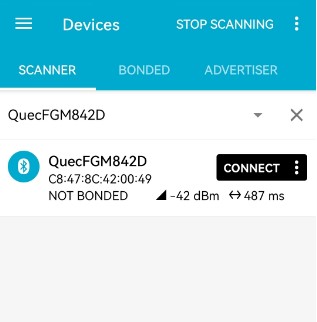
Step 2: After the module is connected successfully, "CONNECTED" is displayed in the interface, and the added UUIDs is displayed in "CLIENT":
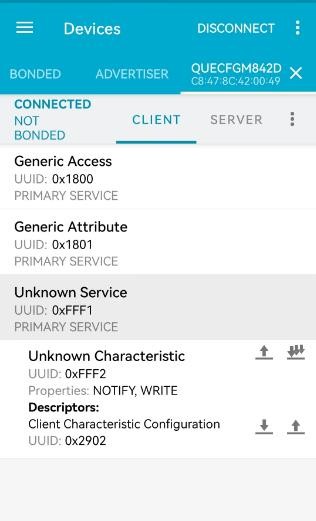
Sending Data to Module
Step 1: Select an editable characteristic, and click the upward arrow.
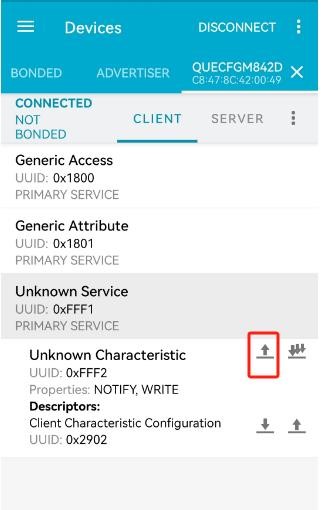
Step 2: Input the data to be sent in "TEXT" format. Then click "SEND", as shown in the figure below.
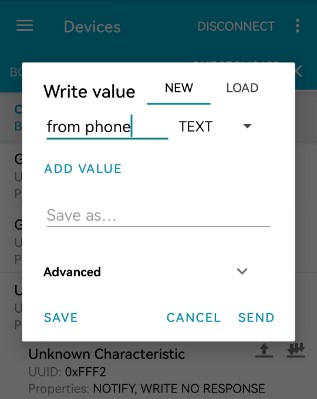
Once the data is sent successfully, the data received by the module is output via the serial port and displayed in the QCOM tool.
+QBLERECV: 0,"fff2",10 from phone
Sending Data to nRF Connect Application
Step 1: Use the QCOM tool to send the following command to send data
to UUID 0xFFF2 by notification.
AT+QBLEGATTSNTFY=0,"FFF2","123456789"

OK
Step 2: The received data is displayed in the Value field of the
Unknown Characteristic with UUID 0xFFF2 in the nRF Connect application,
as shown in the figure below.
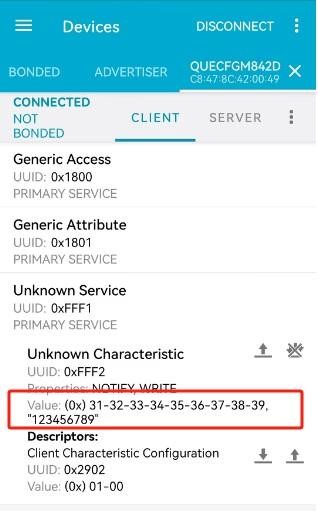
TCP/UDP Related AT Commands
Transparent Transmission Mode
Establish a TCP connection and enter the transparent transmission mode.
AT+QIOPEN=0,"TCP","192.0.2.2",8009,0,2  // <connectID> is 0. Before executing AT+QIOPEN, the host must execute AT+QIACT to activate the context.
CONNECT  // The TCP client is connected successfully. It is recommended to wait for 150 s for CONNECT. If no response is returned within 150 s, the host can close the socket connection by AT+QICLOSE.
Send data in the transparent transmission mode.
<All data got from COM port will be sent to the Internet directly>
Receive data sent from the remote server in the transparent transmission mode.
Test 1 //All data received from internet will be outputted via COM port directly.
Close a TCP Client
AT+QICLOSE=0  // After using `+++` to exit from the transparent access mode, the host could use `AT+QICLOSE` to close the TCP link. Depending on the network, the maximum response time is 10 seconds.
OK
SSL-Related AT Commands
Configure SSL Context in Transparent Transmission Mode
AT+QSSLCFG="sslversion",1,1  // Set SSL context ID to 1 and SSL version to TLS1.0
OK  // Set SSL context ID to 1 and SSL cipher suites to TLS_RSA_WITH_AES_256_CBC_SHA
AT+QSSLCFG="ciphersuite",1,0×0035
OK  // Set SSL context ID to 1 and authentication mode to server authentication
AT+QSSLCFG="seclevel",1,1
OK
AT+QFOPEN="ca.pem"
+QFOPEN: 1
OK
AT+QFWRITE=1,1757
CONNECT
+QFWRITE: 1757,1757
OK  // Set the path of the trusted CA certificate.
AT+QSSLCFG="cacert",1,"ca.pem"
OK
SSL Client in Buffer Access Mode
// Set up an SSL connection in buffer access mode.

AT+QSSLOPEN=1,4,"192.0.2.2",8010,0
OK
+QSSLOPEN: 4,0  // SSL connection established successfully.

// Query the state of all SSL connections.
AT+QSSLSTATE
+QSSLSTATE: 4,"SSLClient","192.0.2.2",8010,65344,2,4,0,"uart1",1
OK

// Send data in buffer access mode.

// Send variable-length data.
AT+QSSLSEND=4
>
Test data from SSL
<CTRL+Z>
SEND OK

// Send fixed-length data (18 bytes).
AT+QSSLSEND=4,18
>
Test data from SSL
SEND OK

// Receive data in buffer access mode.

// URC indicates data received on socket 4.
+QSSLURC: "recv",4

// Read data (up to 1500 bytes).
AT+QSSLRECV=4,1500
+QSSLRECV: 18  // Actual data length: 18 bytes.
Test data from SSL
OK

// Check for more data.
AT+QSSLRECV=4,1500
+QSSLRECV: 0  // No more data in buffer.
OK

// Close the SSL connection.
AT+QSSLCLOSE=4  // Maximum response time: 10 seconds (network-dependent).
OK
SSL Client in Direct Push Mode
//Set up an SSL connection and enter the direct push mode.

AT+QSSLOPEN=1,4,"192.0.2.2",8011,1

OK

+QSSLOPEN: 4,0 //Set up SSL connection successfully.

AT+QSSLSTATE //Query the state of all SSL connections.

+QSSLSTATE: 4,"SSLClient","192.0.2.2",8011,65047,2,4,1,"uart1",1

OK

//Send data in the direct push mode.

AT+QSSLSEND=4 //Send variable-length data.

>

Test data from SSL

<CTRL+Z> SEND OK

AT+QSSLSEND=4,18 //Send fixed-length data and the data length is 18 bytes.

>

Test data from SSL

SEND OK

//Receive data in the direct push mode.

+QSSLURC: "recv",4,18

Test data from SSL

//Close an SSL connection.

AT+QSSLCLOSE=4 //Close an SSL connection (`<clientID>` = 4). Depending on the network, the maximum response time is 10 s.

OK
SSL Client in Transparent Transmission Mode
// Set up an SSL connection and send data in transparent transmission mode.

AT+QSSLOPEN=1,4,"192.0.2.2",8011,2  // Set up an SSL connection.
CONNECT  // Enter transparent access mode.

// Client is sending data from COM port to the network directly.

OK  // Use +++ to exit transparent access mode. The NO CARRIER result code indicates that the server has stopped the SSL connection.

// Set up an SSL connection and receive data in transparent transmission mode.

AT+QSSLOPEN=1,4,"192.0.2.2",8011,2  // Set up an SSL connection.
CONNECT

<Received data>  // Client is reading the data.

// Close an SSL connection.

AT+QSSLCLOSE=4  // Close an SSL connection (<connectID> = 4). Depending on the network, the maximum response time is 10 s.
OK
MQTT-Related AT Commands
MQTT Operation Without SSL
// Configure receiving mode.

AT+QMTCFG="recv/mode",0,0

OK

AT+QMTOPEN=?

+QMTOPEN: (0-5),<host_name>,(1-65535)

OK

# Open a network for MQTT client.

AT+QMTOPEN=0,"192.0.2.2",8306

OK

+QMTOPEN: 0,0  # The MQTT client network is opened successfully.

AT+QMTOPEN?

+QMTOPEN: 0,"192.0.2.2",8306

OK

AT+QMTCONN=?

+QMTCONN: (0-5),<clientID>,<username>,<password>

OK

# Connect a client to MQTT server.

AT+QMTCONN=0,"test","quectel","quectel"

OK

+QMTCONN: 0,0,0  # The client is connected to MQTT server successfully.

AT+QMTSUB=?

+QMTSUB: (0-5),(0-65535),<topic>,(0-2)

OK

# Subscribe to topics.

AT+QMTSUB=0,1,"topic/example",2

OK

+QMTSUB: 0,1,0,2

AT+QMTSUB=0,1,"topic/pub",0

OK

+QMTSUB: 0,1,0,0

# If a client subscribes to "topic/example" and other devices publish the same topic to the server, the module will report the following information.

+QMTRECV: 0,0,"topic/example",36,"This is the payload related to topic"

# Unsubscribe from topics.

AT+QMTUNS=0,2,"topic/example"

OK

+QMTUNS: 0,2,0 AT+QMTPUB=?

+QMTPUB: (0-5),(0-65535),(0-2),(0,1),<topic>,(1-2048)

OK

# After receiving >, input data "This is test data, hello MQTT." and then send it. The maximum length of the data is 1500 bytes and the data beyond 1500 bytes is deleted.

AT+QMTPUB=0,0,0,0,"topic/pub",30 >This is test data, hello MQTT.

OK

+QMTPUB: 0,0,0

# If a client subscribes to a topic named "topic/pub" and other devices publish the same topic to the server, the module reports the following information.

+QMTRECV: 0,0,"topic/pub",30,This is test data, hello MQTT.

# Disconnect a client from MQTT server.

AT+QMTDISC=0

OK

+QMTDISC: 0,0  # Connection closed successfully.
MQTT Operation with SSL
// Configure receiving mode.

AT+QMTCFG="recv/mode",0,0

OK

# Configure MQTT session to SSL mode.

AT+QMTCFG="ssl",0,1,2

OK

# If the SSL authentication mode is "Perform server and client authentication if requested by the remote server", store CA certificate to UFS.

AT+QFOPEN="ca.pem"

+QFOPEN: 1

OK

AT+QFWRITE=1,1757

CONNECT

+QFWRITE: 1757,1757

OK

AT+QFCLOSE=1

OK

# If the SSL authentication mode is "Perform server and client authentication if requested by the remote server", store CC certificate to UFS.

AT+QFOPEN="user.pem"

+QFOPEN: 1

OK

AT+QFWRITE=1,1639

CONNECT

+QFWRITE: 1639,1639

OK

AT+QFCLOSE=1

OK

# If the SSL authentication mode is "Perform server and client authentication if requested by the remote server", store CK certificate to UFS.

AT+QFOPEN="user_key.pem"

+QFOPEN: 1

OK

AT+QFWRITE=1,2455

CONNECT

+QFWRITE: 2455,2455

OK

AT+QFCLOSE=1

OK

# Configure SSL parameters.

AT+QSSLCFG="cacert",1,"ca.pem"  # Set the path of the trusted CA certificate for the SSL context.

OK

AT+QSSLCFG="clientcert",1,"user.pem"  # Set the path of client certificate for the SSL context.

OK

AT+QSSLCFG="clientkey",1,"user_key.pem"  # Set the client private key for the SSL context.

OK

AT+QSSLCFG="seclevel",2,2  # If the SSL authentication mode is "Perform server and client authentication if requested by the remote server", perform server and client authentication.

OK

AT+QSSLCFG="sslversion",2,4  # Set the SSL version to all SSL versions.

OK

AT+QSSLCFG="ciphersuite",2,0×FFFF  # Set the SSL cipher suite to all SSL cipher suites.

OK

AT+QSSLCFG="ignorelocaltime",2,1  # Ignore validity period check of certificate.

OK

# Start MQTT SSL connection.

AT+QMTOPEN=0,"192.0.2.2",8307

OK

+QMTOPEN: 0,0

# Connect to MQTT server.

AT+QMTCONN=0,"test","quectel","quectel"

OK

+QMTCONN: 0,0,0

# Subscribe to topics.

AT+QMTSUB=0,1,"$aws/things/M26_0206/shadow/update/accepted",1 OK

+QMTSUB: 0,1,0,1

# Publish messages.

AT+QMTPUB=0,1,1,0,"$aws/things/M26_0206/shadow/update/accepted",32 >This is publish data from client

OK

+QMTPUB: 0,1,0

# If a client subscribes to a topic named "$aws/things/M26_0206/shadow/update/accepted" and other devices publish the same topic to the server, the module will report the following information.

+QMTRECV: 0,1,"$aws/things/M26_0206/shadow/update/accepted",32,"This is publish data from client"

# Disconnect from the MQTT server.

AT+QMTDISC=0

OK

+QMTDISC: 0,0
HTTP(S)-Related AT Commands
Send HTTPS GET request and read the response
The following examples show how to send HTTP GET request and enable output of HTTP response header, as well as how to read HTTP GET response.
// Send HTTP GET response.

AT+QHTTPCFG="rsp/header",1  # Enable to output HTTP(S) response header.

OK

AT+QHTTPCFG="url","http://www.example.com"  # Set the URL to be accessed.

OK

AT+QHTTPGET=80  # Send HTTPS GET request and the maximum response time is 80 s.

OK

+QHTTPGET: 0,200,601710  # If the HTTPS response header contains Content-Length information, then the <content_length> information will be reported.

# Read HTTPS response.

# Solution 1: Read HTTPS response information and output it via UART.

AT+QHTTPREAD=80  # Read HTTPS response information and output it via UART. The maximum time to wait for HTTPS session to be closed is 80 s.

CONNECT

HTTP/1.1 200 OK <CR><LF>  # HTTPS response header and body.

Server: nginx<CR><LF>

Date: Tue, 12 Sep 2017 05:57:29 GMT<CR><LF>

Content-Type: text/html<CR><LF>

Content-Length: 601710<CR><LF>

Connection: close<CR><LF>

Last-Modified: Tue, 12 Sep 2017 05:54:48 GMT<CR><LF>

Vary: Accept-Encoding<CR><LF>

Expires: Tue, 12 Sep 2017 05:58:28 GMT<CR><LF>

Cache-Control: max-age=60<CR><LF>

X-Powered-By: shci_v1.03<CR><LF>

Age: 1<CR><LF>

......<CR><LF>  # Lines are omitted here.

<CR><LF>

<body>

OK

+QHTTPREAD: 0  # Read HTTPS response header and body successfully.

# Send HTTPS POST request and read the response.

# The following examples show how to send HTTPS POST request and how to read HTTPS POST response.

AT+QHTTPCFG="url","http://example.com/DEMOWebServices2.8/Service.asmx/Echo?"  # Set the URL to be accessed.

OK

AT+QHTTPPOST=20,80,80  # Send HTTPS POST request. HTTPS POST body is obtained from UART. The maximum input body time is 80 s and the maximum response time is 80 s.

CONNECT

Message=HelloQuectel  # Input HTTPS POST body whose length is 20 bytes. (This POST body is only an example. Please input the correct one in practice.

OK

+QHTTPPOST: 0,200,177  # If the HTTPS response header contains Content-Length information, the <content_length> information is reported.

AT+QHTTPREAD=80  # Read HTTPS response body and output it via UART. The maximum time to wait for HTTPS session to be closed is 80 s.

CONNECT

<?xml version="1.0" encoding="utf-8"?>

<string xmlns="httpHTTPs://example.com/webservices2.3">Message='HelloQuectel' ASCII:72 101 108 108 111 81 117 101 99 116 101 108 </string>  # Output HTTP response.

OK

+QHTTPREAD: 0  # HTTPS response body is outputted successfully.

# Send HTTPS PUT request and read the response

The following examples show how to send HTTPS PUT request and how to read HTTPS PUT response.

AT+QHTTPCFG="url","http://example.com/DEMOWebServices2.8/Service.asmx/Echo?"  # Set the URL to be accessed.

OK

AT+QHTTPPUT=20,80,80  # Send HTTPS PUT request. HTTPS PUT body is obtained from UART. The maximum input body time is 80 s and the maximum response time is 80 s.

CONNECT

Message=HelloQuectel  # Input HTTPS PUT body whose length is 20 bytes. (This PUT body is only an example. Please input the correct one in practice.

OK

+QHTTPPUT: 0,200,177  # If the HTTPS response header contains Content-Length information, the <content_length> information is reported.

AT+QHTTPREAD=80  # Read HTTPS response body and output it via UART. The maximum time to wait for HTTPS session to be closed is 80 s.

CONNECT

<?xml version="1.0" encoding="utf-8"?>

<string xmlns="httpHTTPs://example.com/webservices2.3">Message='HelloQuectel' ASCII:72 101 108 108 111 81 117 101 99 116 101 108 </string>  # Output HTTP response.

OK

+QHTTPREAD: 0  # HTTPS response body is outputted successfully.

# Access HTTPS server.

# Send HTTPS GET request and read the response

# The following examples show how to send HTTP GET request and enable output of HTTP response header, as well as how to read HTTP GET response.

# Send HTTP GET request.

AT+QHTTPCFG="rsp/header",1  # Enable to output HTTP(S) response header.

OK

AT+QHTTPCFG="sslctxid",1  # Set the SSL context ID to 1.

OK

AT+QSSLCFG="sslversion",1,1  # Set the SSL version to TLSV1.0.

OK

AT+QSSLCFG="ciphersuite",1,0×0005  # Set the SSL cipher suite to TLS_RSA_WITH_RC4_128_SHA.

OK

AT+QSSLCFG="seclevel",1,0  # Set the authentication mode to "no authentication".

OK

AT+QHTTPCFG="url","https://www.example.com"  # Set the URL to be accessed.

OK

AT+QHTTPGET=80  # Send HTTPS GET request and the maximum response time is 80 s.

OK

+QHTTPGET: 0,200,21472  # If the HTTPS response header contains Content-Length information, then the <content_length> information will be reported.

# Read HTTPS response.

# Solution 1: Read HTTPS response information and output it via UART.

AT+QHTTPREAD=80  # Read HTTPS response information and output it via UART. The maximum time to wait for HTTPS session to be closed is 80 s.

CONNECT  # HTTPS response header and body.

HTTP/1.1 200 OK<CR><LF>

Server: Tengine/2.1.0<CR><LF>

Date: Tue, 12 Sep 2017 05:54:34 GMT <CR><LF>

Content-Type: text/html; charset=utf-8<CR><LF>

Content-Length: 21451<CR><LF>

Connection: keep-alive <CR><LF>

......<CR><LF>  # Lines are omitted here.

<CR><LF>

<body>

OK

+QHTTPREAD: 0  # Read HTTPS response header and body successfully.

# Send HTTPS POST request and read the response.

# The following examples show how to send HTTPS POST request and how to read HTTPS POST response.

AT+QHTTPCFG="sslctxid",1  # Set the SSL context ID to 1.

OK

AT+QSSLCFG="sslversion",1,1  # Set the SSL version to TLSV1.0.

OK

AT+QSSLCFG="ciphersuite",1,0×0005  # Set the SSL cipher suite to TLS_RSA_WITH_RC4_128_SHA.

OK

AT+QSSLCFG="seclevel",1,2  # Set the authentication mode to "Perform server and client authentication if requested by the remote server".

OK

AT+QFOPEN="ca.pem"

+QFOPEN: 1

OK

AT+QFWRITE=1,1757

CONNECT

+QFWRITE: 1757,1757

OK

AT+QFCLOSE=1

OK

AT+QFOPEN="user.pem"

+QFOPEN: 1

OK

AT+QFWRITE=1,1684

CONNECT

+QFWRITE: 1684,1684

OK

AT+QFCLOSE=1

OK

AT+QFOPEN="user_key.pem"

+QFOPEN: 1

OK

AT+QFWRITE=1,2455

CONNECT

+QFWRITE: 2455,2455

OK

AT+QFCLOSE=1

OK

AT+QSSLCFG="cacert",1,"ca.pem"  # Set the path of the trusted CA certificate for the SSL context.

OK

AT+QSSLCFG="clientcert",1,"user.pem"  # Set the path of the client certificate for the SSL context.

OK

AT+QSSLCFG="clientkey",1,"user_key.pem"  # Set the client private key for the SSL context.

OK

AT+QHTTPCFG="url","https://192.0.2.2:8011/processorder.php"  # Set the URL to be accessed.

OK

AT+QHTTPPOST=48,80,80  # Send HTTPS POST request. HTTPS POST body is obtained from UART. The maximum input body time is 80 s and the maximum response time is 80 s.

CONNECT

Message=1111&Appleqty=2222&Orangeqty=3333&find=1  # Input HTTPS POST body whose length is 48 bytes. (This POST body is only an example. Please input the correct one in practice.

OK

+QHTTPPOST: 0,200,285  # If the HTTPS response header contains Content-Length information, the <content_length> information is reported.

AT+QHTTPREAD=80  # Read HTTPS response body and output it via UART. The maximum time to wait for HTTPS session to be closed is 80 s.

CONNECT  # HTTPS response is read successfully.

<html>

<head>

<title>Quectel's Auto Parts - Order Results</title>

</head>

<body>

<h1>Quectel's Auto Parts</h1>

<h2>Order Results</h2>

<p>Order processed at 02:49, 27th December</p><p>Your order is as follows: </p>1111 message<br />2222 apple<br />3333 orange<br /></body> </html>

OK

+QHTTPREAD: 0  # HTTPS response is outputted successfully.

# Send HTTPS PUT request and read the response.

The following examples show how to send HTTPS PUT request and how to read HTTPS PUT response.

AT+QHTTPCFG="sslctxid",1  # Set the SSL context ID to 1.

OK

AT+QSSLCFG="sslversion",1,1  # Set the SSL version to TLSV1.0.

OK

AT+QSSLCFG="ciphersuite",1,0×0005  # Set the SSL cipher suite to TLS_RSA_WITH_RC4_128_SHA.

OK

AT+QSSLCFG="seclevel",1,2  # Set the authentication mode to "Perform server and client authentication if requested by the remote server".

OK

AT+QHTTPCFG="url","https://192.0.2.2:8011/processorder.php"  # Set the URL to be accessed.

OK

AT+QHTTPPUT=48,80,80  # Send HTTPS PUT request. HTTPS PUT body is obtained from UART. The maximum input body time is 80 s and the maximum response time is 80 s.

CONNECT

Message=1111&Appleqty=2222&Orangeqty=3333&find=1  # Input HTTPS PUT body whose length is 48 bytes. (This PUT body is only an example. Please input the correct one in practice.

OK

+QHTTPPUT: 0,200,285  # If the HTTPS response header contains Content-Length information, the <content_length> information is reported.

AT+QHTTPREAD=80  # Read HTTPS response body and output it via UART. The maximum time to wait for HTTPS session to be closed is 80 s.

CONNECT  # HTTPS response is read successfully.

<html>

<head>

<title>Quectel's Auto Parts - Order Results</title>

</head>

<body>

<h1>Quectel's Auto Parts</h1>

<h2>Order Results</h2>

<p>Order processed at 02:49, 27th December</p><p>Your order is as follows: </p>1111 message<br />2222 apple<br />3333 orange<br /></body>

</html>

OK

+QHTTPREAD: 0  # HTTPS response is outputted successfully.
Summary of Result Codes
TCP/UDP/SSL Result Codes:
| Result Code | Description |
|---|---|
| 0 | Operation success |
| 550 | Unknown error |
| 551 | Operation blocked |
| 552 | Invalid parameters |
| 553 | Memory not enough |
| 554 | Socket creation failed |
| 555 | Operation not supported |
| 556 | Socket bind failed |
| 557 | Socket listen failed |
| 558 | Socket write failed |
| 559 | Socket read failed |
| 560 | Socket accept failed |
| 561 | Socket identity has been used |
| 562 | DNS busy |
| 563 | DNS failed |
| 564 | Socket connect failed |
| 565 | Socket has been closed |
| 566 | Operation busy |
| 567 | Operation timeout |
| 568 | Cancel sending |
| 569 | Operation not allowed |
| 570 | Port busy |
HTTP(S) Result Codes:
| Result Code | Description |
|---|---|
| 0 | Operation success |
| 701 | HTTP(S) unknown error |
| 702 | HTTP(S) timeout |
| 703 | HTTP(S) busy |
| 704 | HTTP(S) UART busy |
| 705 | HTTP(S) no request |
| 706 | HTTP(S) network error |
| 707 | HTTP(S) URL error |
| 708 | HTTP(S) empty URL |
| 709 | HTTP(S) IP address error |
| 710 | HTTP(S) DNS error |
| 711 | HTTP(S) socket create error |
| 712 | HTTP(S) socket connect error |
| 713 | HTTP(S) socket read error |
| 714 | HTTP(S) socket write error |
| 715 | HTTP(S) socket closed |
| 716 | HTTP(S) data encode error |
| 717 | HTTP(S) data decode error |
| 718 | HTTP(S) read timeout |
| 719 | HTTP(S) response failed |
| 720 | Input timeout |
| 721 | Wait data timeout |
| 722 | HTTP(S) response timeout |
| 723 | Memory not enough |
| 724 | Invalid parameter |
Appendix References
Terms and Abbreviations:
| Abbreviation | Description |
|---|---|
| ACK | Acknowledgement |
| AP | Access Point |
| BLE | Bluetooth Low Energy |
| BSSID | Basic Service Set Identifier |
| DHCP | Dynamic Host Configuration Protocol |
| DNS | Domain Name Server |
| DTIM | Delivery Traffic Indication Message |
| GATT | Generic Attribute Profile |
| MAC | Medium Access Control |
| MQTT | Message Queuing Telemetry Transport |
| MTU | Maximum Transmission Unit |
| HTTP | Hyper Text Transfer Protocol |
| HTTPS | Hypertext Transfer Protocol Secure |
| ID | Mostly refers to Identifier in terms of software |
| IP | Internet Protocol |
| OTA | Over-the-Air Techology |
| PSK | Pre-Shared Key |
| QoS | Quality of Service |
| RSSI | Received Signal Strength Indicator |
| SNI | Server Name Indication |
| STA | Station |
| SSID | Service Set Identifier |
| SSL | Secure Sockets Layer |
| TA | Terminal Adapter |
| TCP | Transmission Control Protocol |
| TLS | Transport Layer Security |
| TTL | Time to Live |
| UDP | User Datagram Protocol |
| UFS | User File System |
| URC | Unsolicited Result Code |
| UUID | Universally Unique Identifier |