


 English
FGM842D Power Consumption Test
Test Environment
The following equipment is required for the power consumption test:
- Precision power supply (e.g., Keithley 2450 or similar)
- A computer with power supply control software installed
- FGM842D_TE-B module
Test Procedure
You can refer to the operation video for a step-by-step demonstration of the test setup and procedure. A concise video guide and downloadable assets are available at the Video Tutorial page:
Power Consumption — Video Tutorial
Configure Power Supply Software
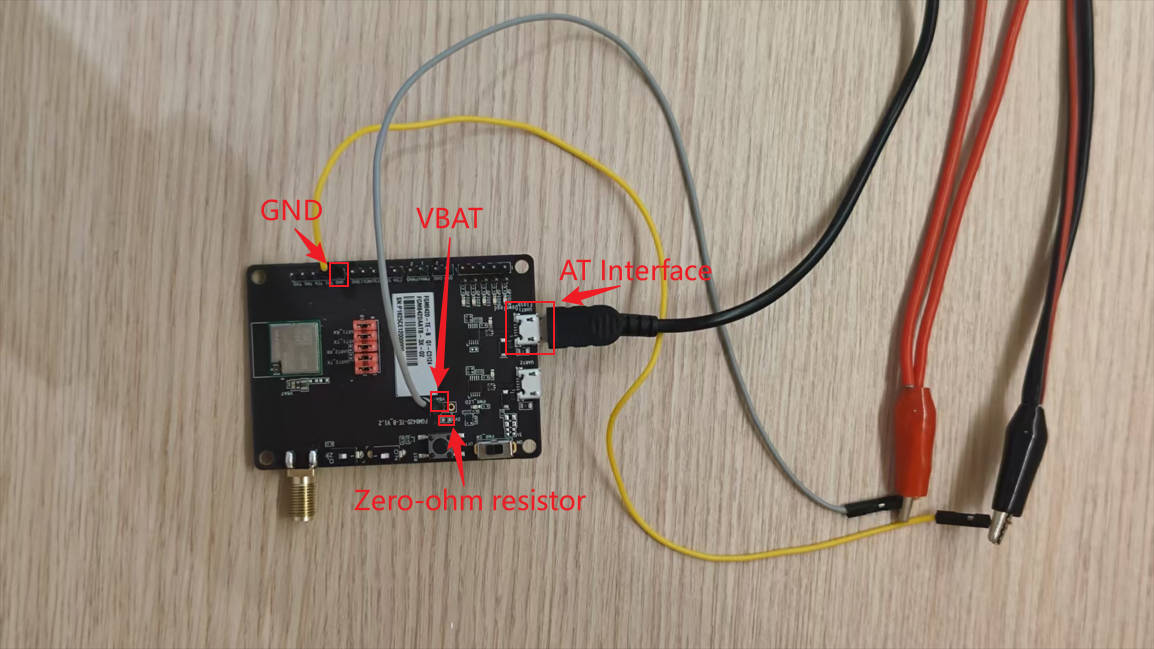
Open the control software for the precision power supply, such as 1456A Device Characterization. Click on Source > Data Logging Settings. In the Data Logging Settings window, set the monitoring duration and current range. The configuration is shown in the figure below.
Send AT Commands
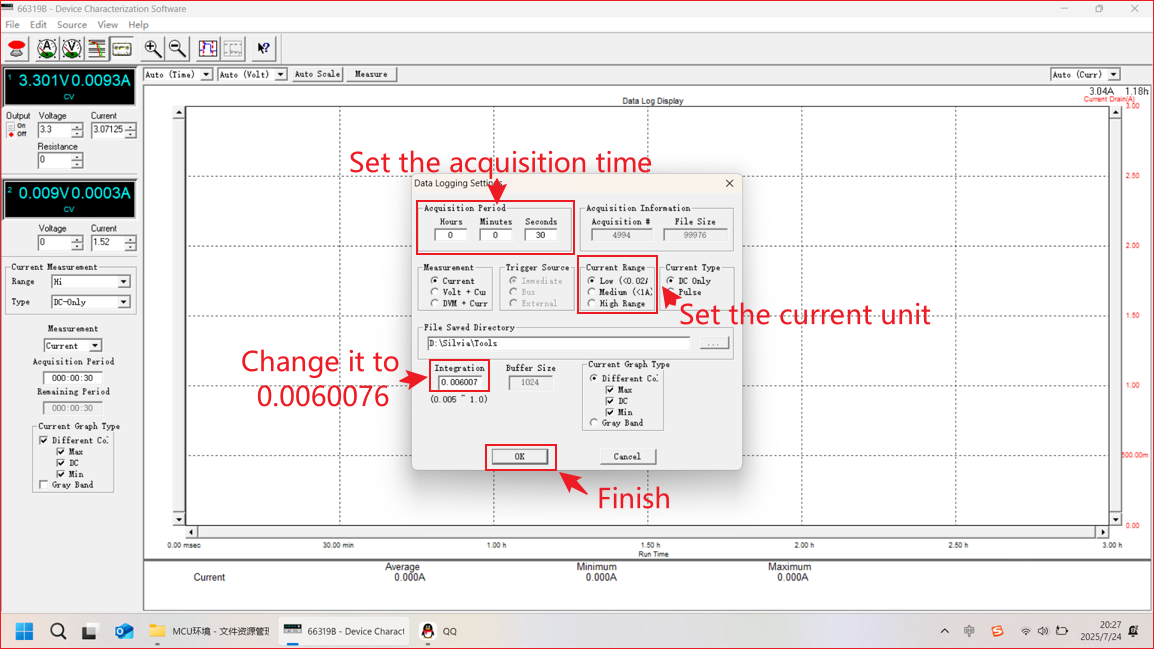
Use a serial port tool to send AT commands to the FGM842D module, instructing it to enter low-power modes (e.g., sleep or standby).
Prepare Hardware
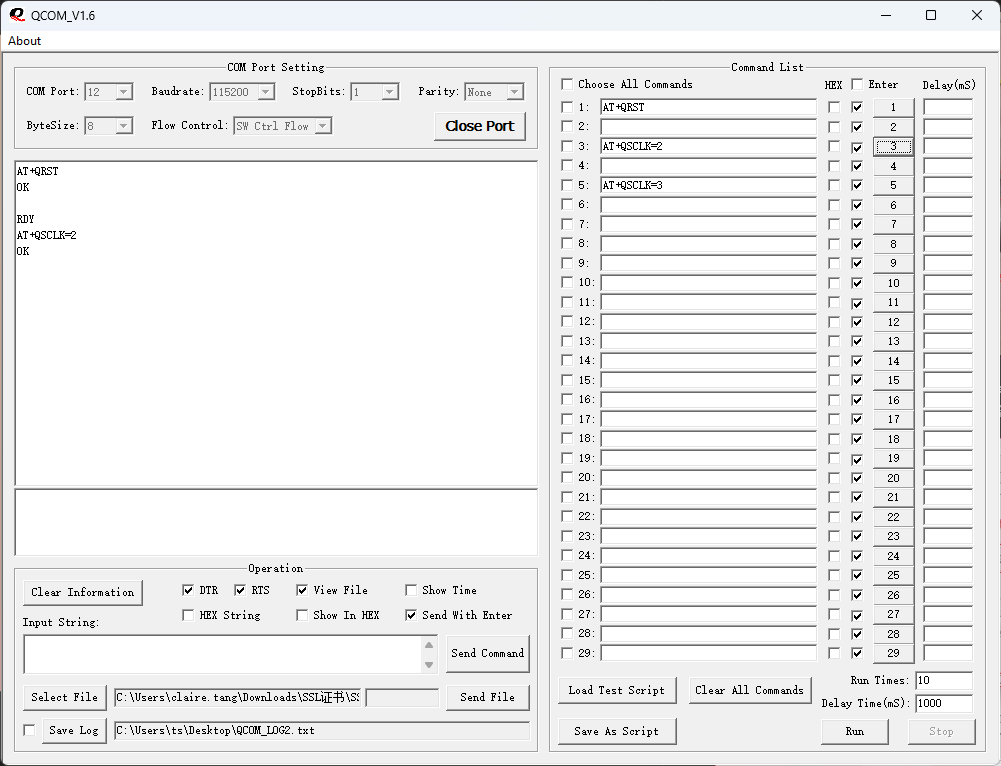
Remove the jumper cap and unplug the macro data cable from the module.
Start Monitoring
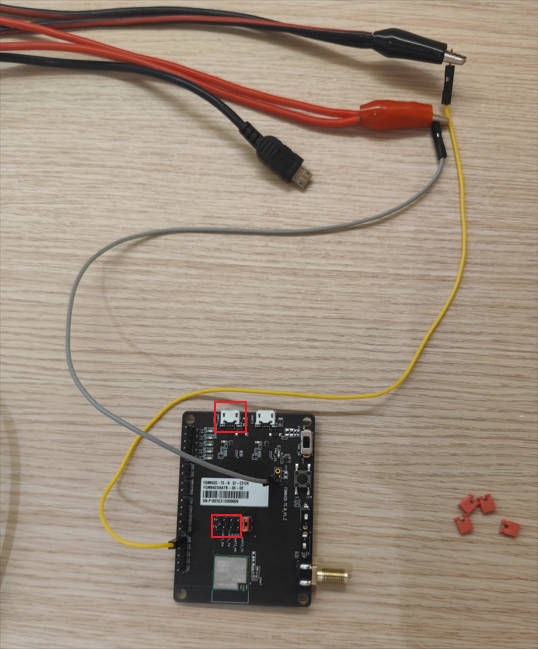
Click the Monitor button on the precision power supply to begin recording the power consumption data of the FGM842D.
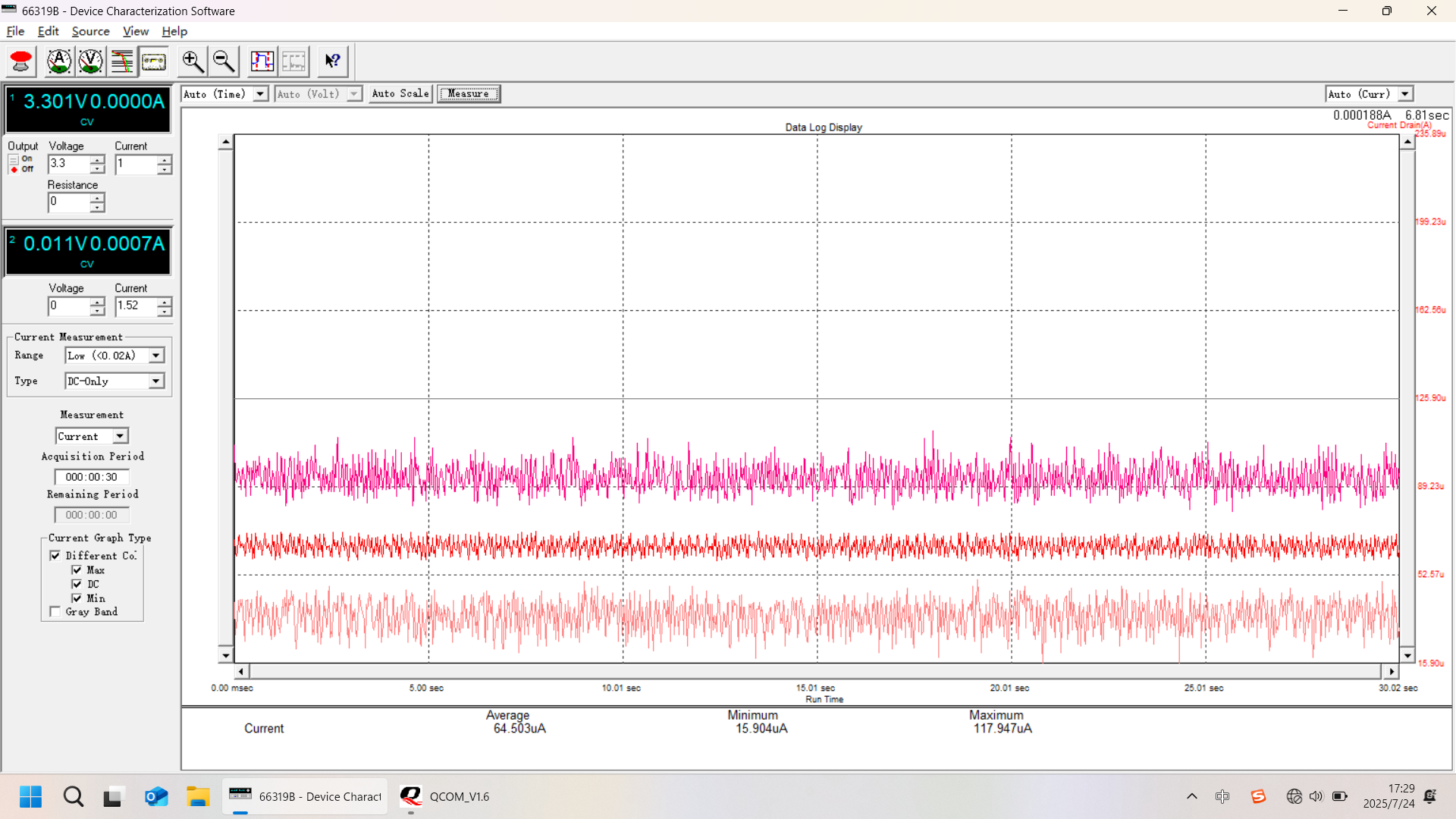
Test Deep Sleep Mode
Send an AT command to enter deep sleep mode. After removing the jumper cap, observe and record the data.
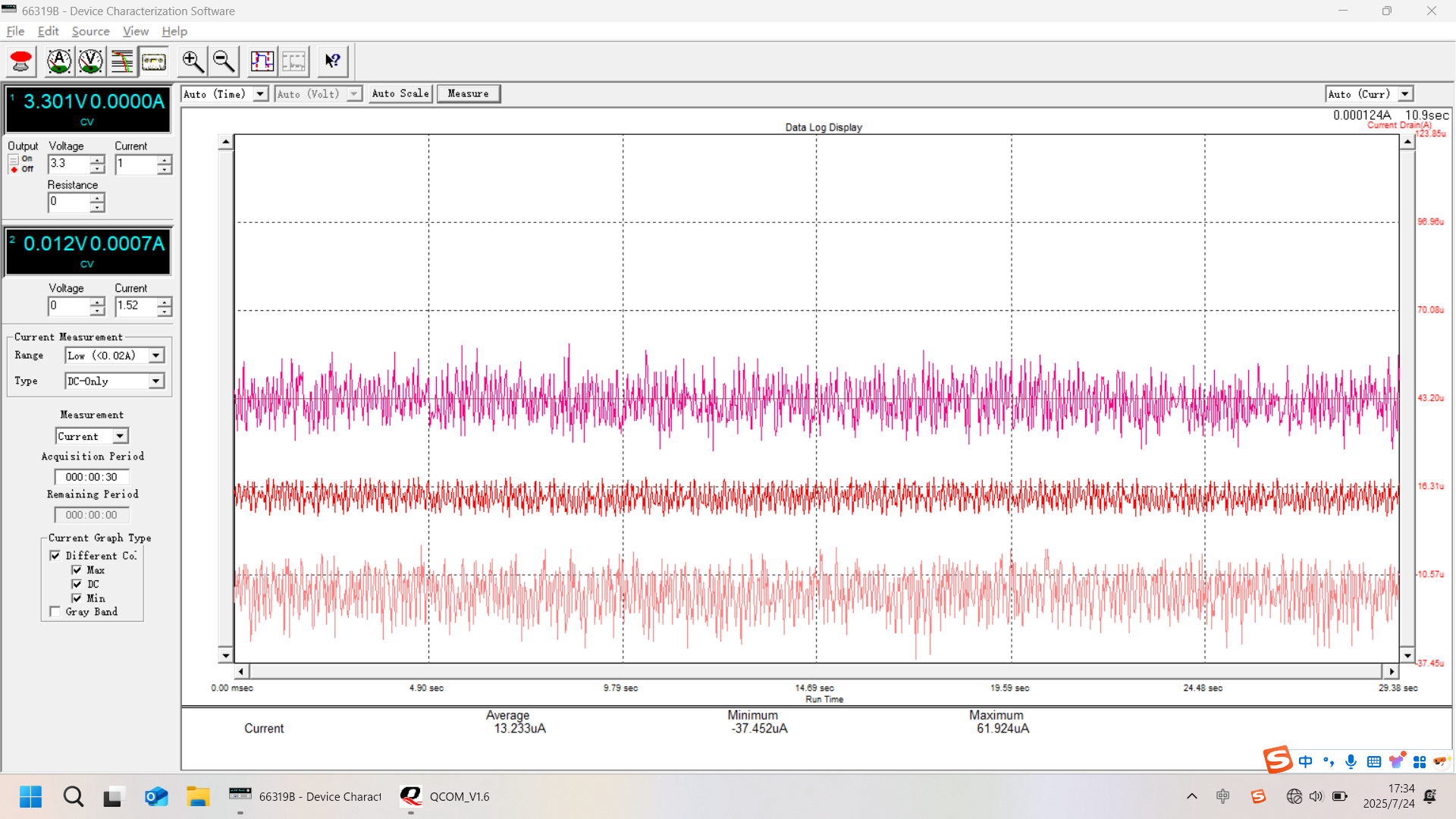
Test Standby Mode
Switch to standby mode and monitor the power consumption data.
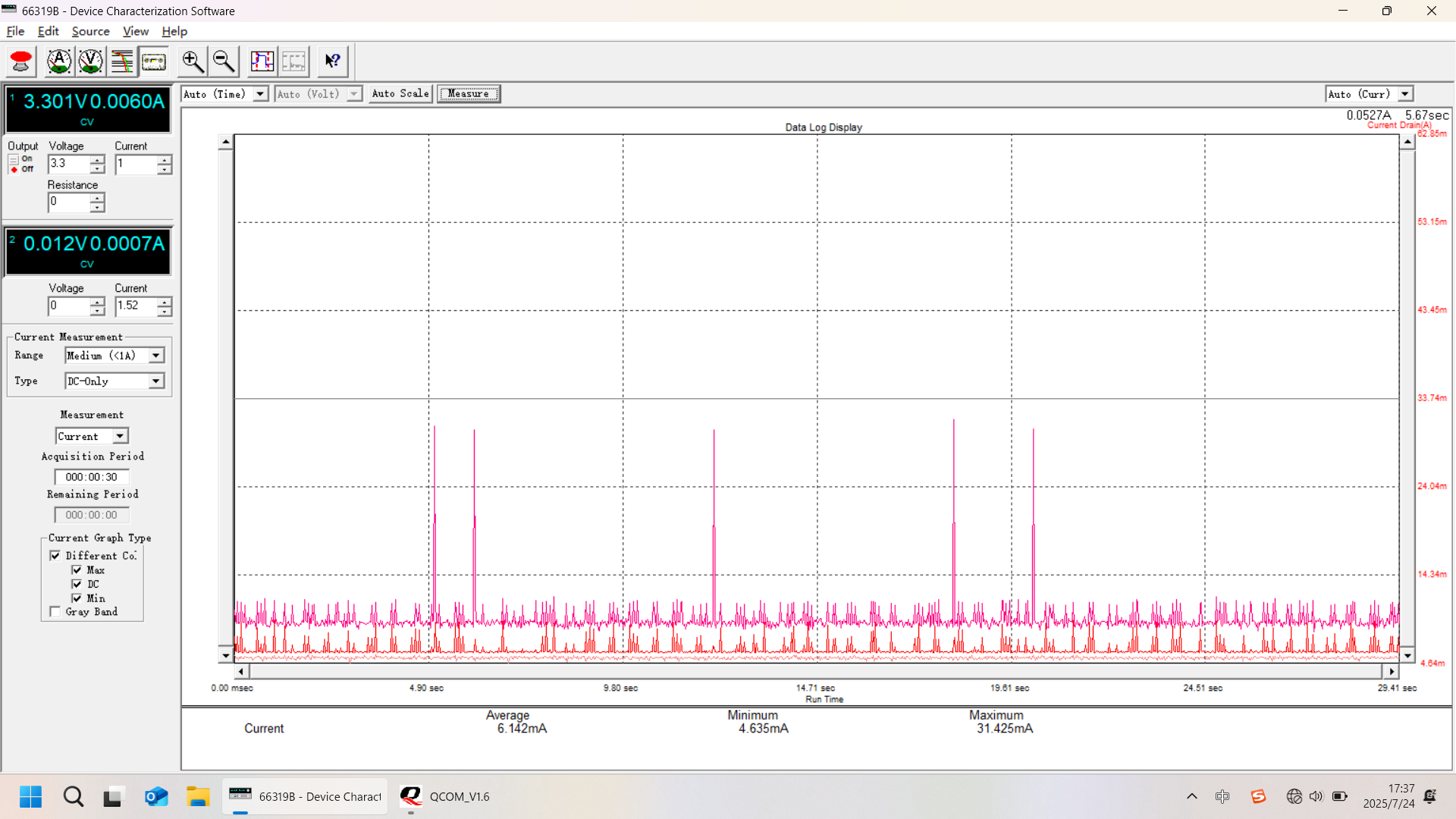
Analyze Results
Review the logged data for power consumption in different modes.
Common errors and solutions
Detailed Q&A and troubleshooting steps have been moved to the Troubleshooting page:
Appendix: Tools and Software
- Precision Power Supply: Agilent 66319B, Supplies power and measures current.
- Serial Port Tool: QCOM, Sends AT commands (baud rate: 115200).