
Implement Script Auto-Start with main.py
After QuecPython runs, it will automatically launch the script named main.py in the usr directory. Before the device enters mass production, the entry script of the program must be named main.py.
Write a minimal version of the auto-start script main.py to implement cyclic printing of hello world after startup, which is used to verify the auto-start function.
Example Code
# Import the built-in system delay module of QuecPython
import utime
# Program main entry
if __name__ == '__main__':
    # Infinite loop to achieve continuous printing and ensure stable capture of logs by the serial port
    while True:
        print("hello world")
        # 1-second delay to control printing frequency and avoid excessive CPU resource occupation
        utime.sleep(1)
Test the Auto-Run Effect (Restart the Module to Verify Execution Results)
After the module is fully started, the hello world log is continuously output every second. This proves that the program is automatically executed upon module startup, and the verification of the auto-start function is completed.
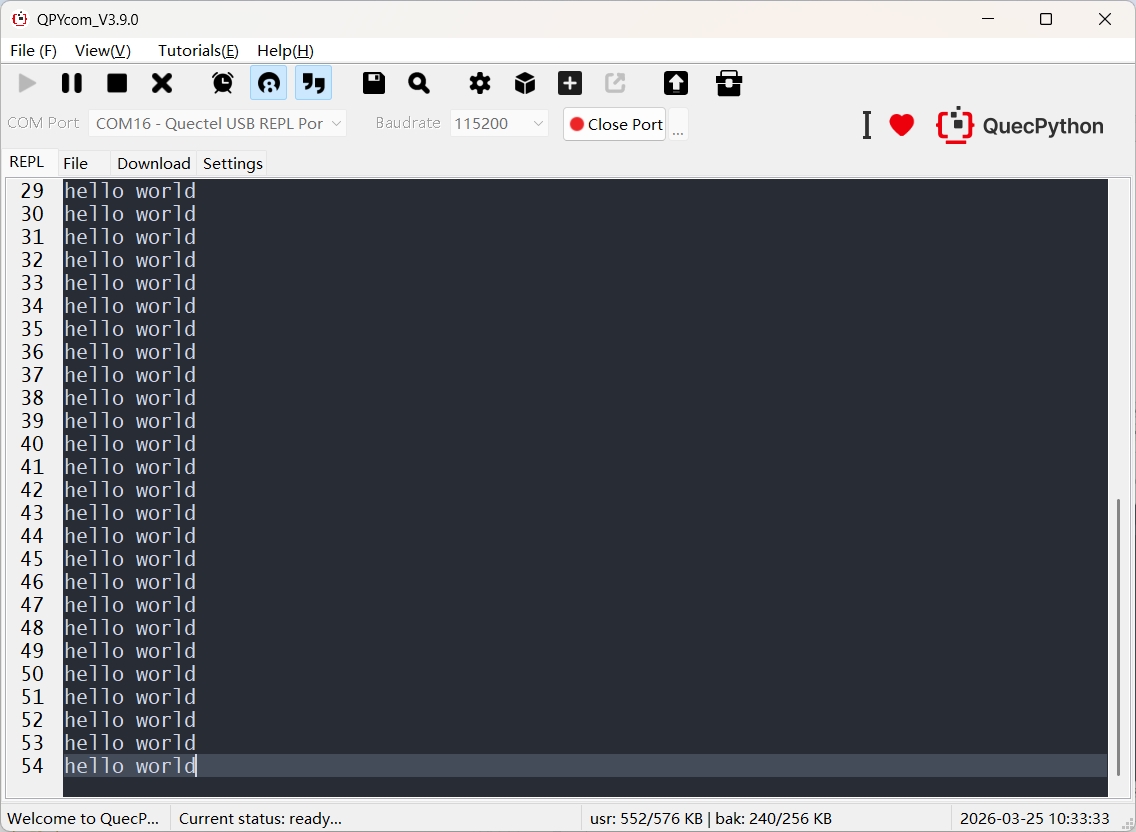
Note: If only the one-time execution code
print("hello world")is written inmain.py(without loop-based continuous running logic), the one-time print output will be generated before the REPL port is opened. As a result, QPYcom cannot capture the one-time print output.
Common Issues and Precautions
The Script Fails to Auto-Start
- Path Error:
main.pymust be stored in the root directory of/usr(not in subfolders such as/usr/project/); - File Name Error: Use all lowercase
main.pystrictly (avoidMain.py,main.py.txt, etc.); - Encryption Restriction:
main.pycannot be encrypted. The firmware only supports parsing plaintext auto-start entry files; - Syntax/Runtime Exceptions: Syntax errors or top-level code exceptions in the script will directly terminate the auto-start process (it is recommended to manually execute and verify the script in REPL first).